



Quick Overview
Two ways to build an Ekor entry
Bet 1 uses direct number entry and an order list. Bet 2 provides a visual number grid for building single or multiple combinations.
WINBOX Tutorial · 01
Ekor Tutorial Bet 1
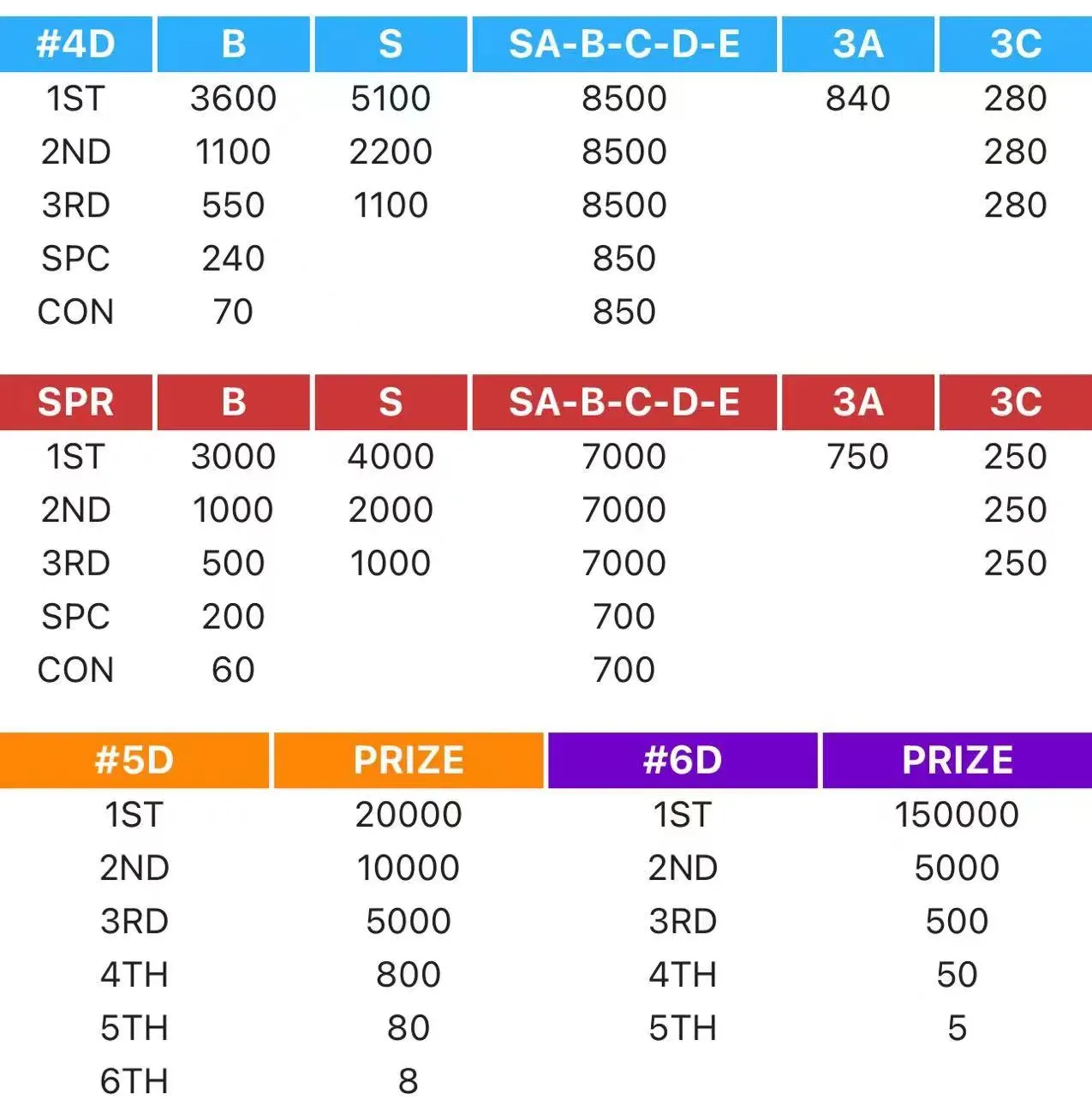
Use the annotated screen to identify each control. The prize image is supplied as a quick reference for the available Ekor categories.
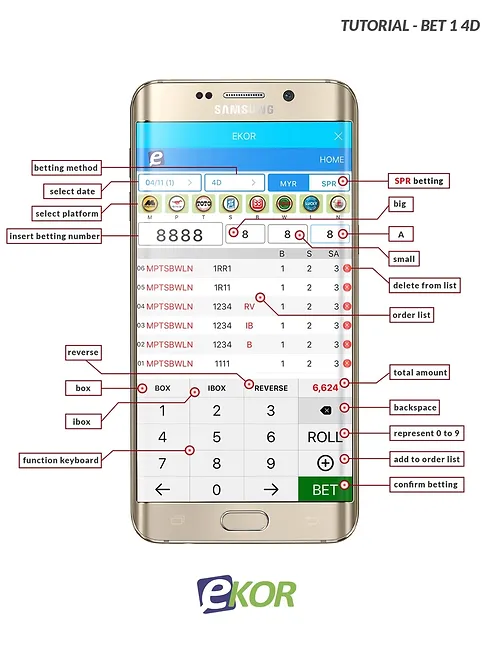
Select the draw date, game type and platform.
Type the betting number and choose B, S or SA.
Check the order list and total amount.
Use the green BET button only after checking the entry.
WINBOX Tutorial · 02
Ekor Tutorial Bet 2
The number-grid workflow is divided into three clear screens so each selection and amount field can be reviewed independently.
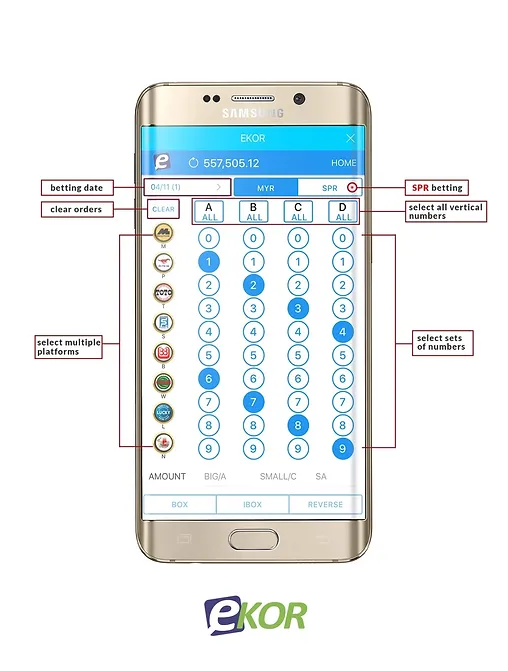
Choose the betting date and SPR mode, then select single or multiple digits across the number columns.
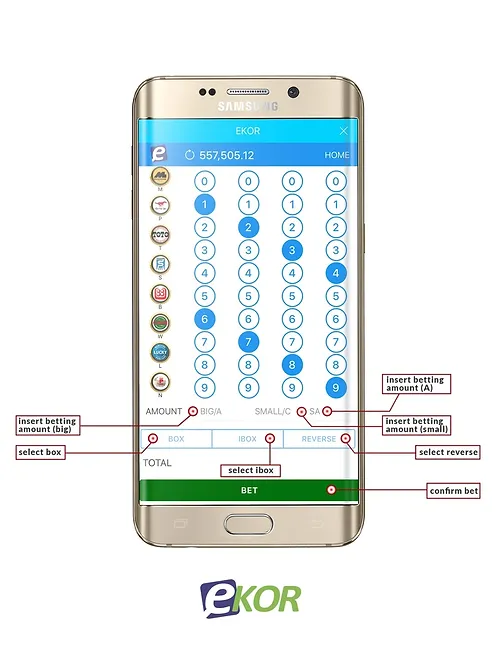
Enter the Big, Small, A or C amounts, then choose Box, iBox or Reverse where applicable.
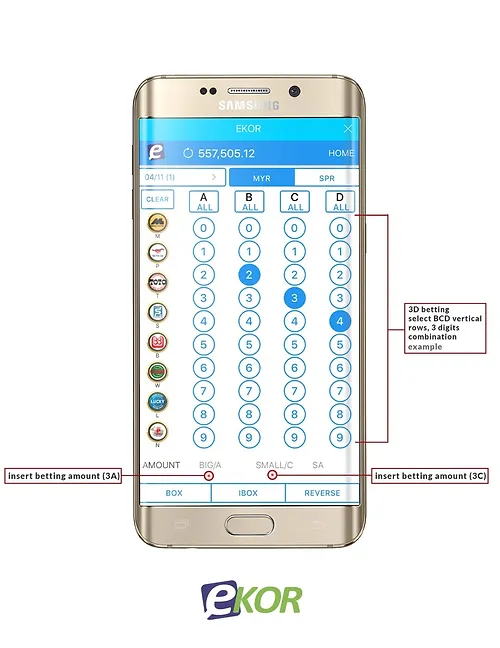
For 3D entries, check the vertical combination and corresponding 3A or 3C amount before continuing.
Before You Confirm
Check every entry carefully
The annotated screenshots are a visual guide. Interface labels, prize values and available betting modes may change on the live platform.
- ✓Confirm the draw date and selected platform.
- ✓Review every number and betting mode.
- ✓Check the total amount before submission.
- ✓Keep account details and access codes private.