WINBOX REGISTRATION

Register a New WINBOX Account

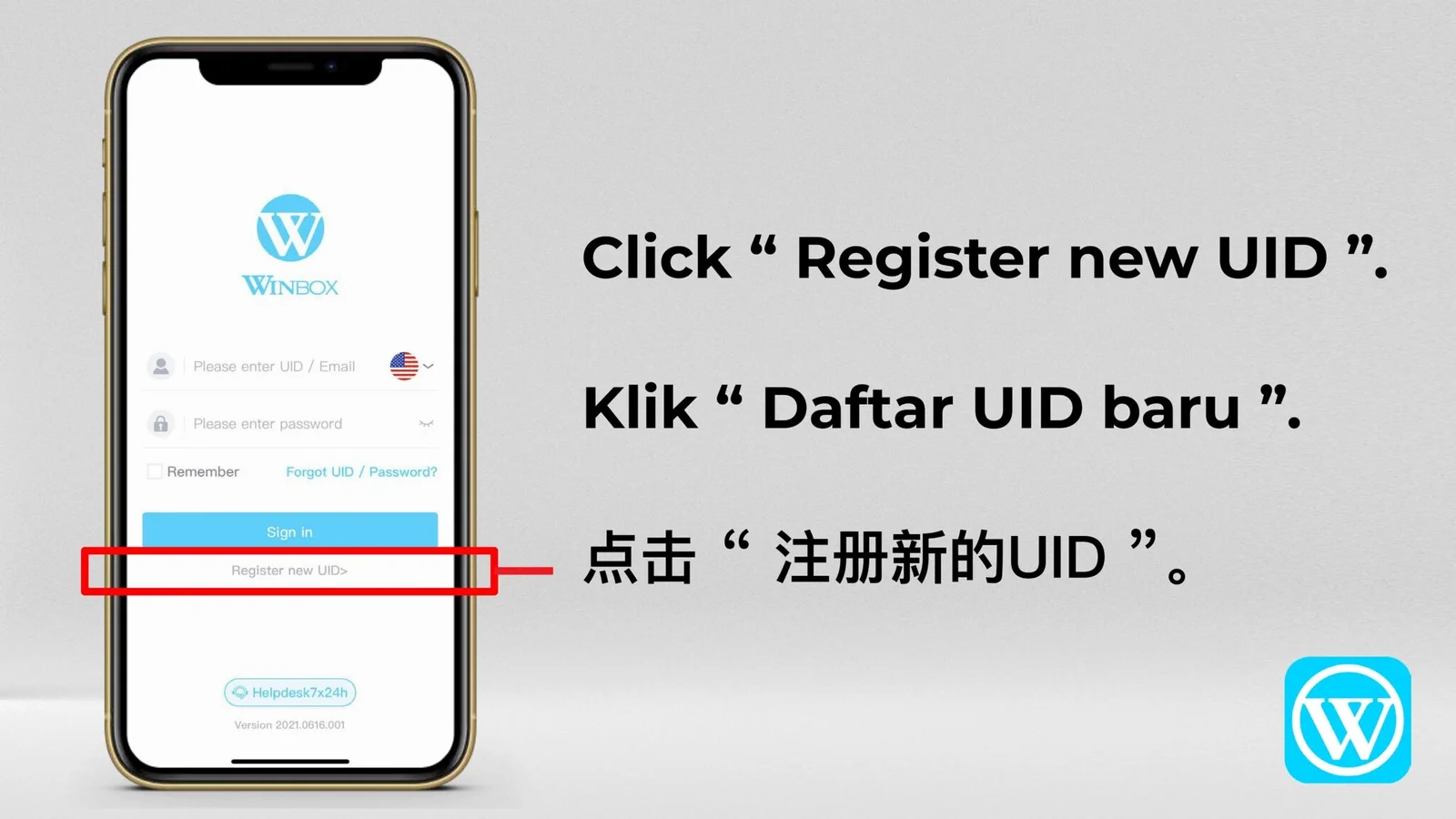
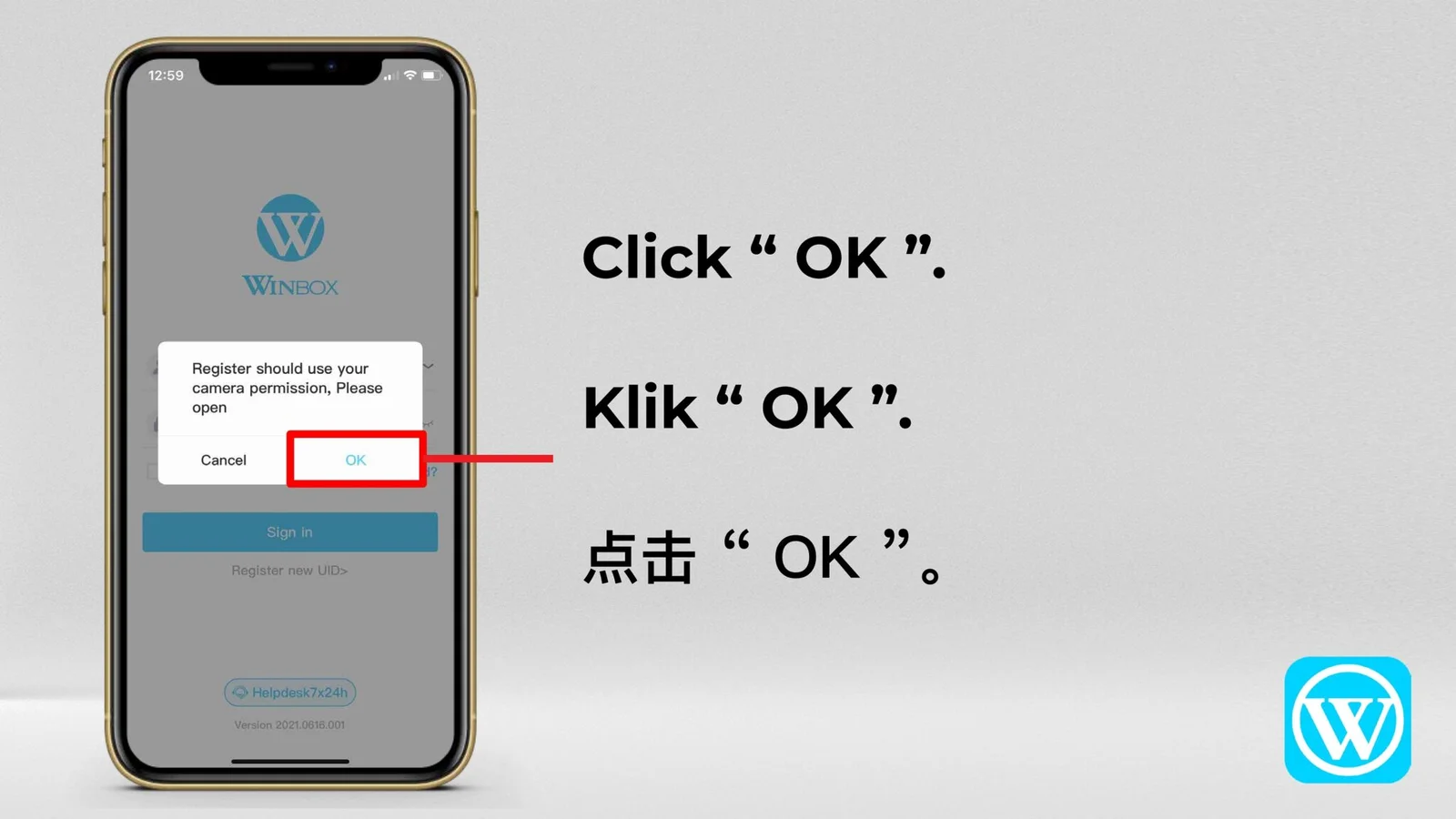
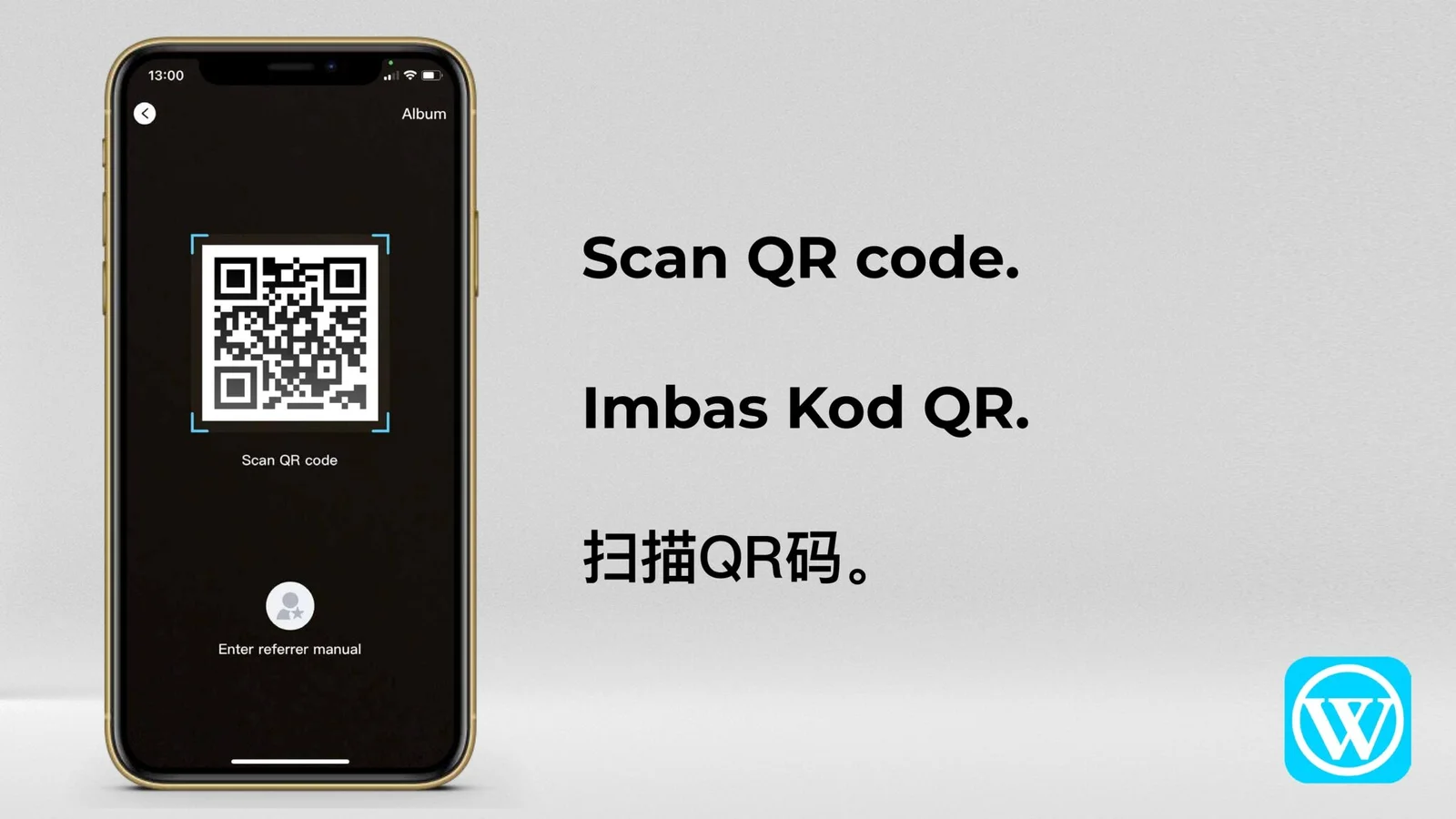
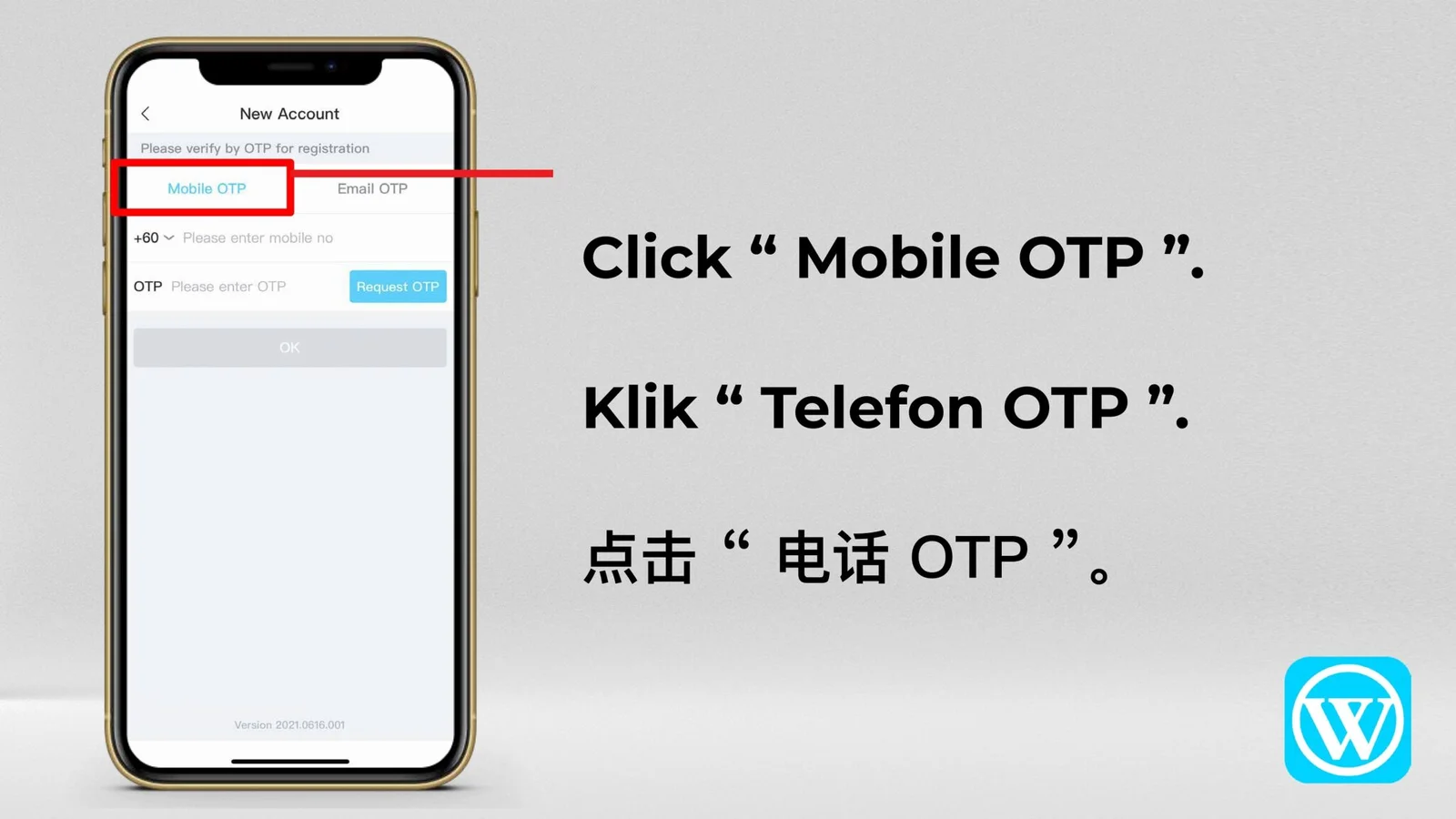
Create your UID, verify your contact details and complete WINBOX registration by following the supplied images in order.

New Registration Guide

Create, verify and download.

Follow these three stages to prepare your account, complete verification and install the WINBOX app.

01
Step 1

Create your own WINBOX UID

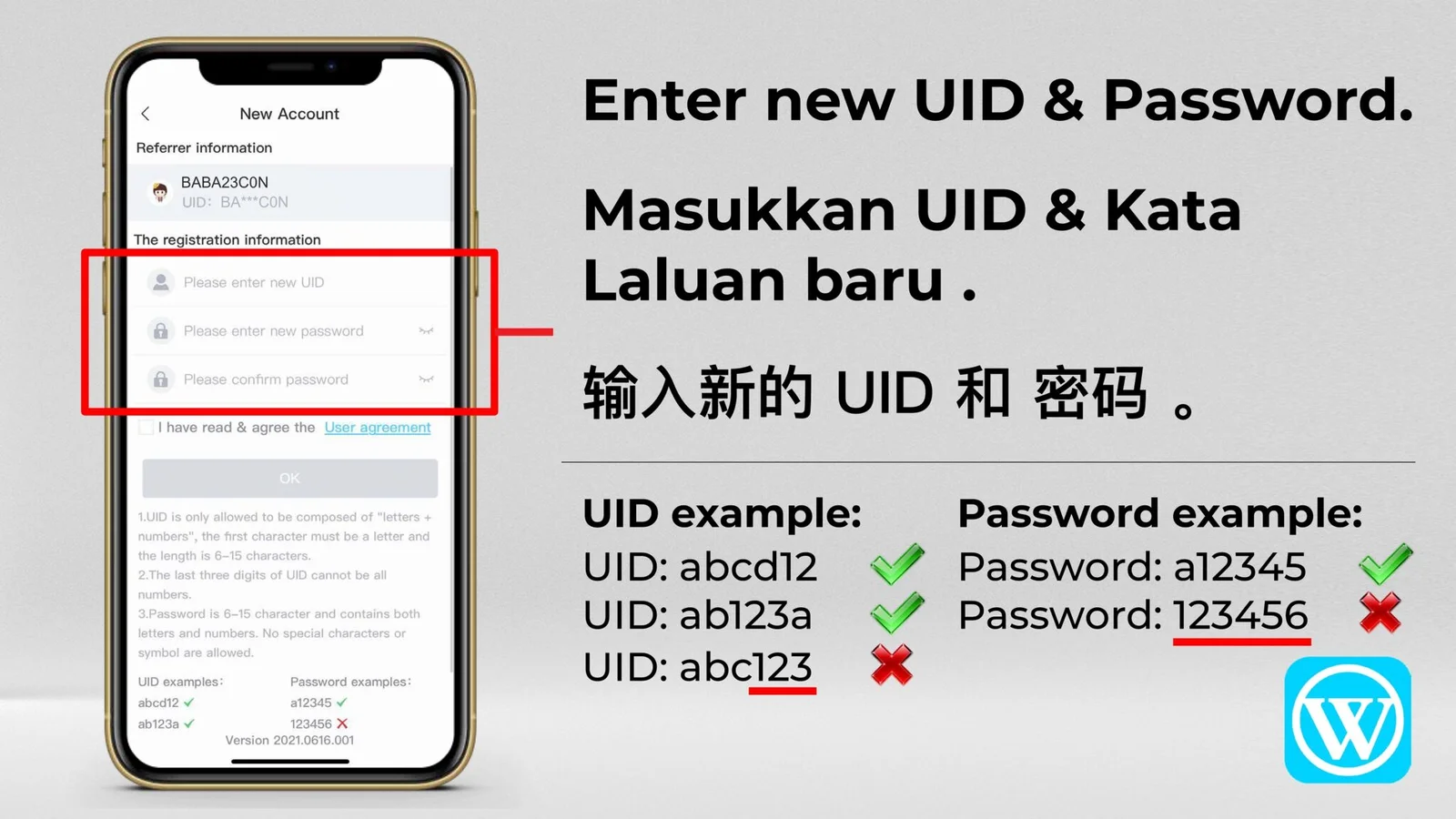
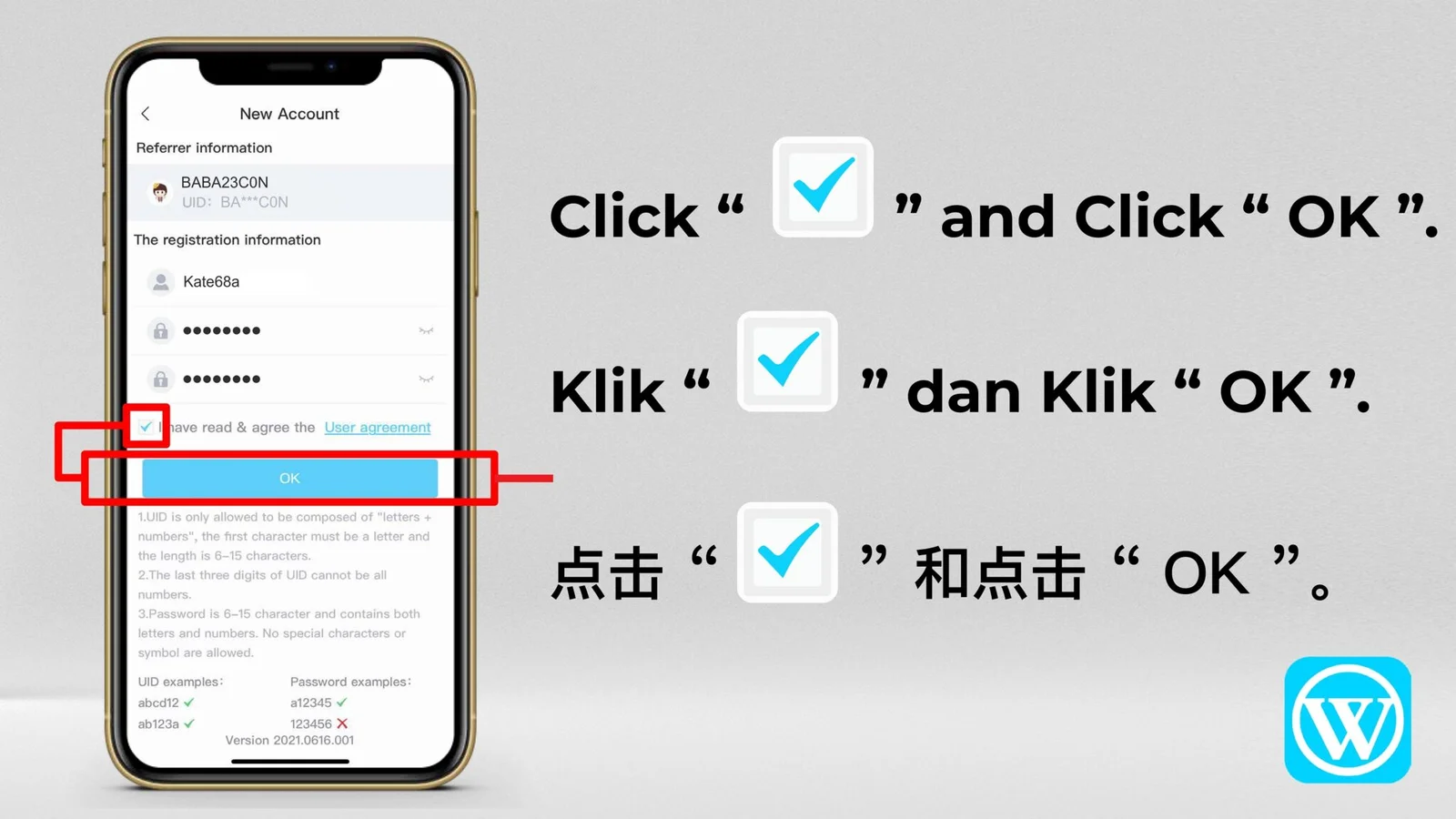
When entering the registration page, create a new login ID and set your password.

  • Your UID must begin with a letter from a–z.
  • Your UID must contain at least 6 and no more than 15 characters.
  • The final three UID characters cannot all be numbers.
  • Your password must contain at least 6 characters and may use numbers only or a mixture of letters and numbers.

UID examples abcd88 · abc1d23

Password examples 123488 · abc123

02
Step 2

Bind your phone number or email address

Once you have set your UID and password, select “Next” to enter the binding page.

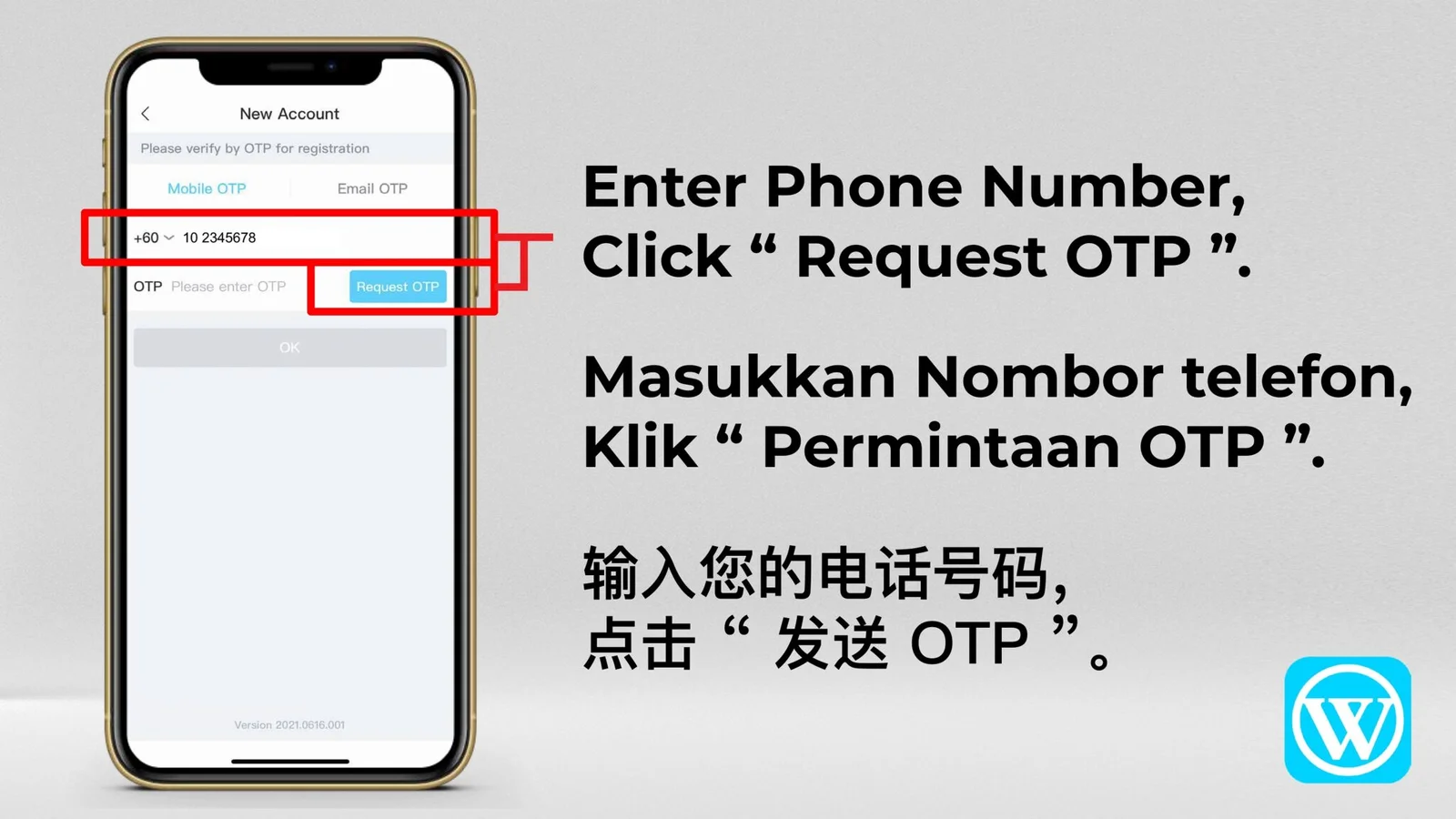
  • Enter your mobile phone number or email address.
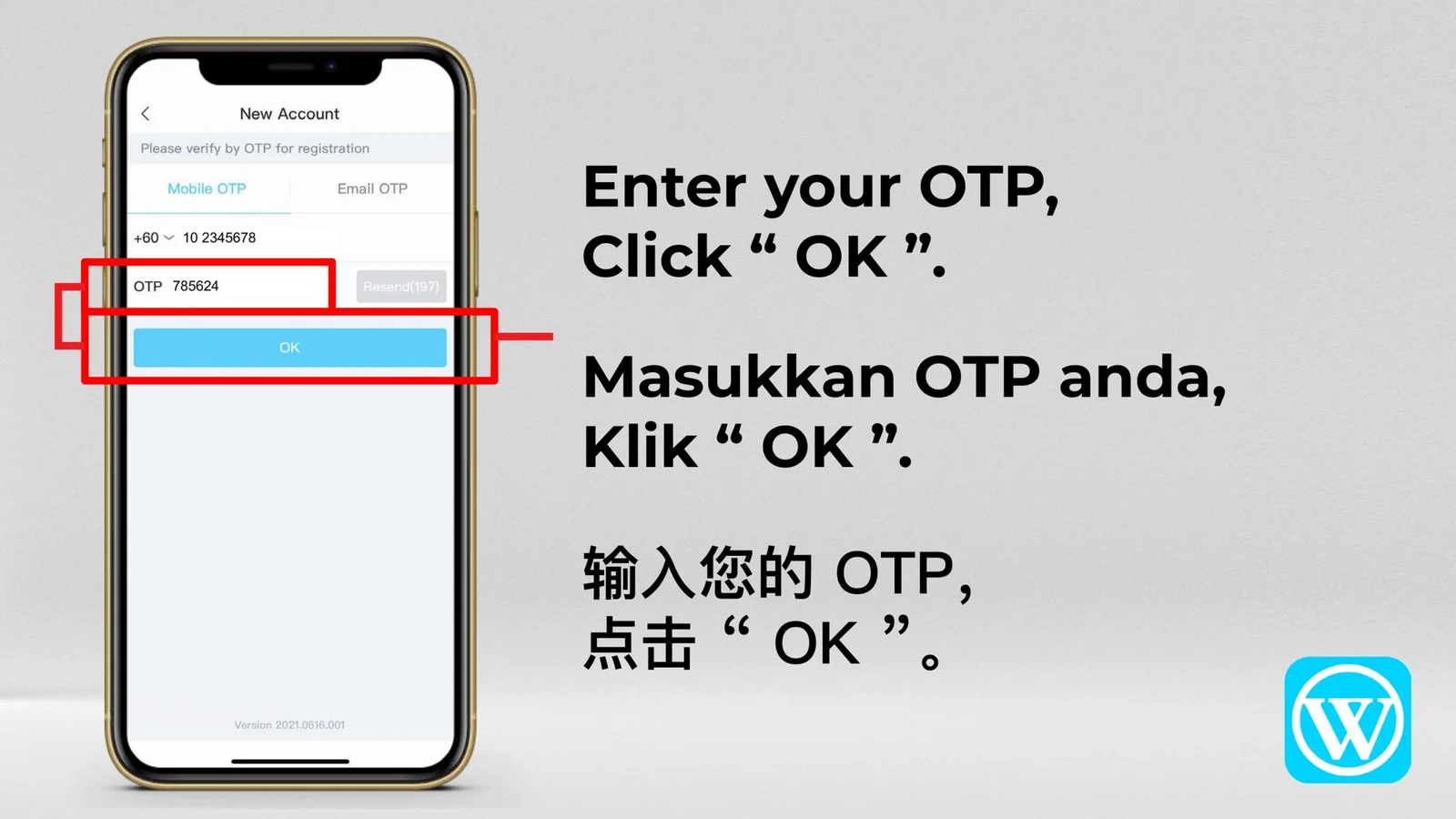
  • Request and enter the verification code.
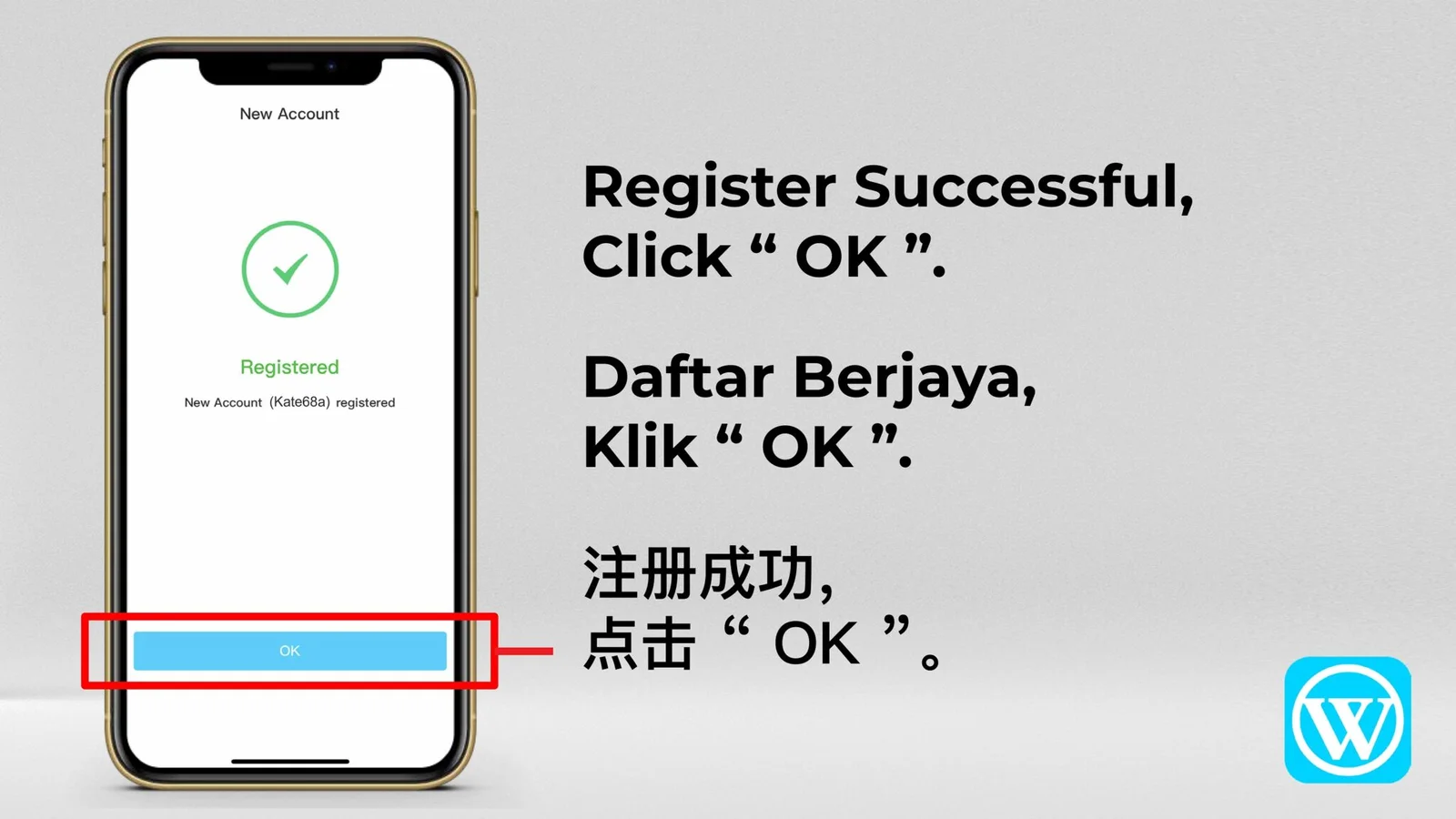
  • After verification is complete, your WINBOX account is ready.
03
Step 3

Download the WINBOX app

Download the WINBOX app through the supplied latest website link for 2025. After installation is complete, sign in and continue to the available games.

Open WINBOX download link

Registration Steps

Follow the images in numeric order.

The complete tutorial is presented in one continuous ten-image carousel. Every supplied image is shown without cropping.

Complete every screen in order. If an option looks different inside the current member platform, contact WINBOX support before submitting personal information.

Official Registration Access

Scan the WINBOX QR code.

Open the registration destination on your phone by scanning the supplied QR code, or continue through the official Register button.

Always confirm that the destination belongs to the verified WINBOX member platform before entering account details.

WINBOX registration QR code
WINBOX registration QR

WINBOX REGISTRATION

Complete WINBOX registration without missing a step

A successful WINBOX registration starts with a valid UID and password, followed by mobile or email verification. Review the requirements before opening the registration destination so you can complete the process smoothly.

01

Create a valid WINBOX UID

Start the UID with a letter and use 6 to 15 characters. The final three characters cannot all be numbers. Choose a password of at least six characters and keep it private.

02

Bind a working contact method

Enter a mobile number or email address that can receive a verification code. Check the country code, request the OTP once and enter the code before it expires.

03

Download or use the web version

After registration, continue through the official download destination for Android or iOS. If app installation is unavailable, use the WINBOX Web Version from a compatible mobile browser.