



WINBOX Telegram · English GuideVideo Tutorial
TELEGRAM ACCOUNT GUIDE
Bind Telegram to WINBOX
Use the matching mobile or desktop tutorial to register, log in, bind or remove Telegram from your WINBOX account.
WINBOX Telegram Guide
Register, log in, bind or unbind Telegram.
Choose the tutorial that matches your device. Each supplied folder is presented as its own ordered image carousel.
H5 · Mobile Tutorials
Telegram guides for mobile access
Four separate carousels cover registration, login, account binding and unbinding on the H5 mobile interface.
H5 · Mobile
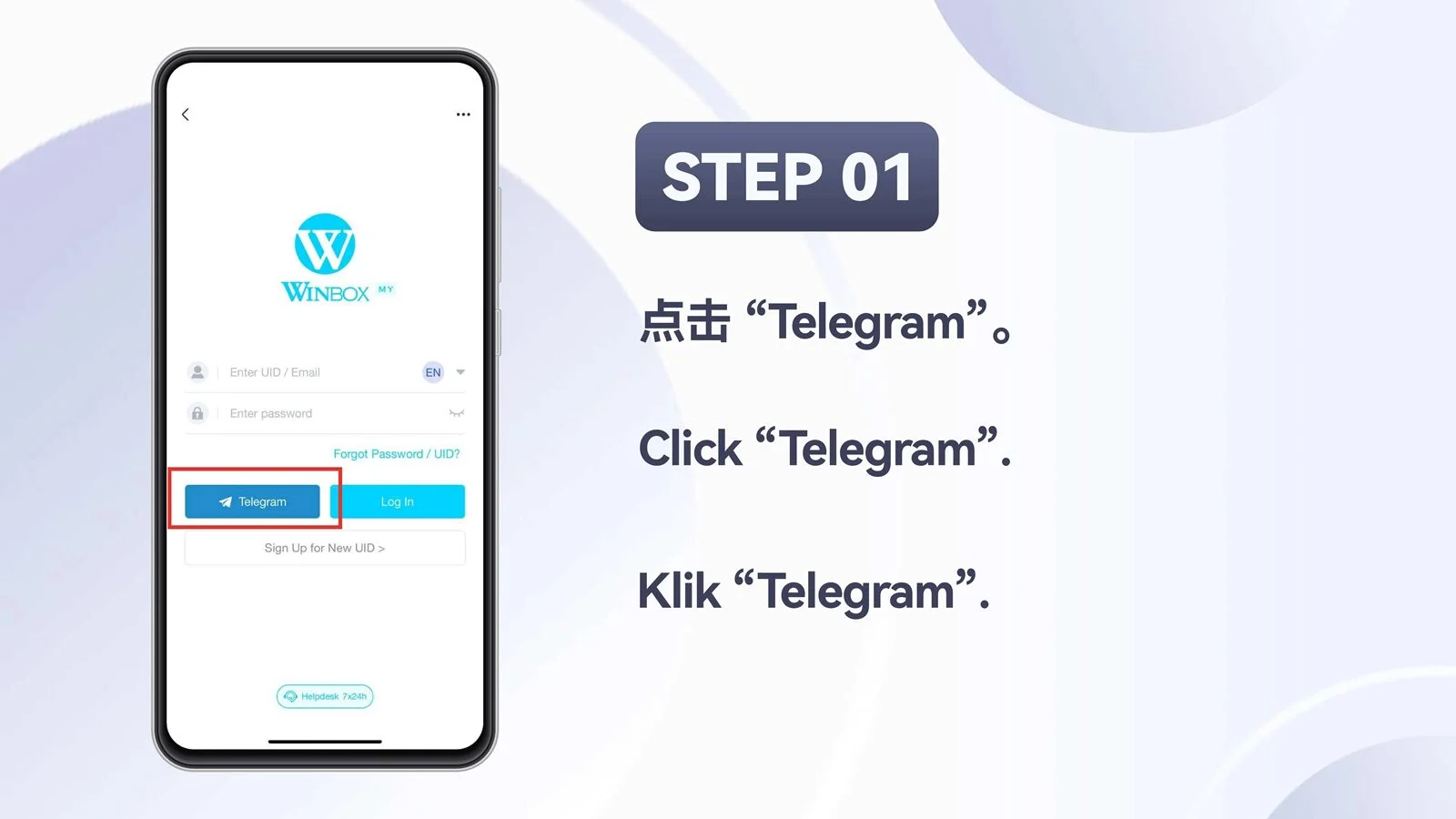
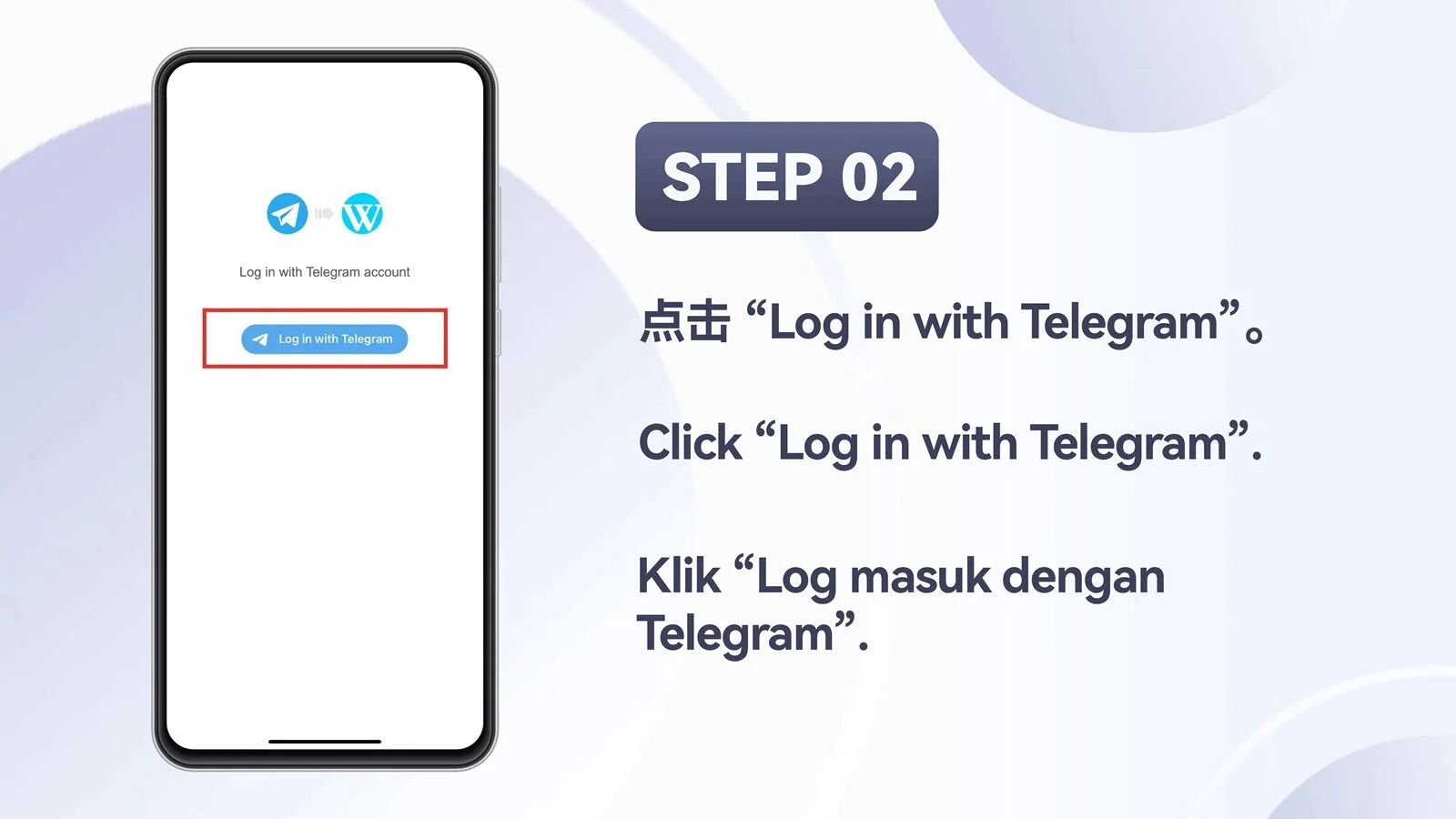
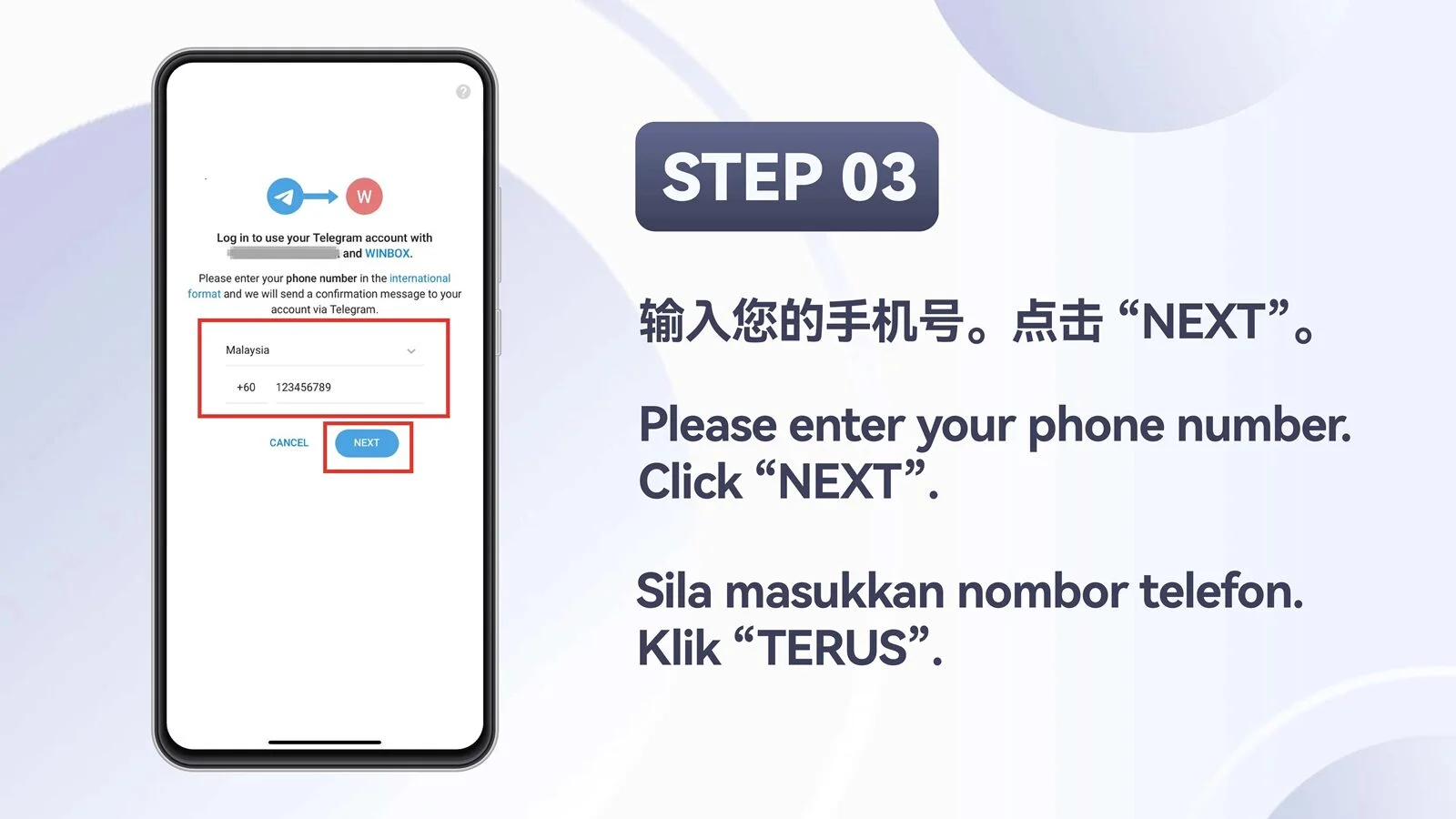
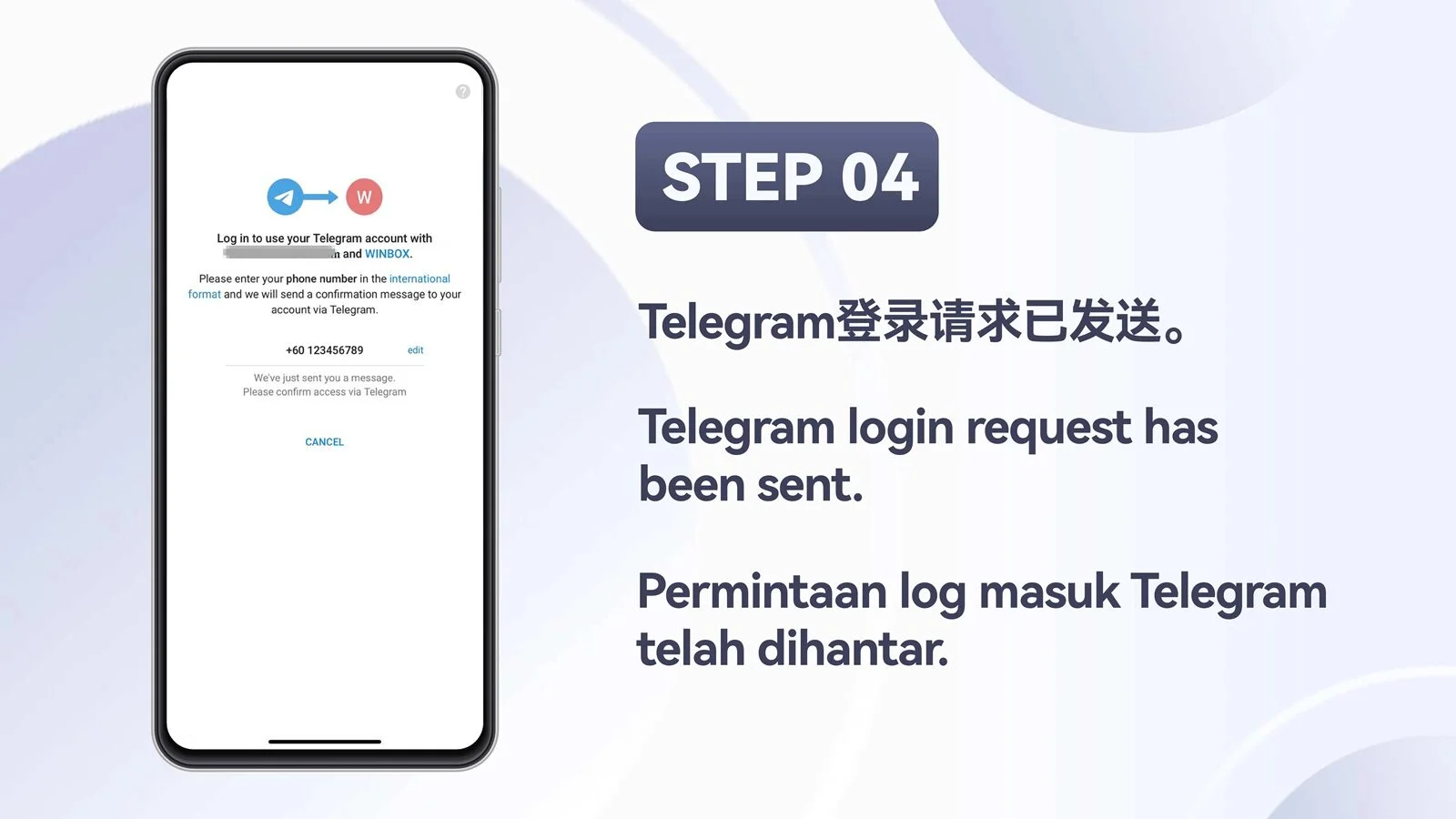
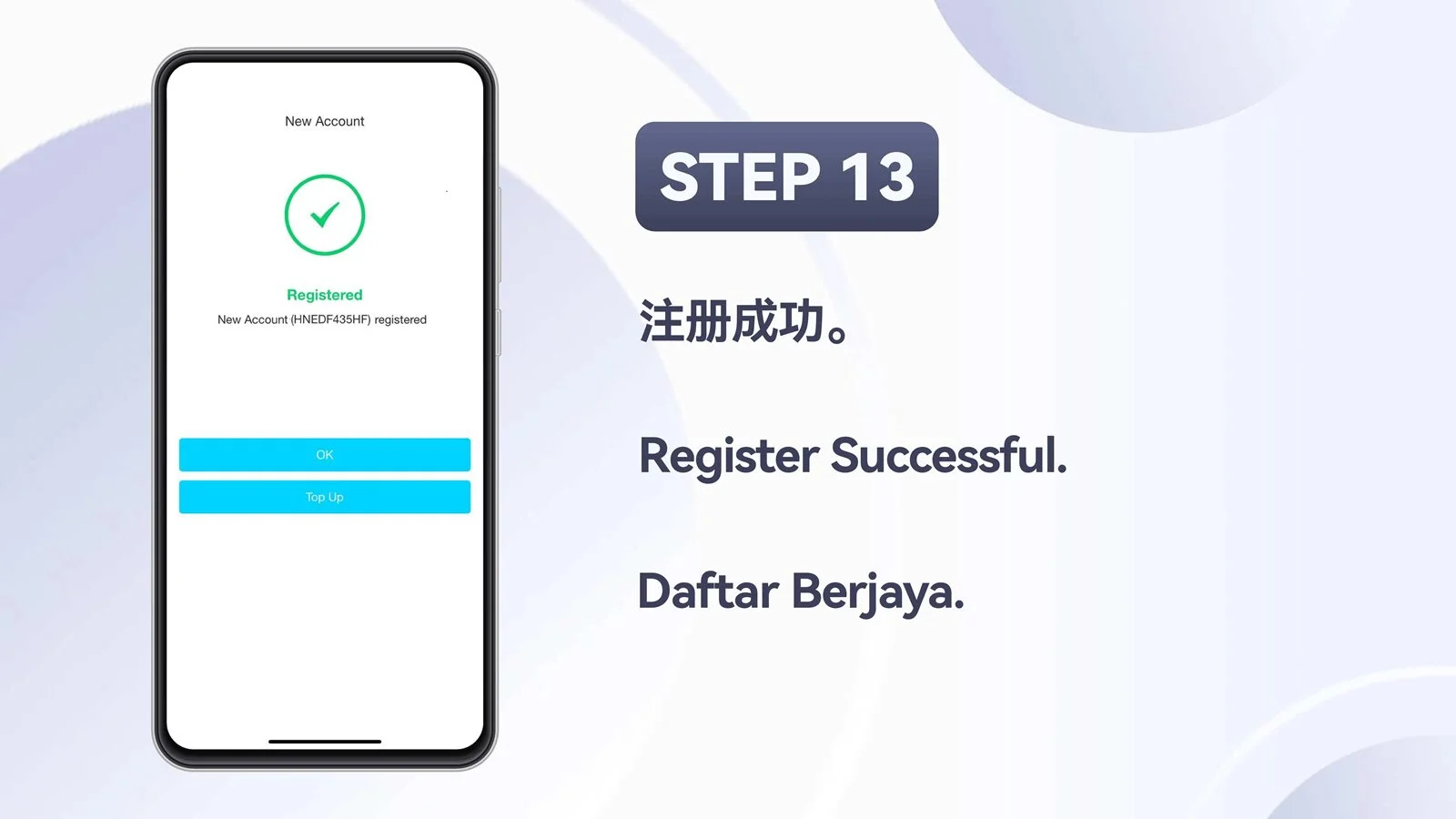
Register an account with Telegram
Start with the supplied overview, then follow all thirteen mobile registration screens in order.

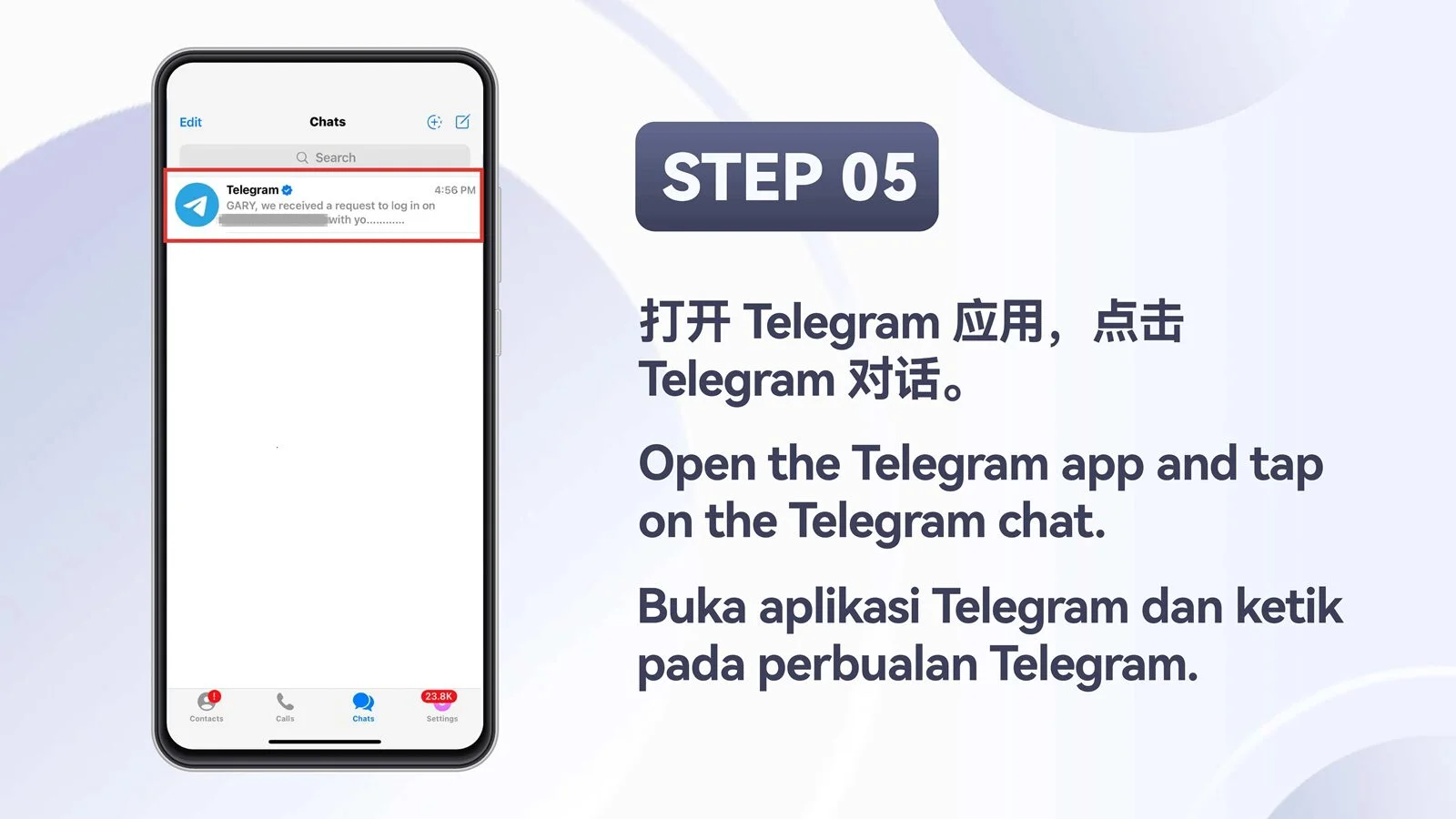
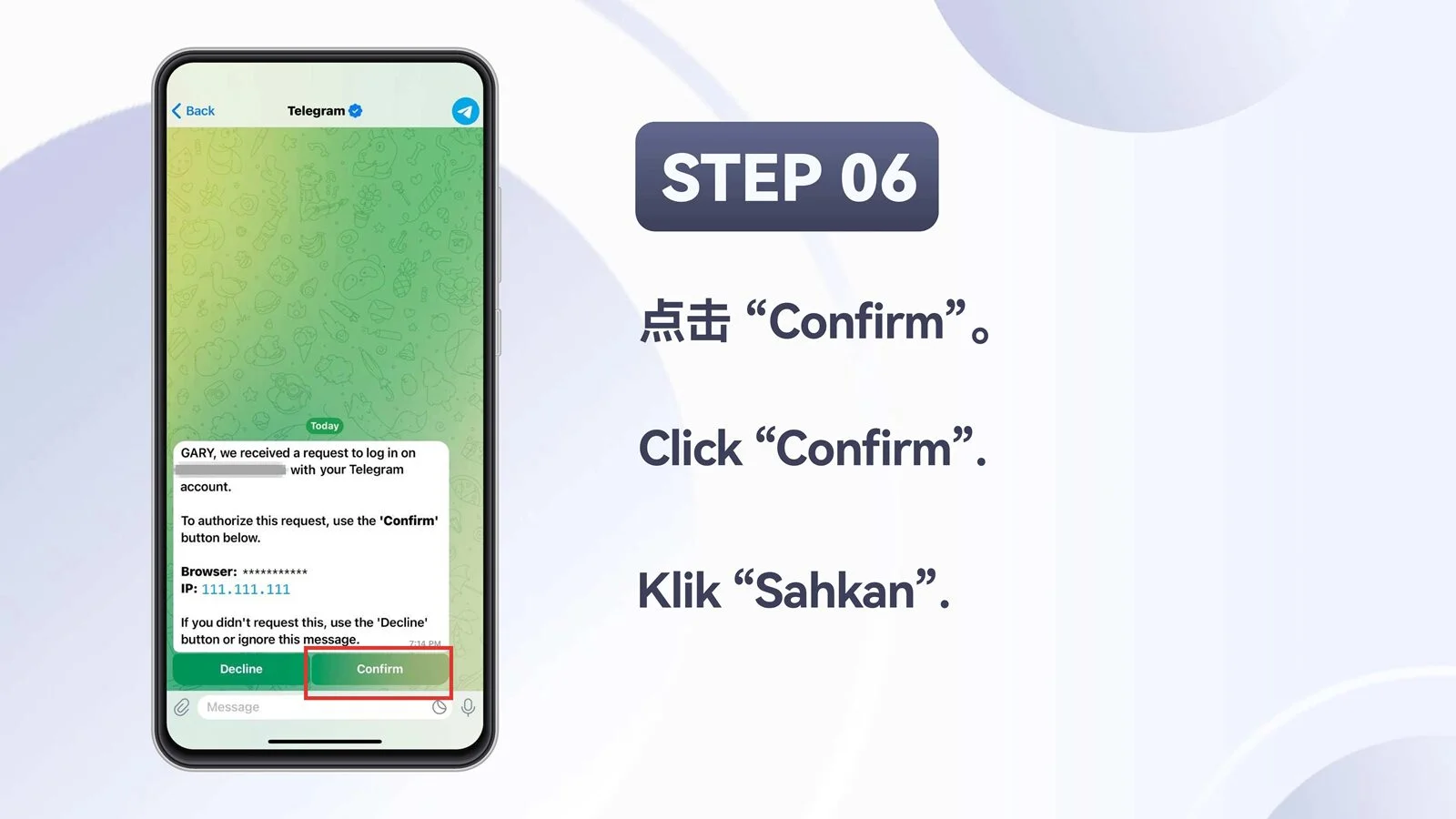
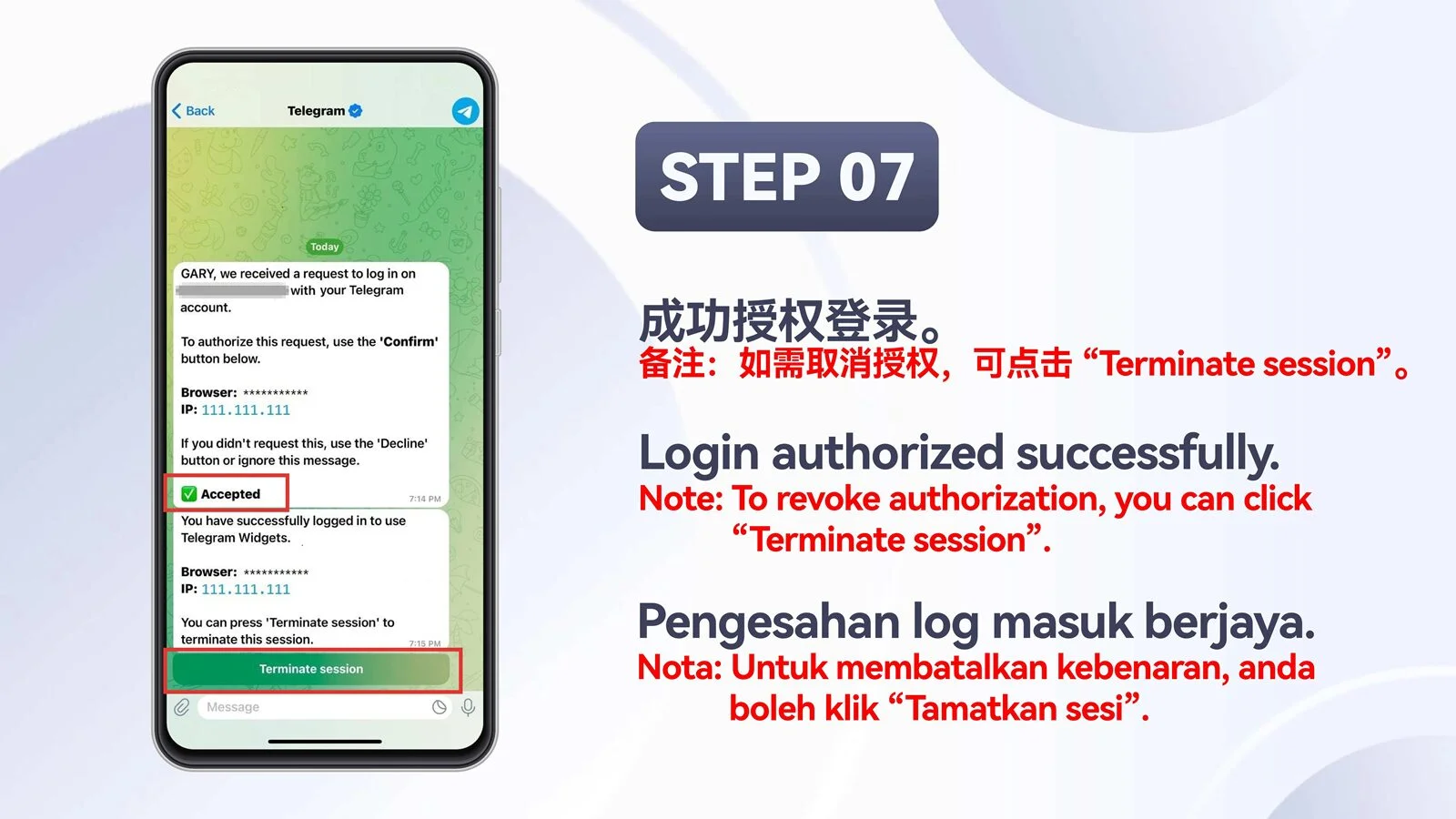
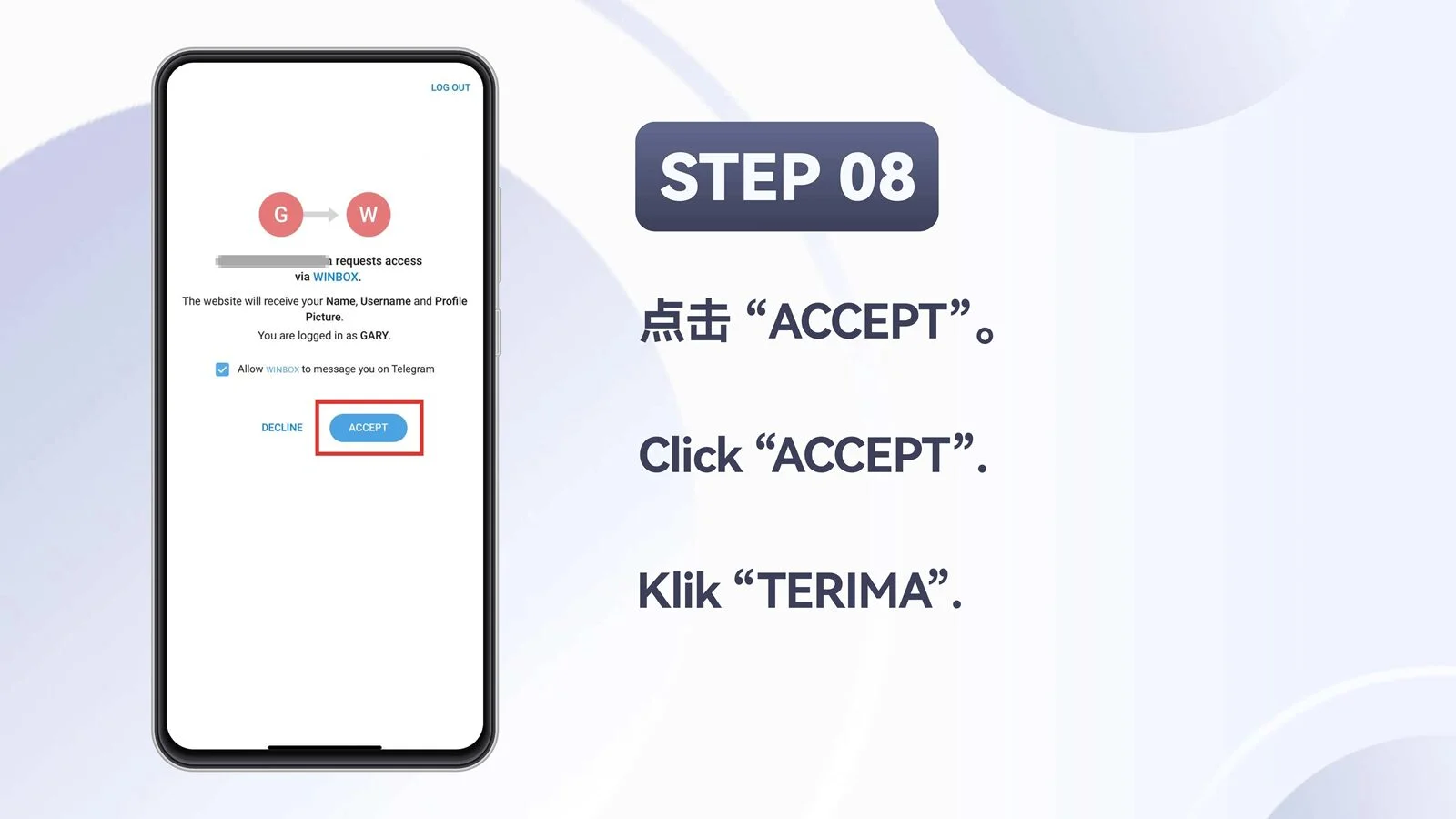
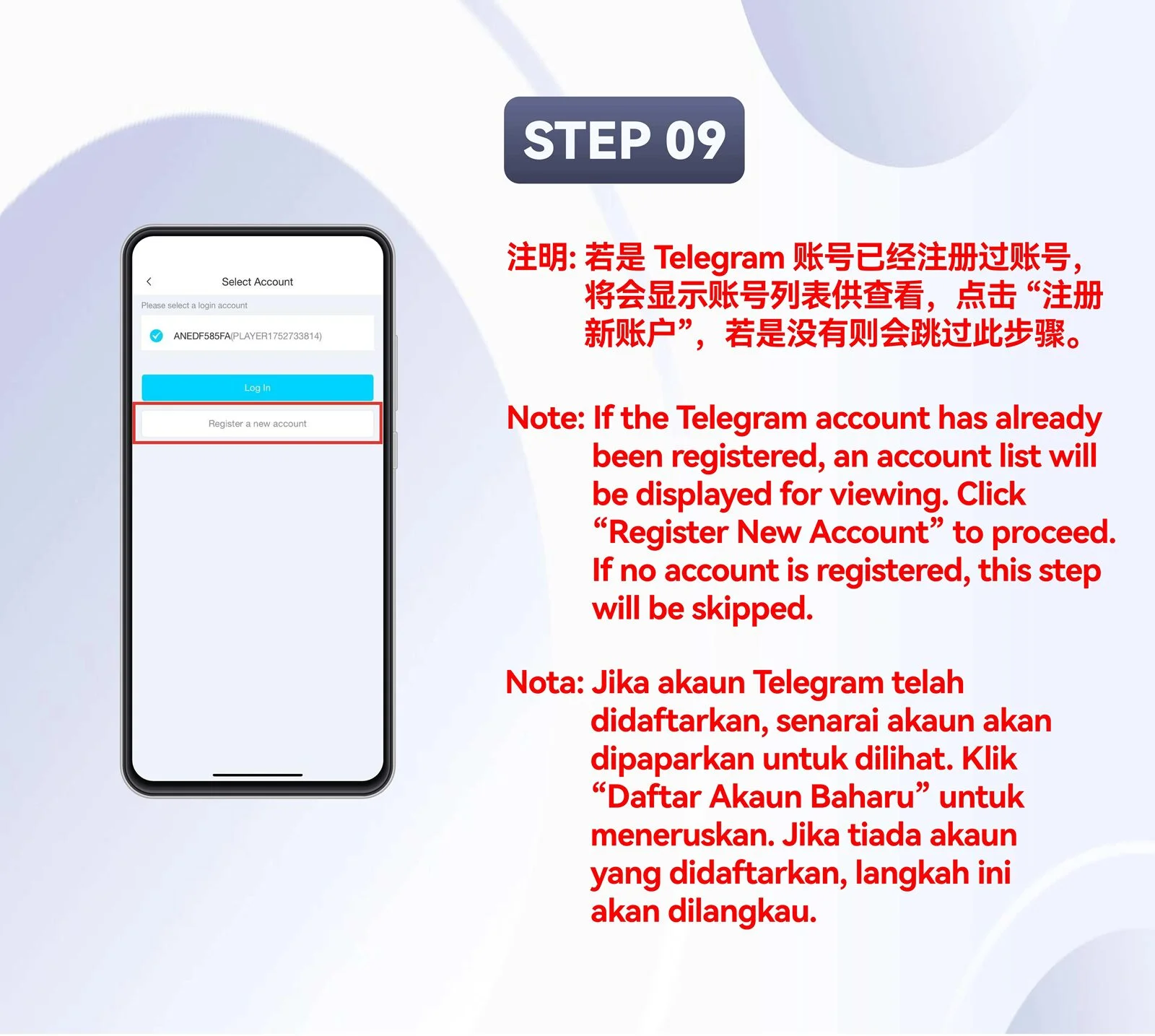
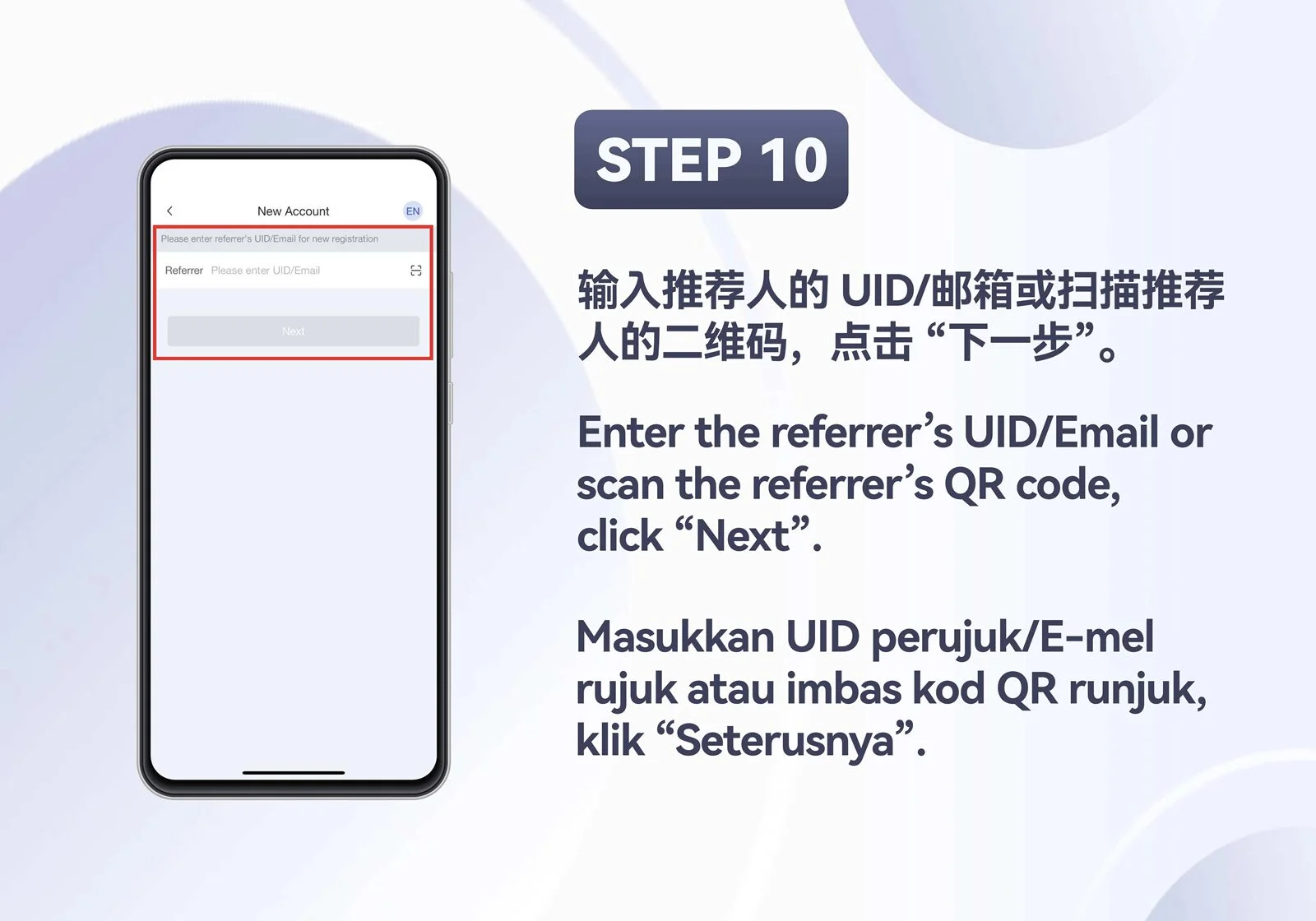
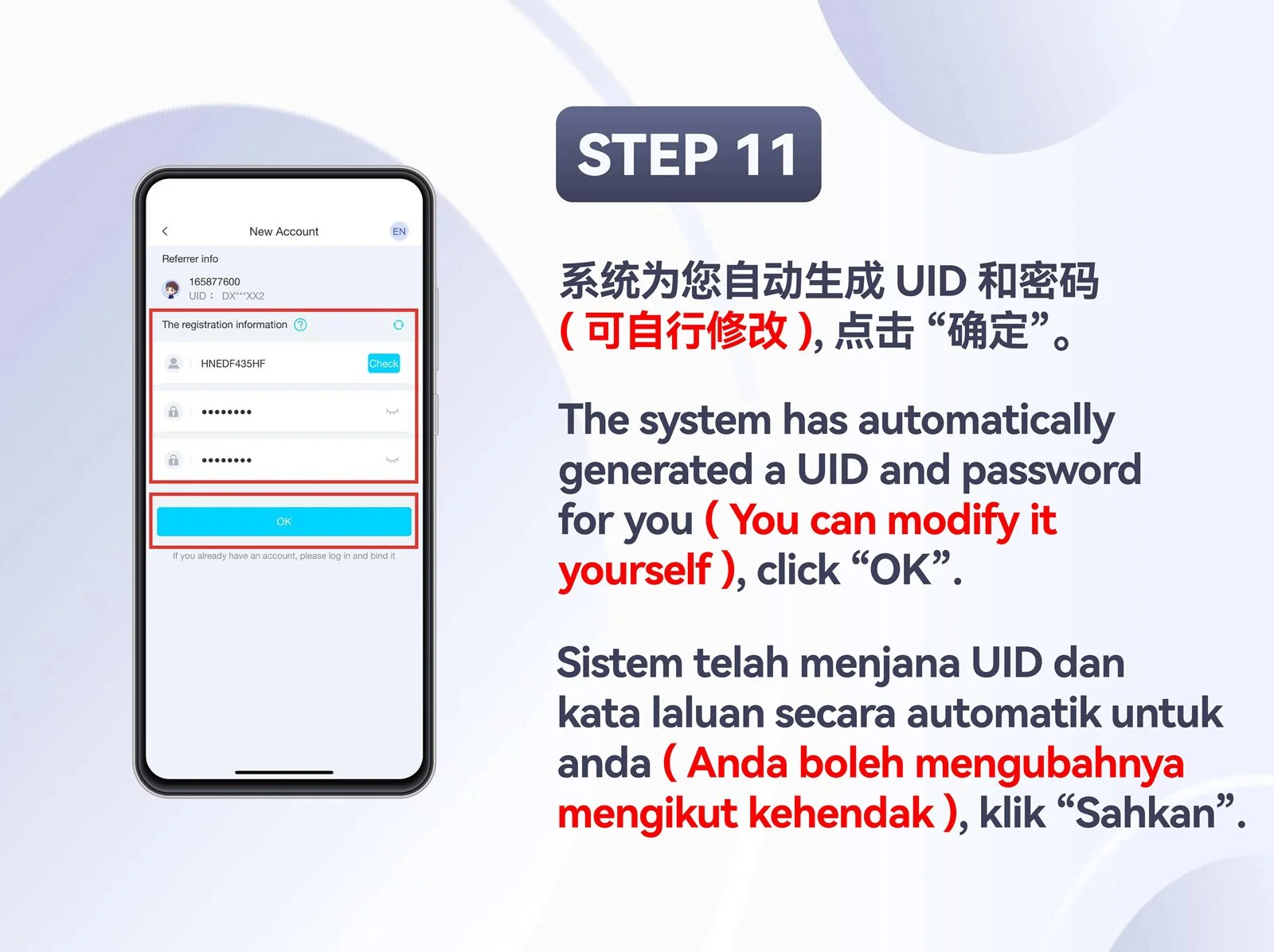
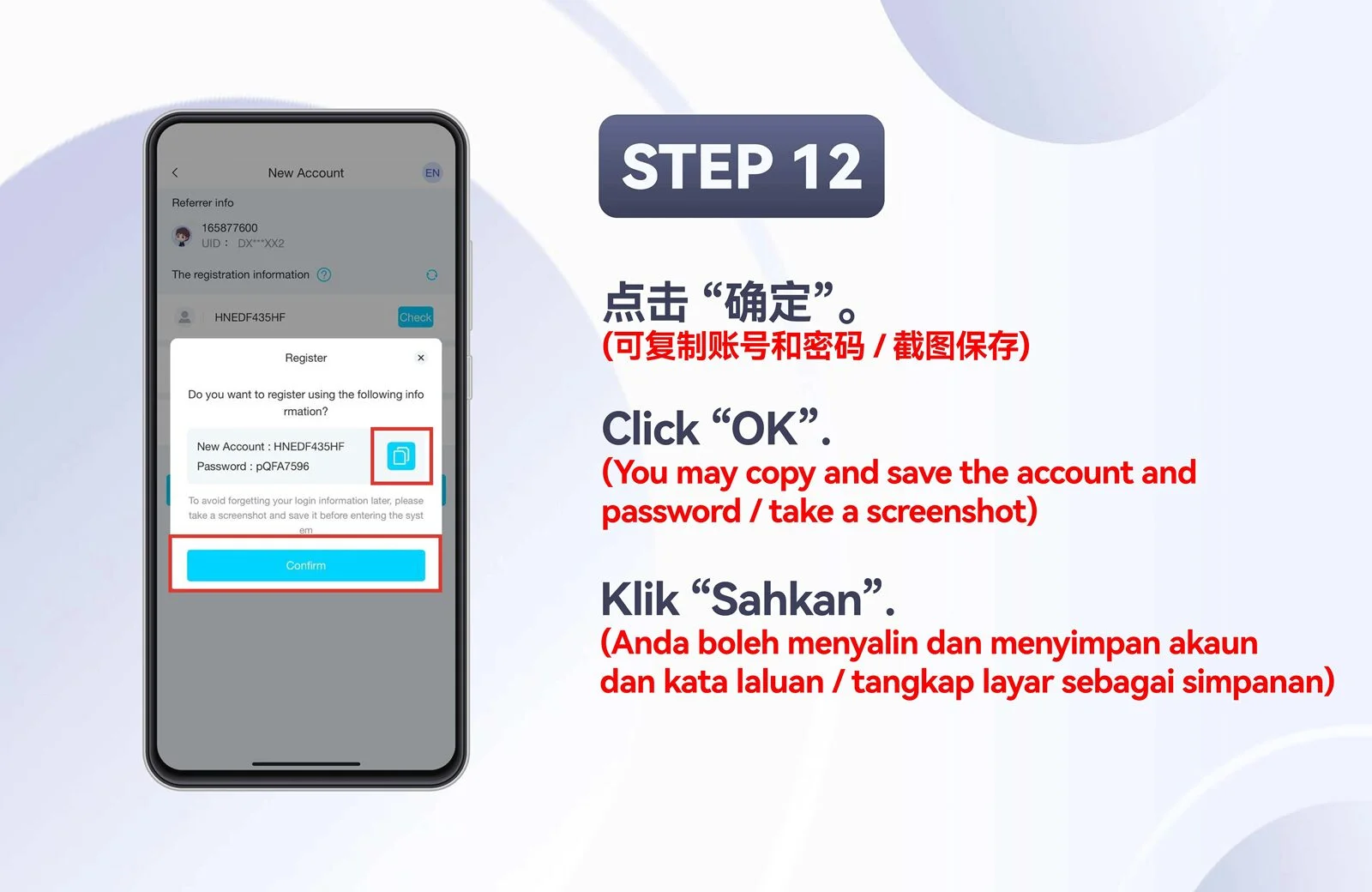
H5 · Mobile
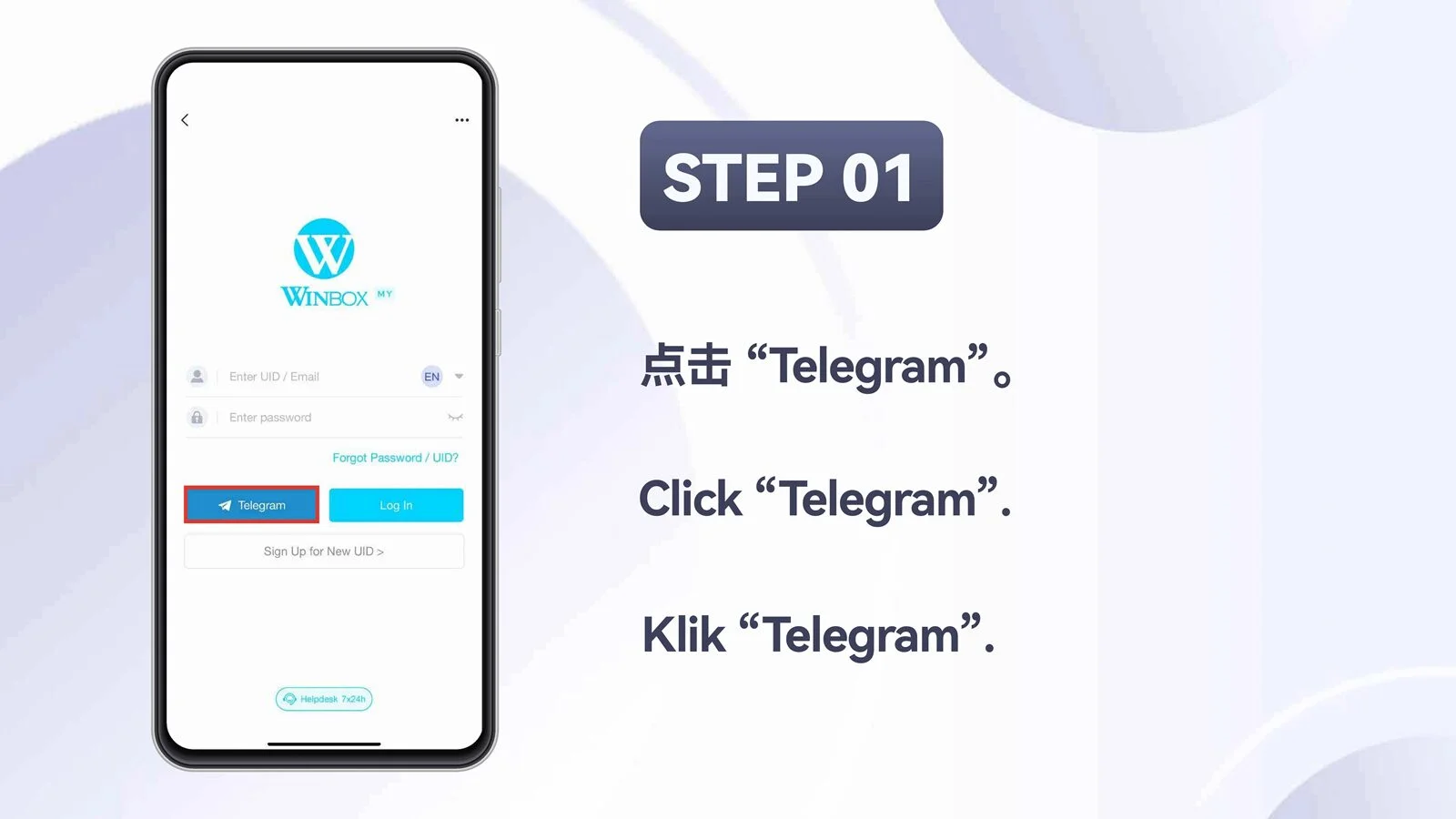
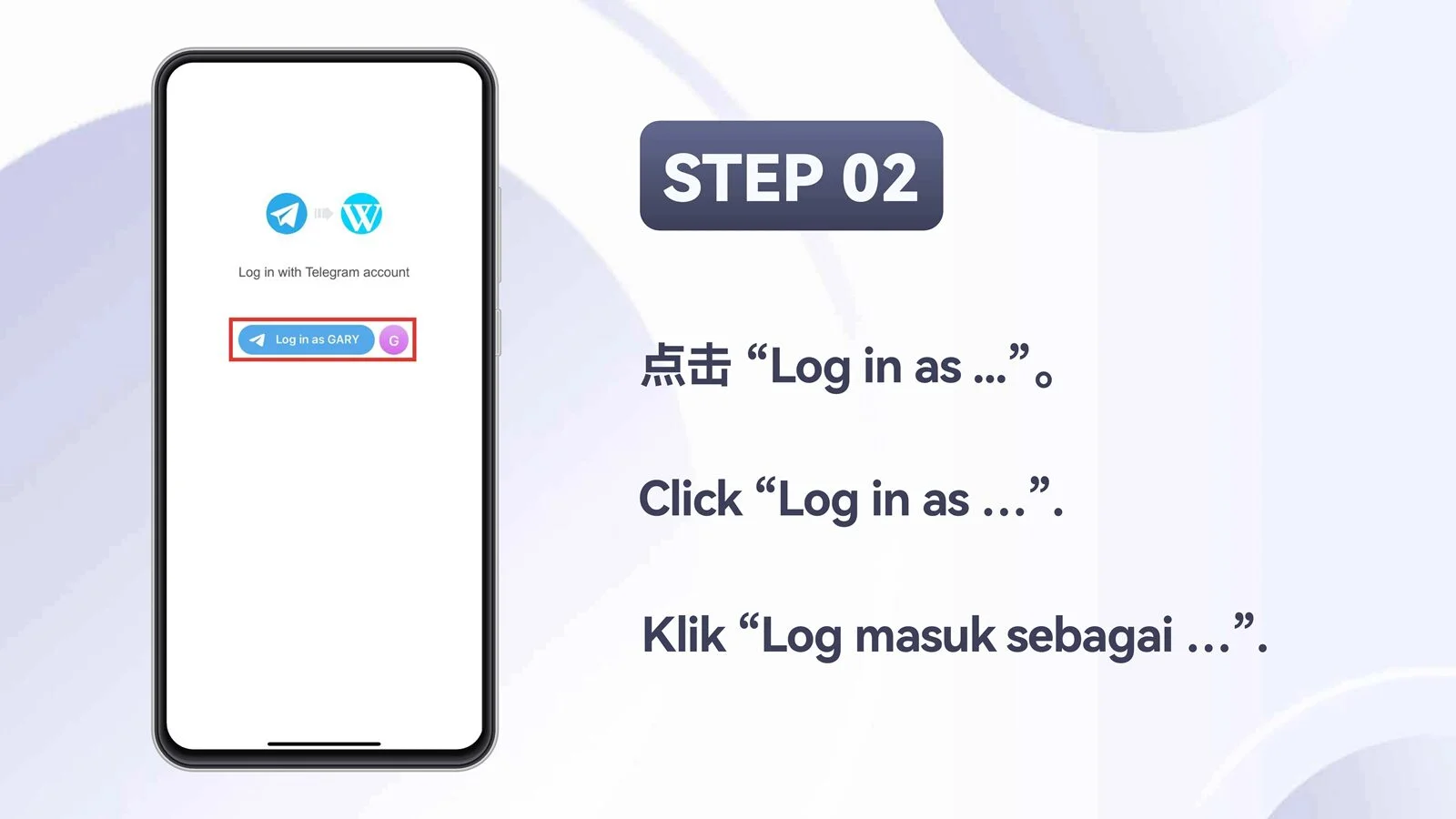
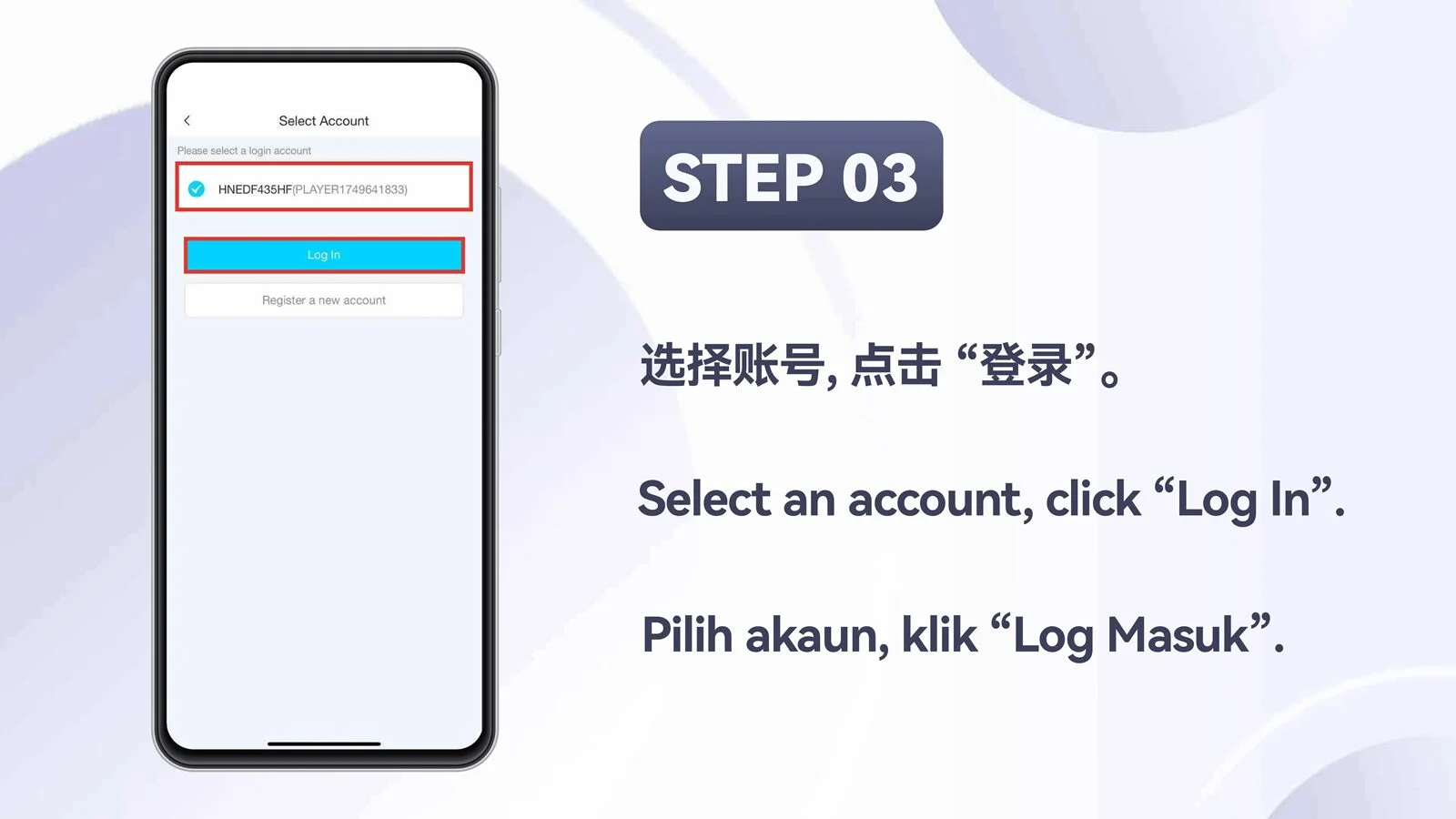
Log in with Telegram
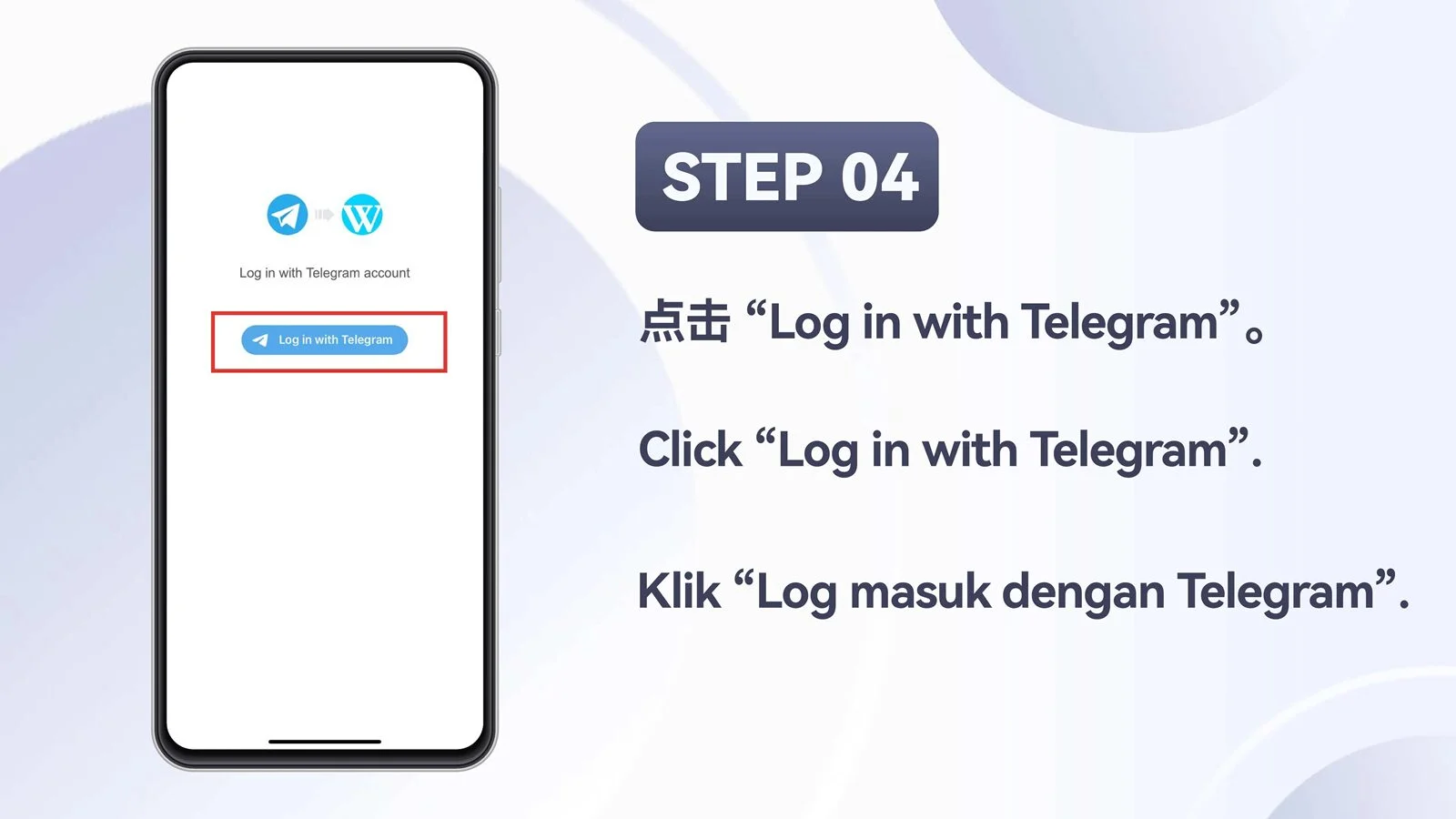
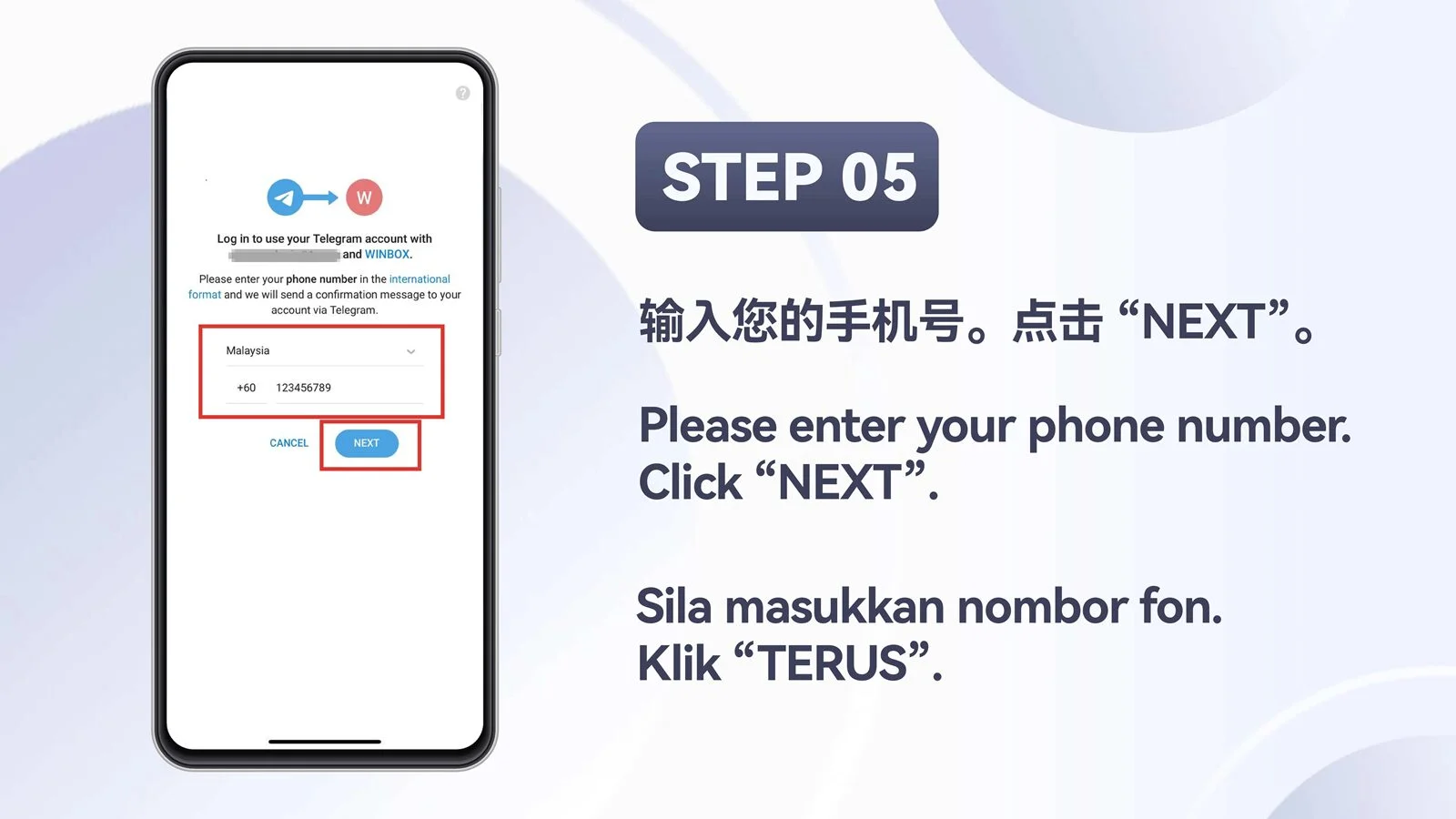
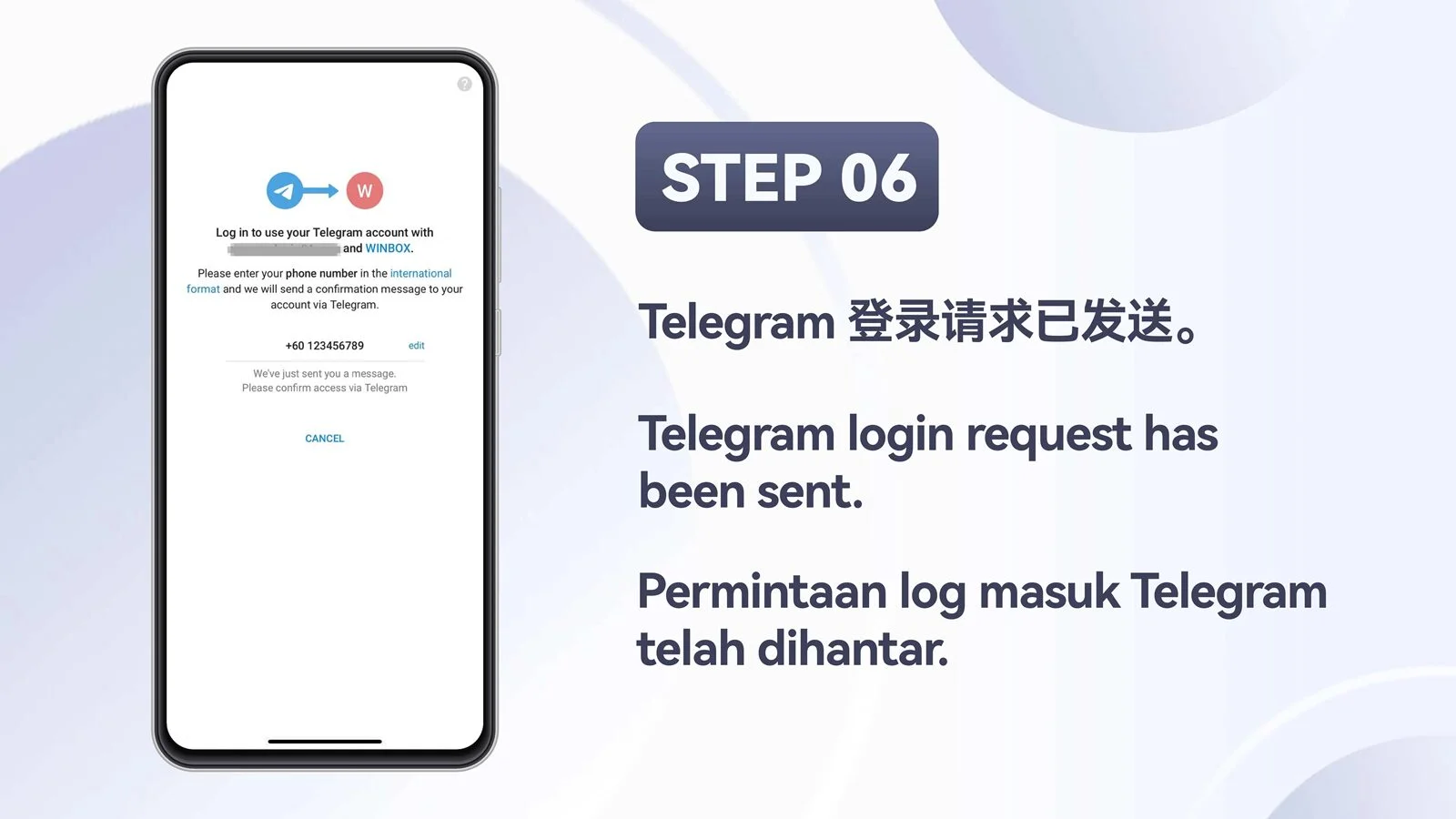
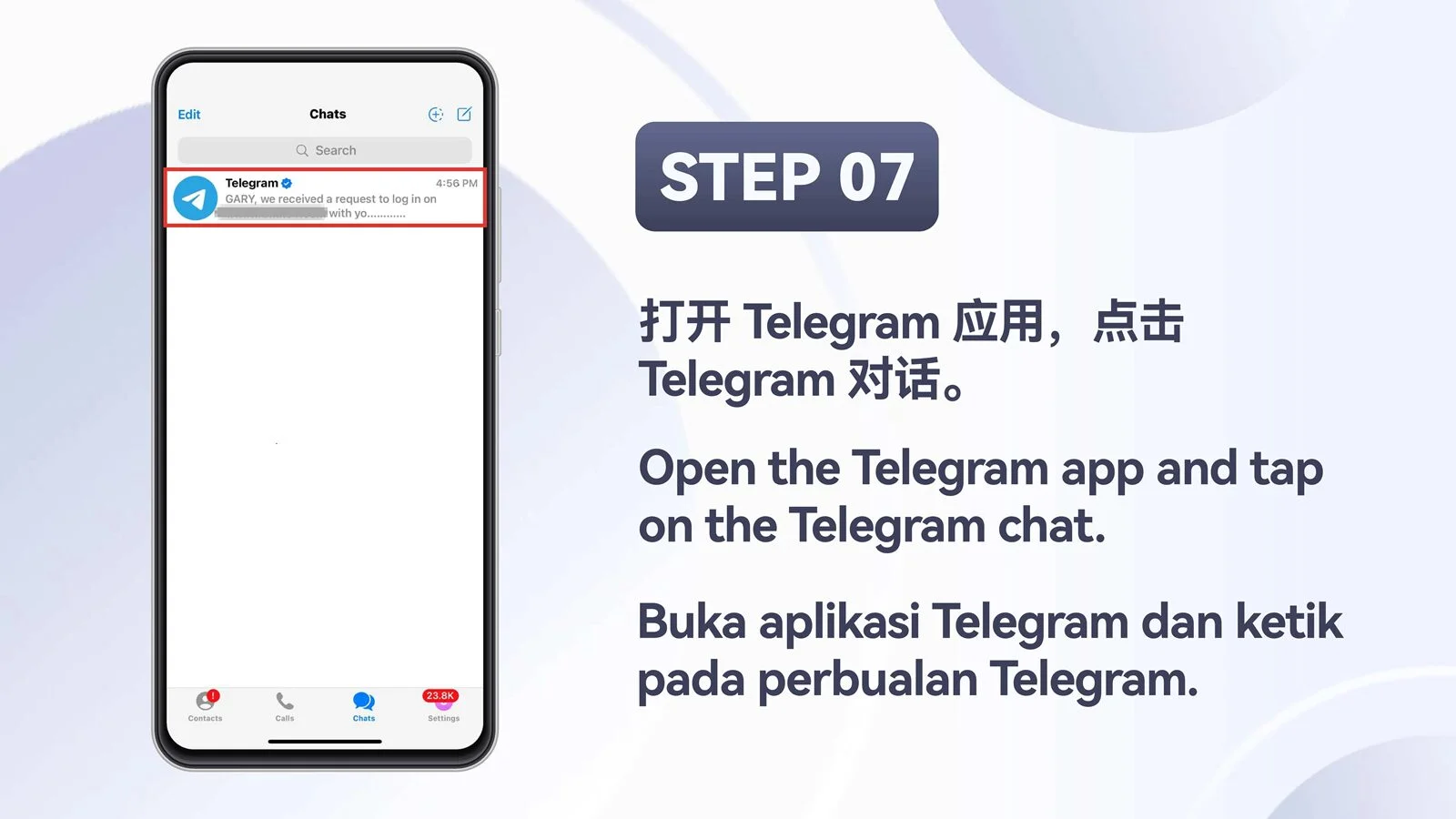
Follow the mobile Telegram login flow from the overview through four numbered screens.

H5 · Mobile
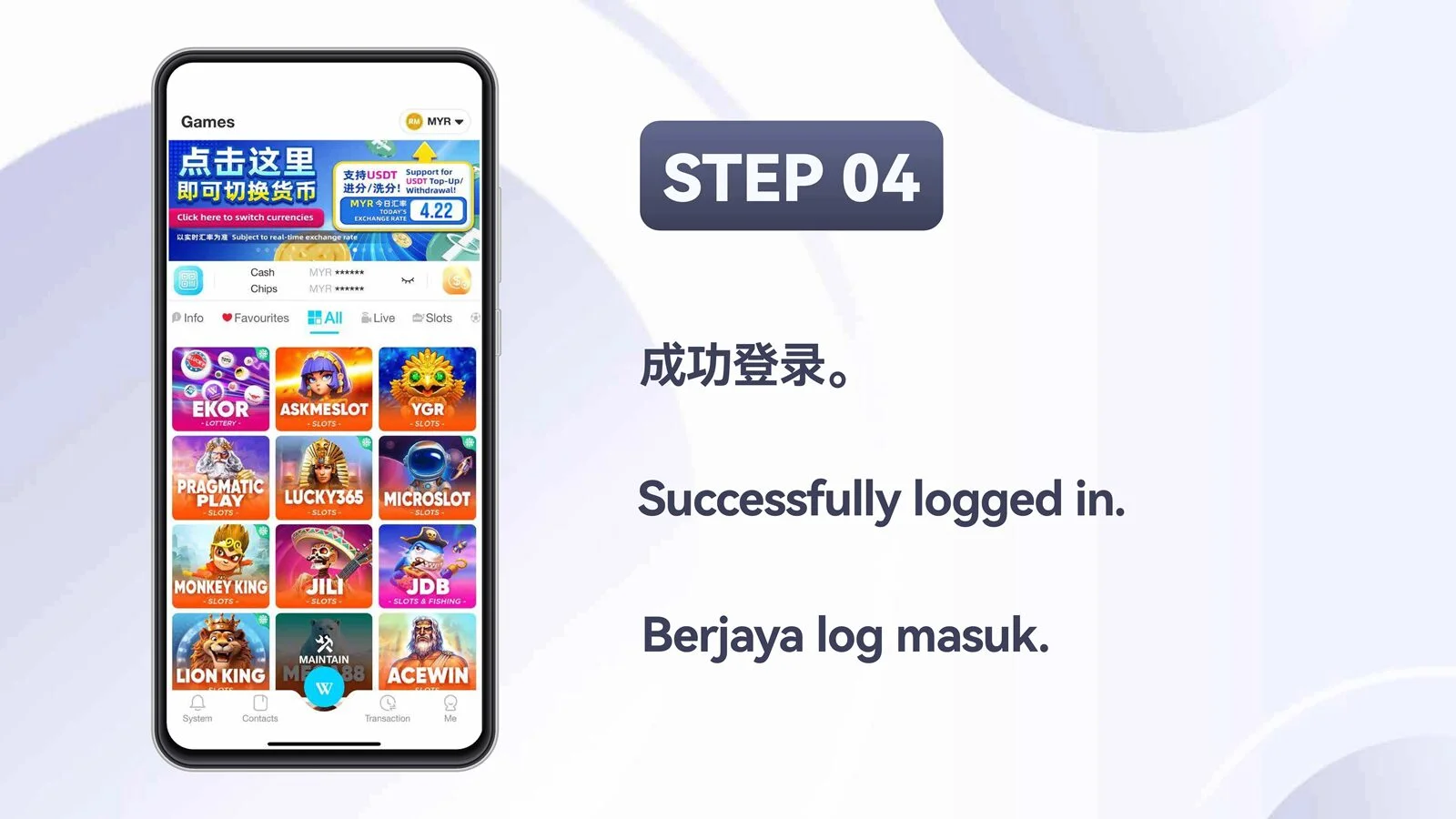
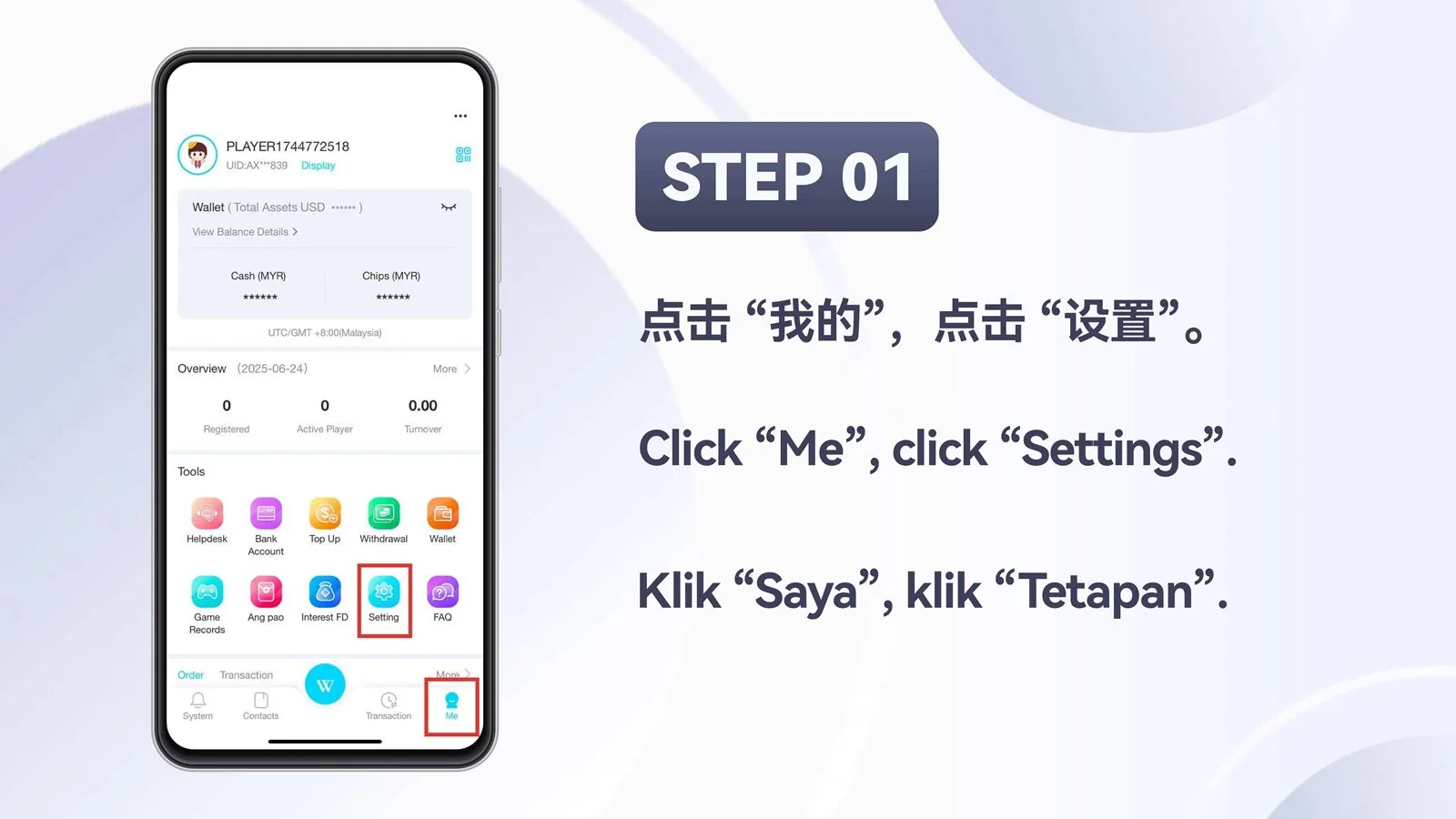
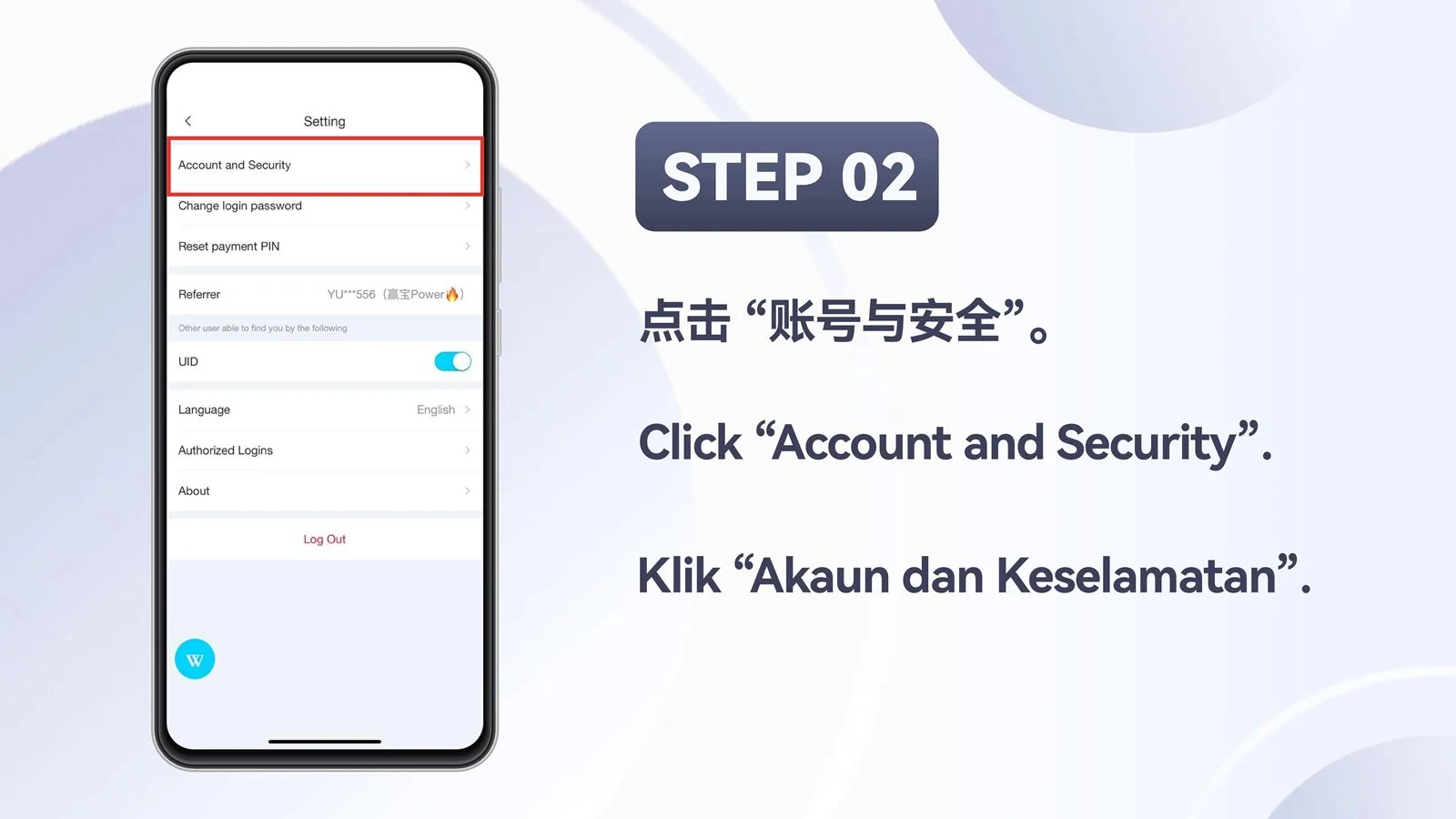
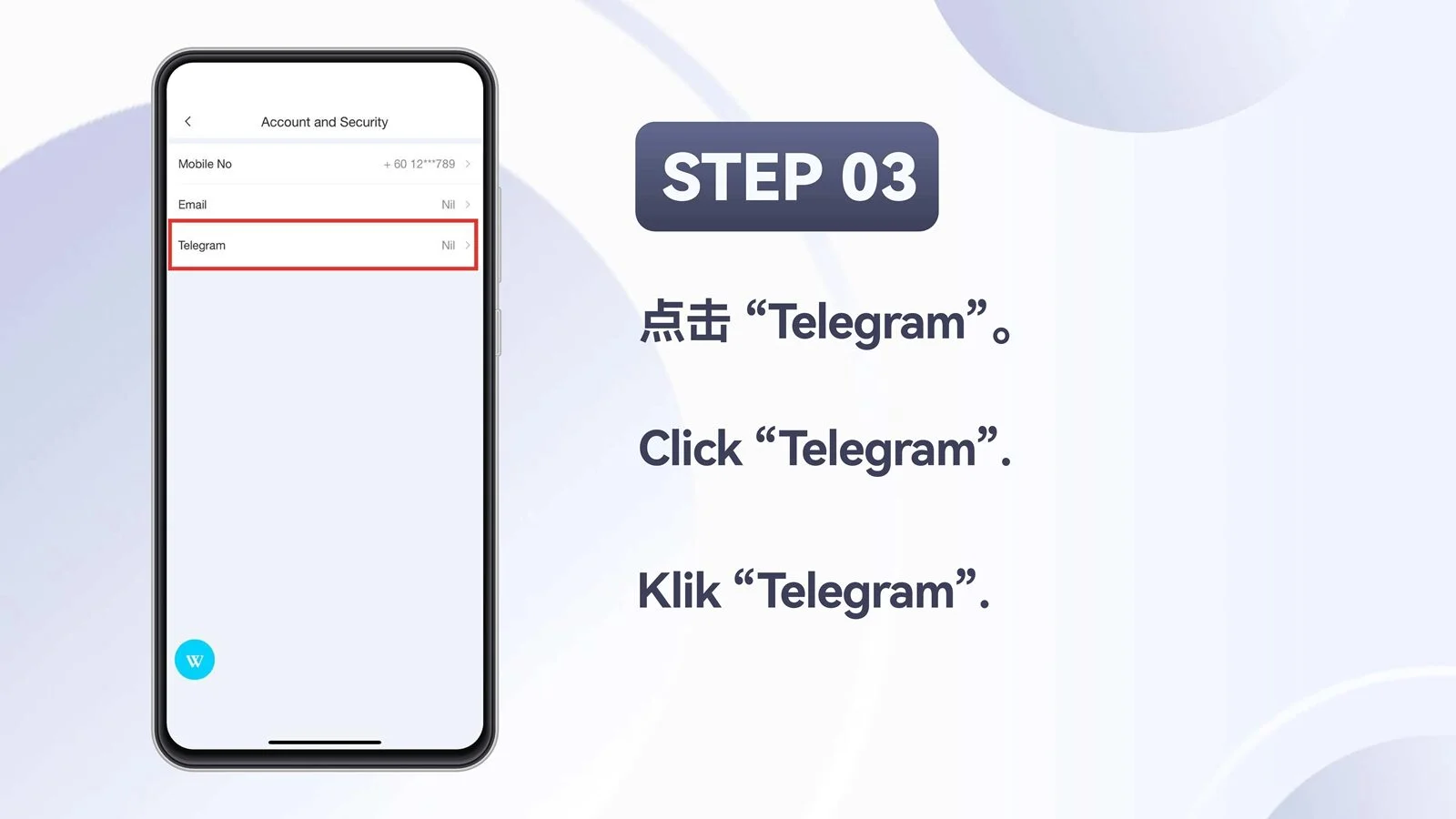
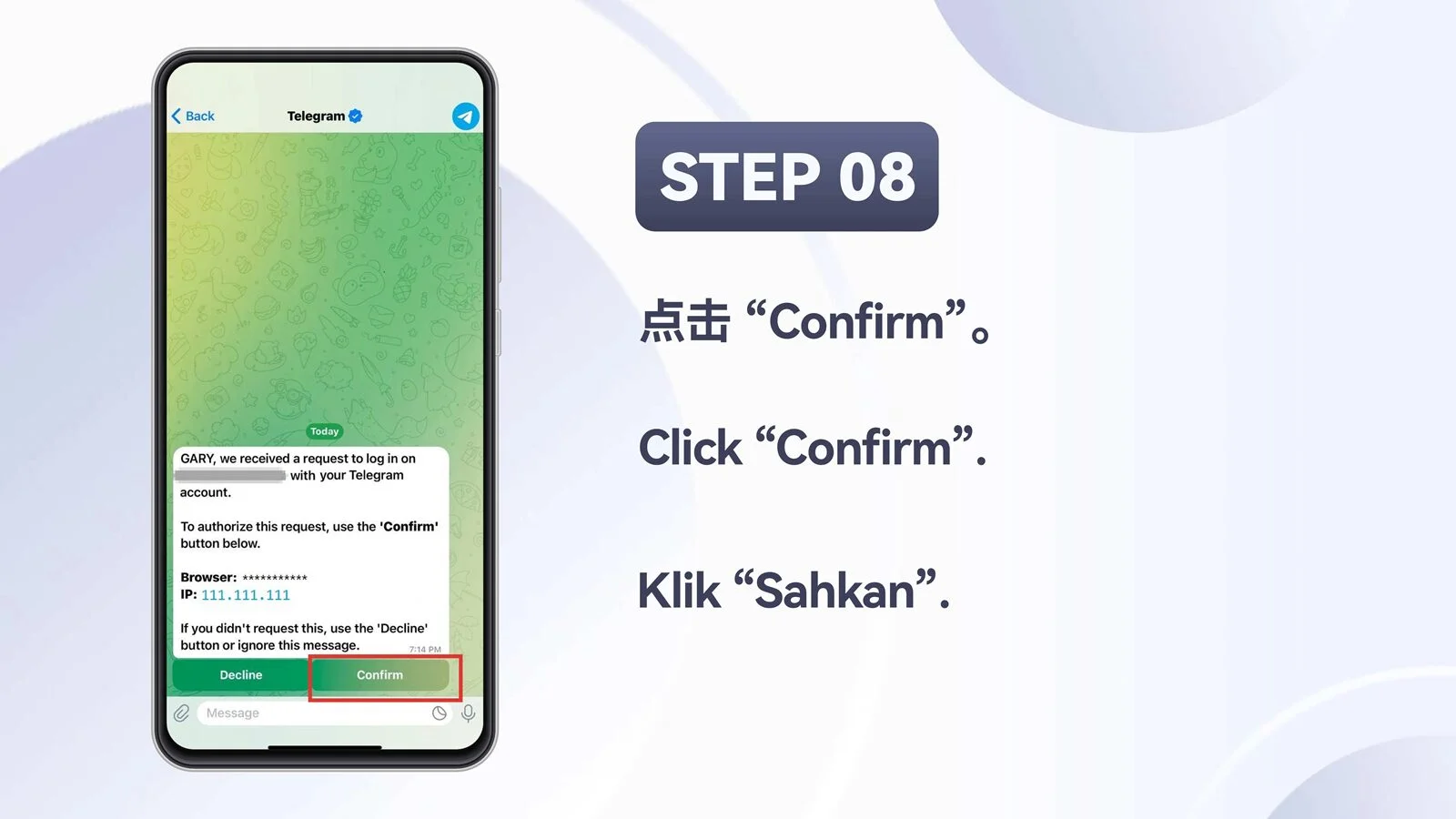
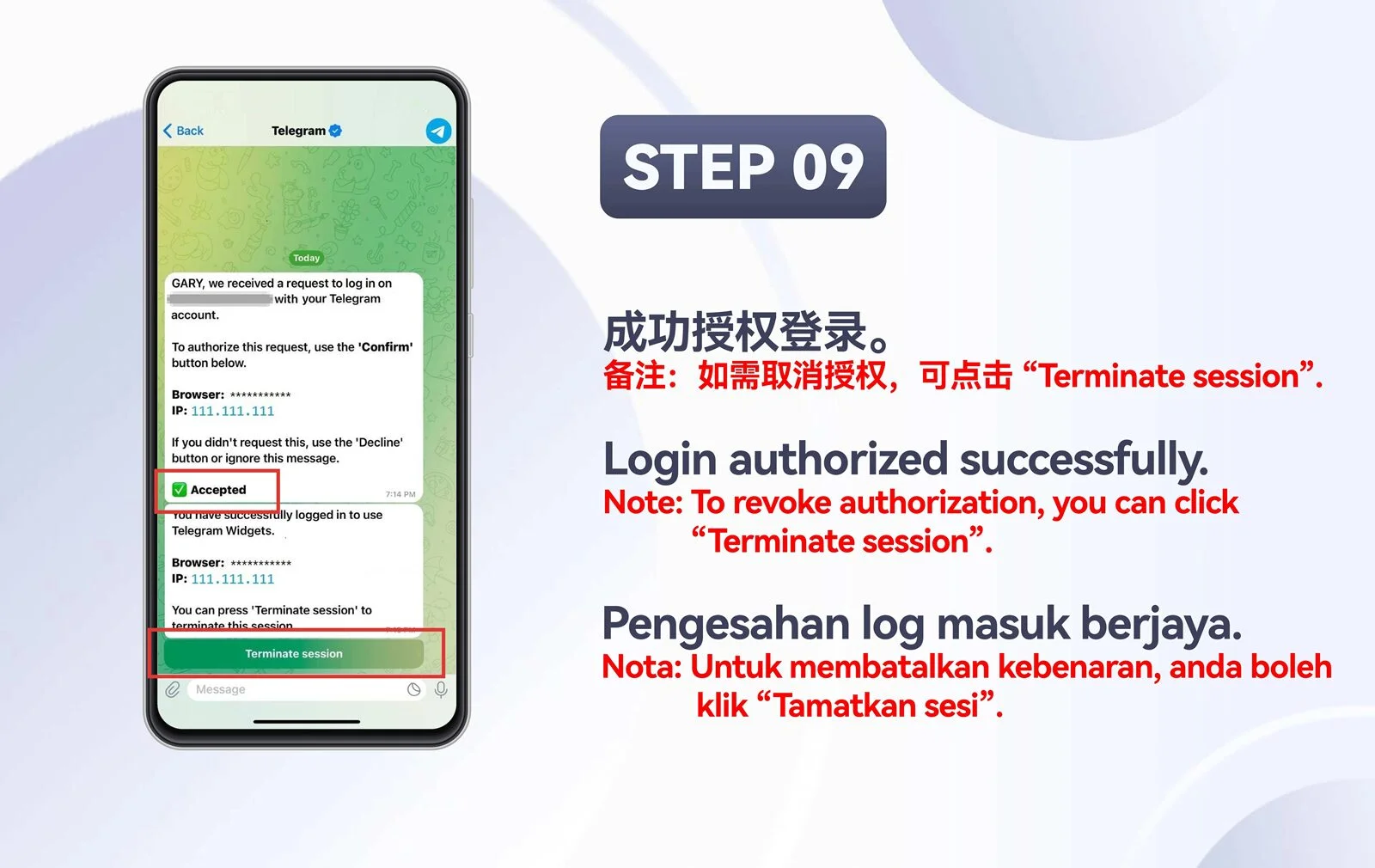
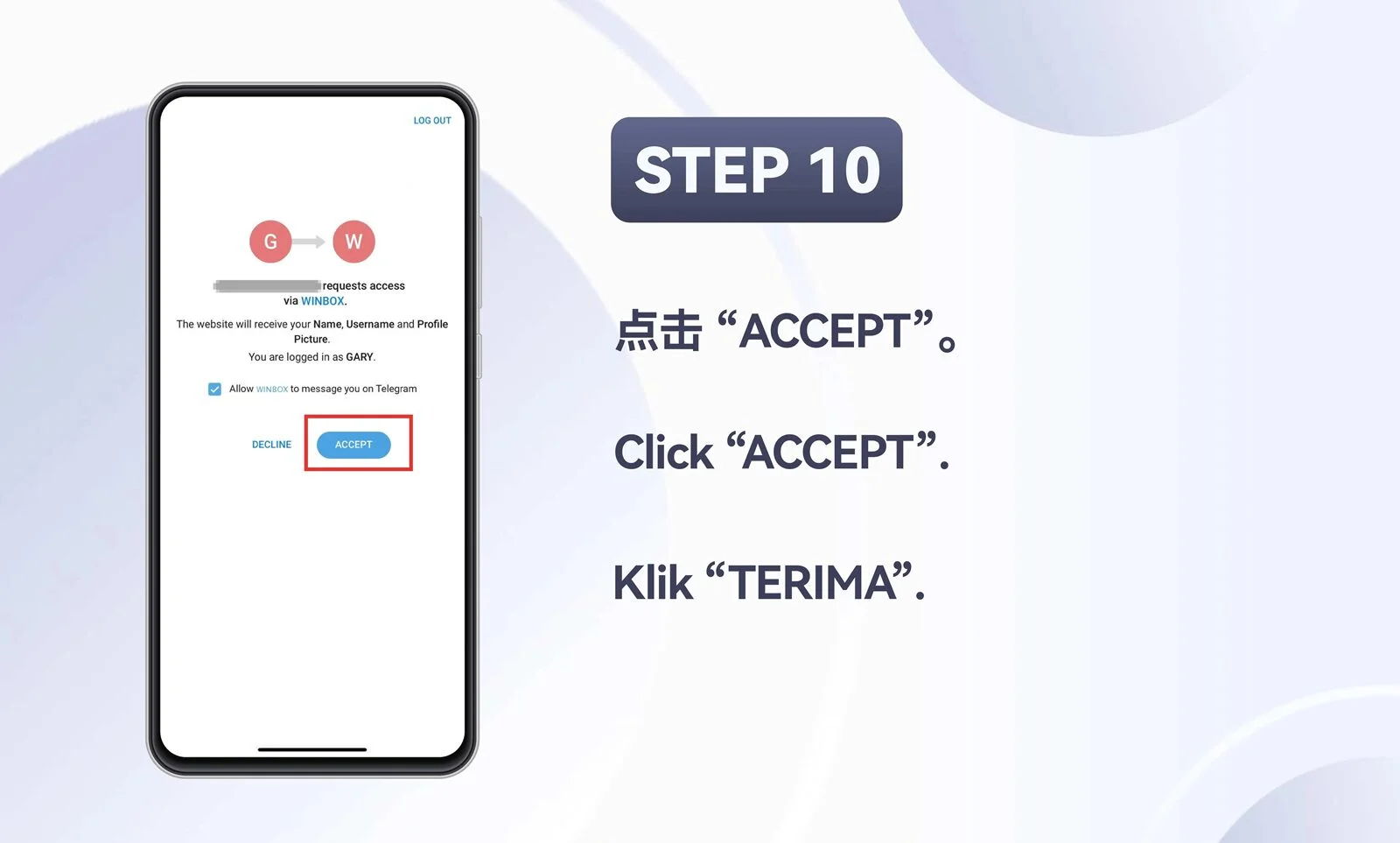
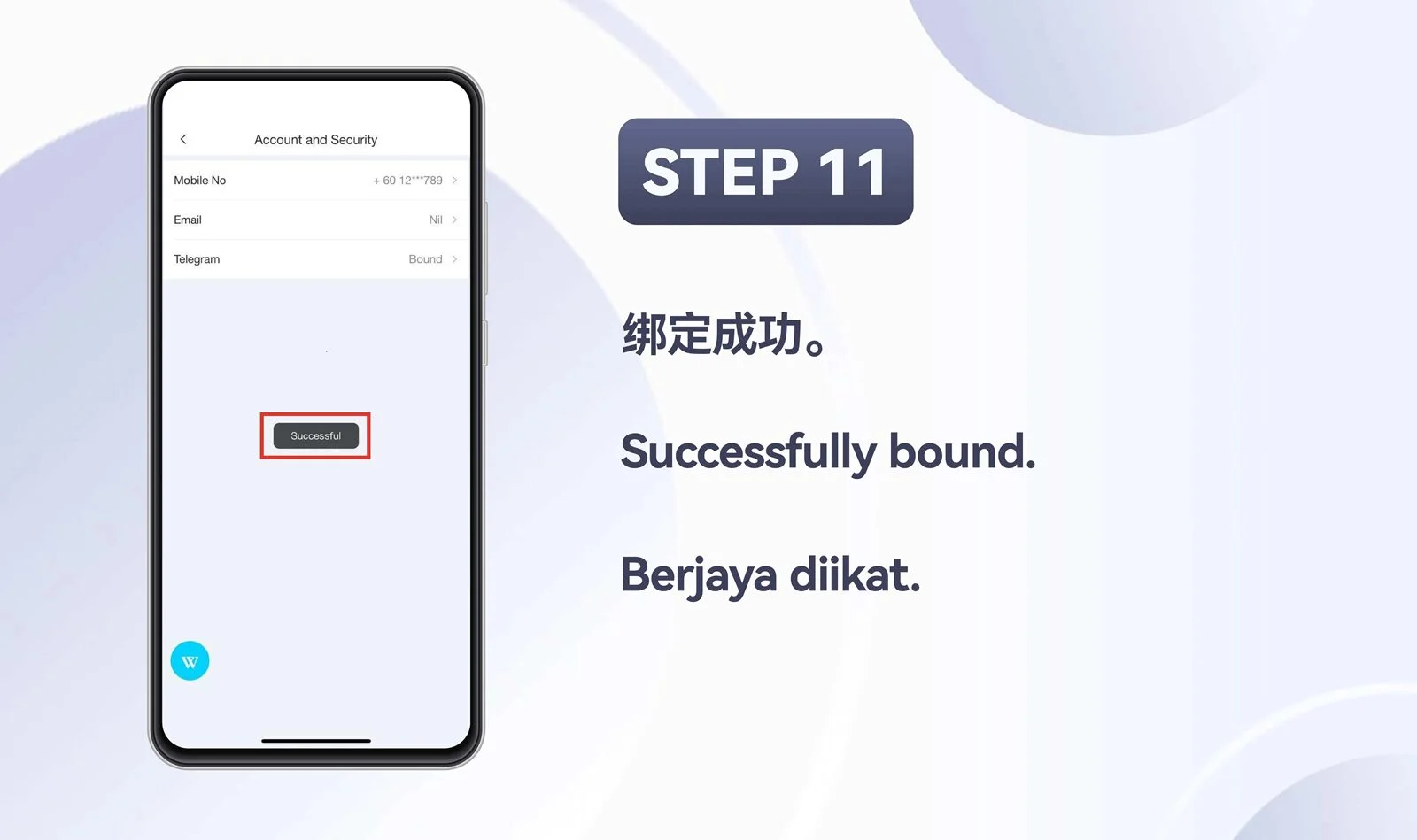
Bind Telegram to an existing account
Complete the mobile account-binding process across the supplied overview and eleven steps.

H5 · Mobile
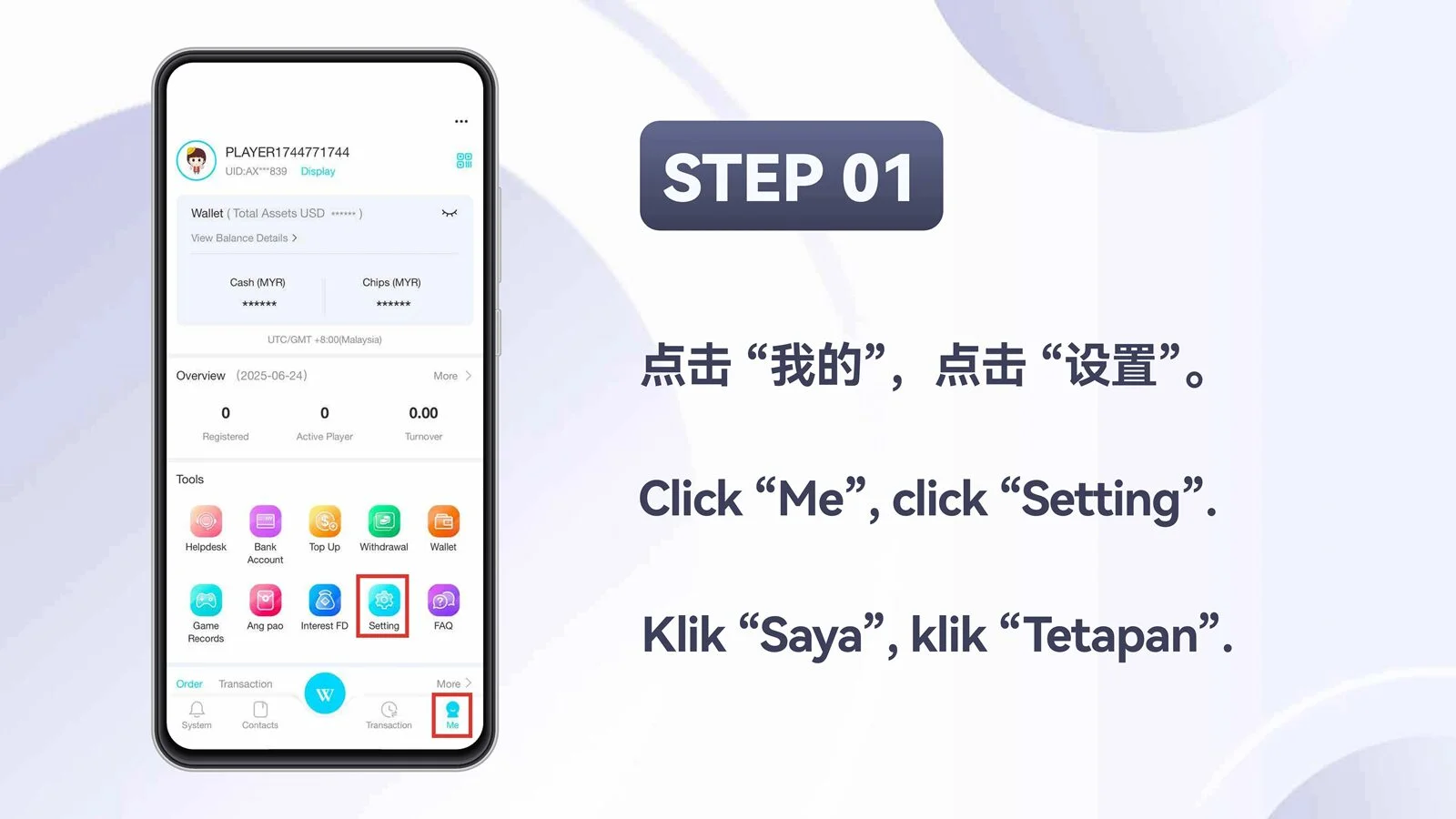
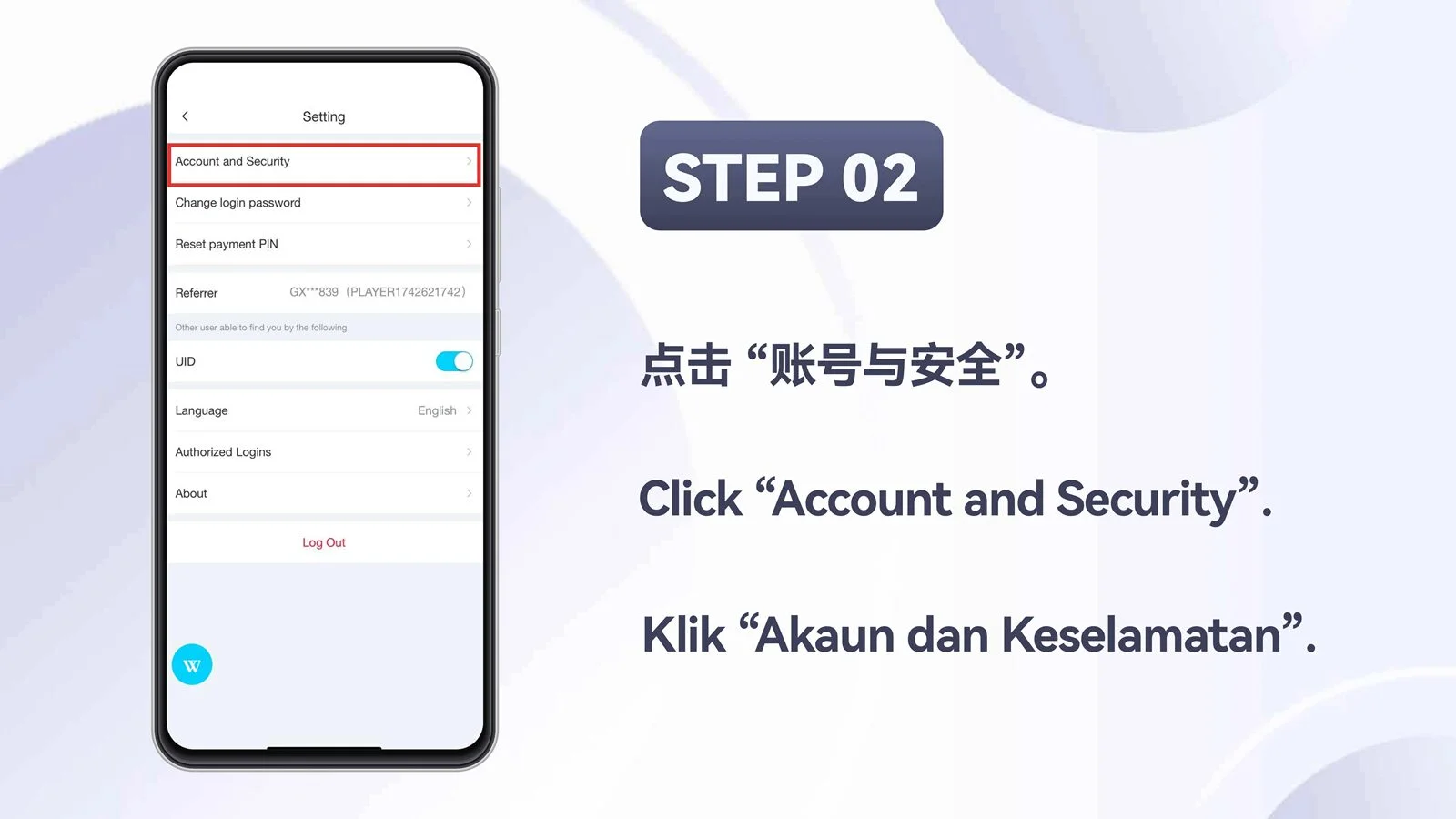
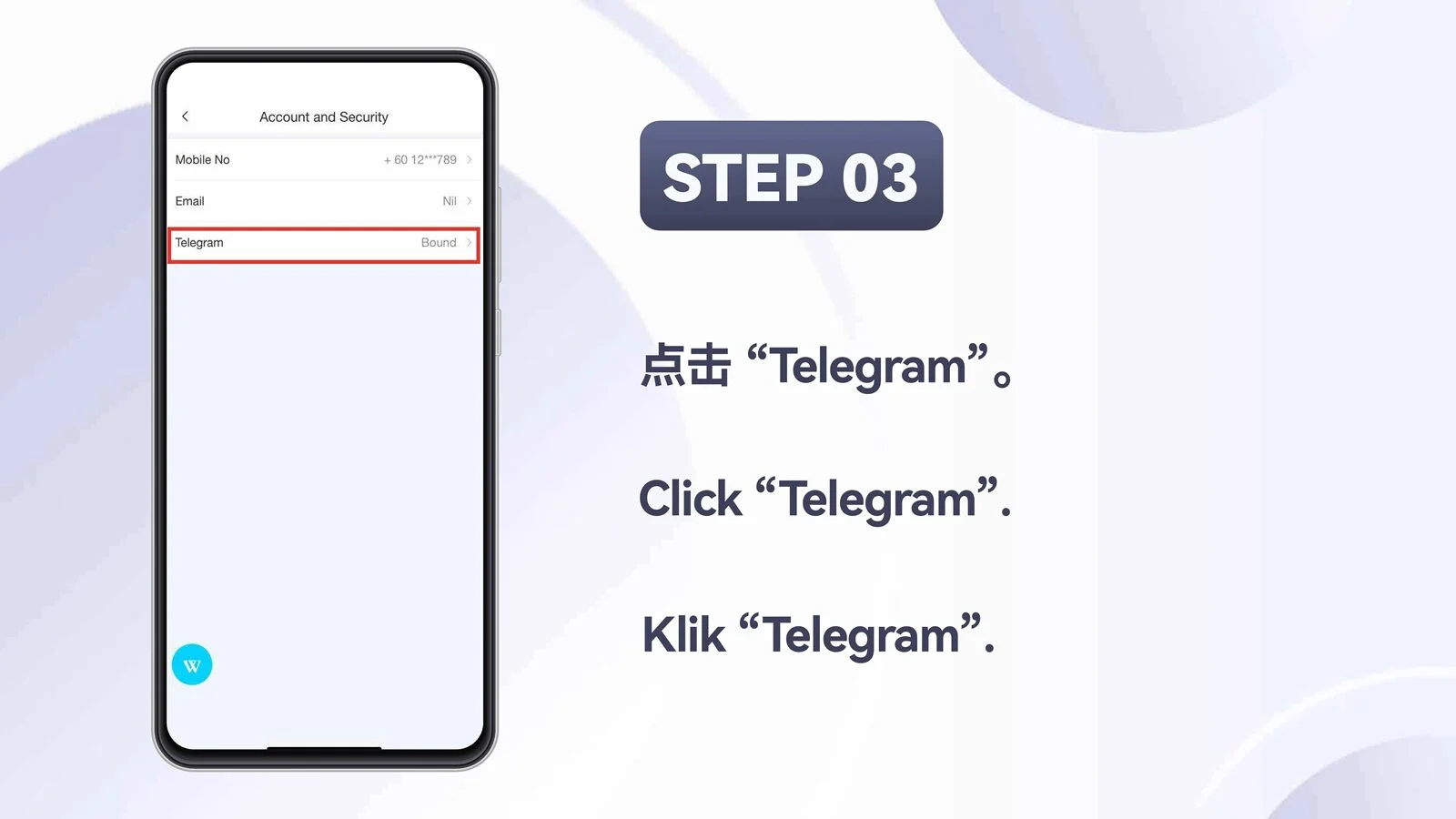
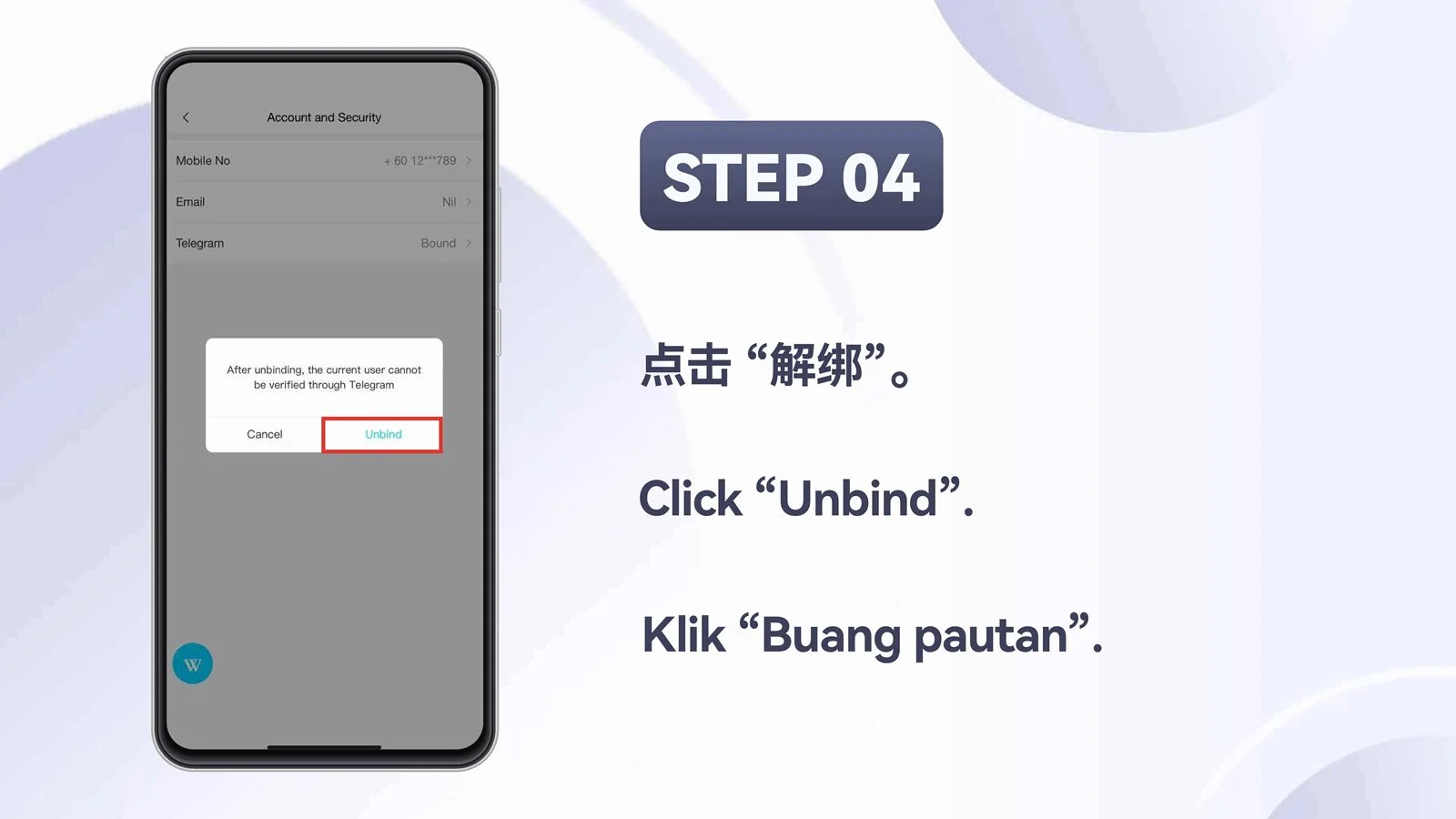
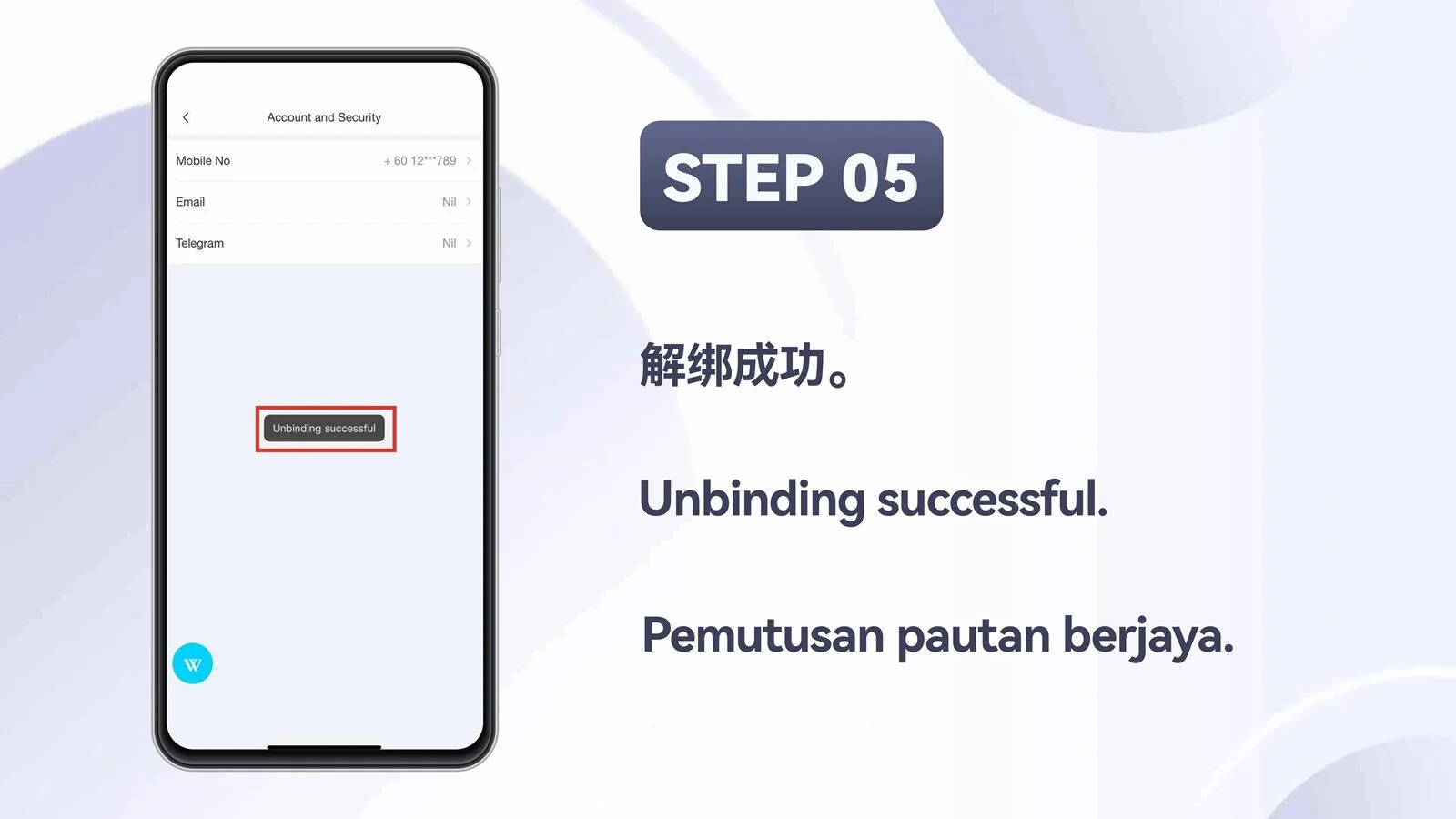
Unbind Telegram from your account
Review the mobile unbinding overview and continue through the five supplied steps.

PC · Desktop Tutorials
Telegram guides for desktop access
Use the desktop collection when completing the same Telegram account actions on a computer.
PC · Desktop
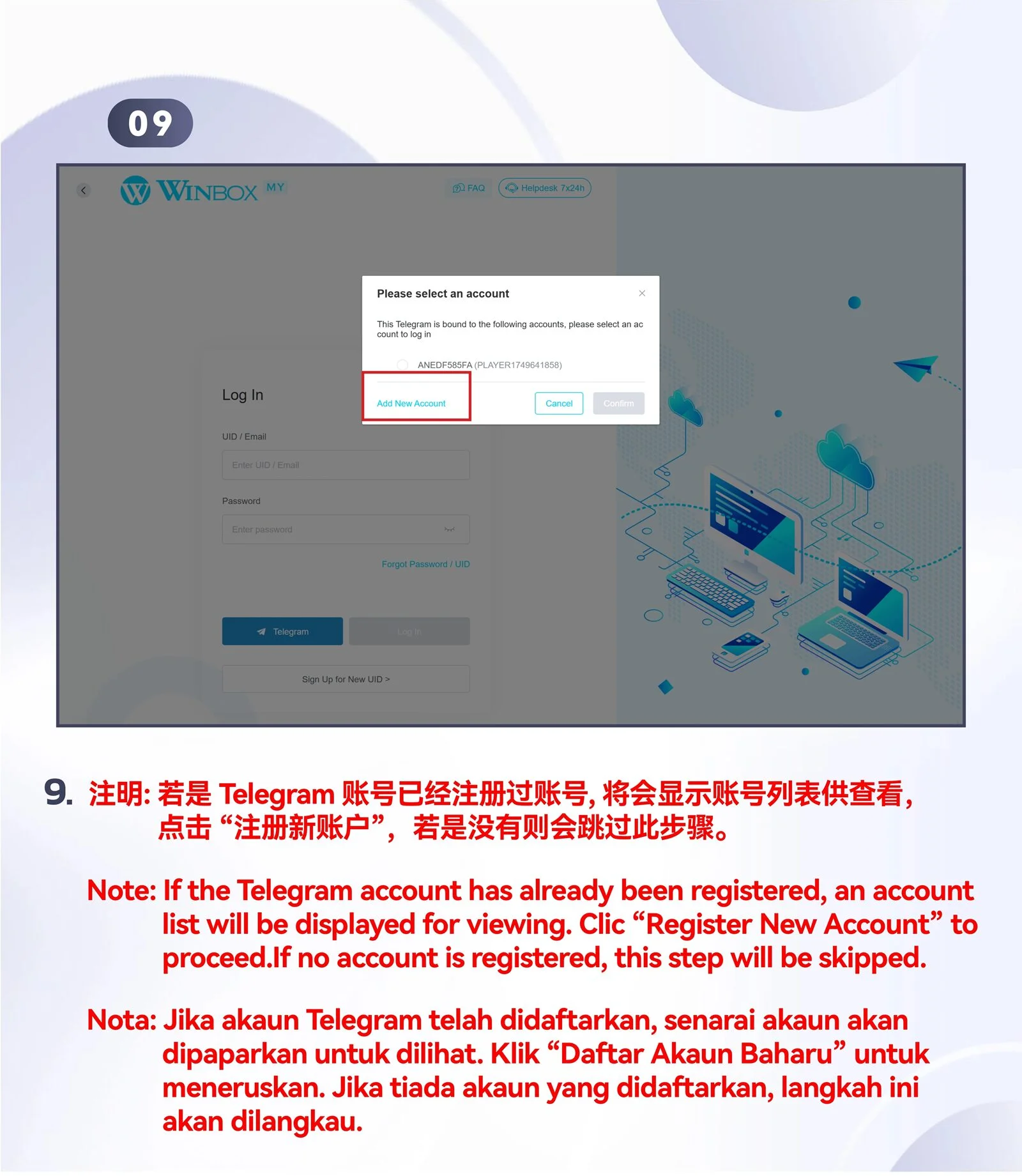
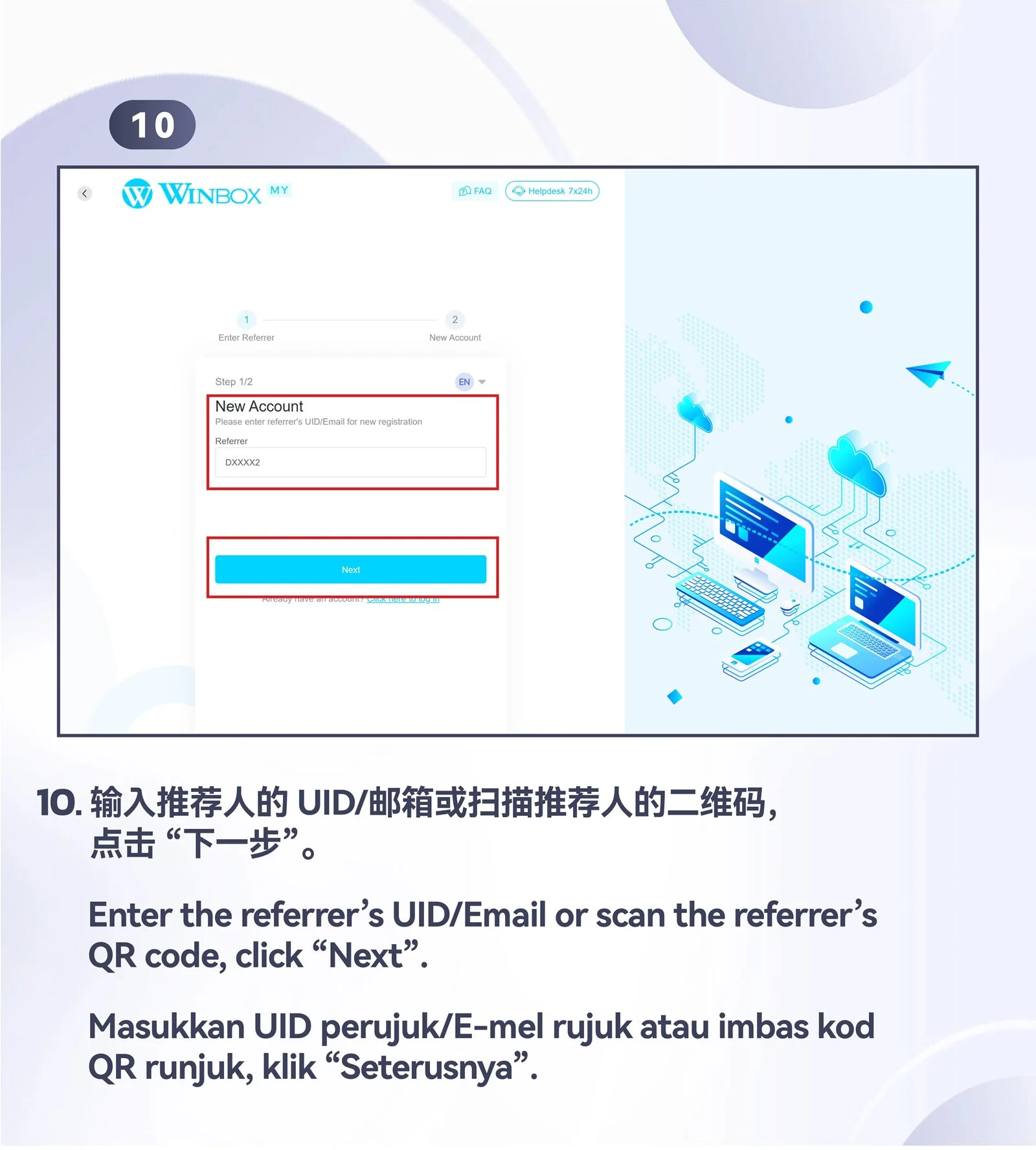
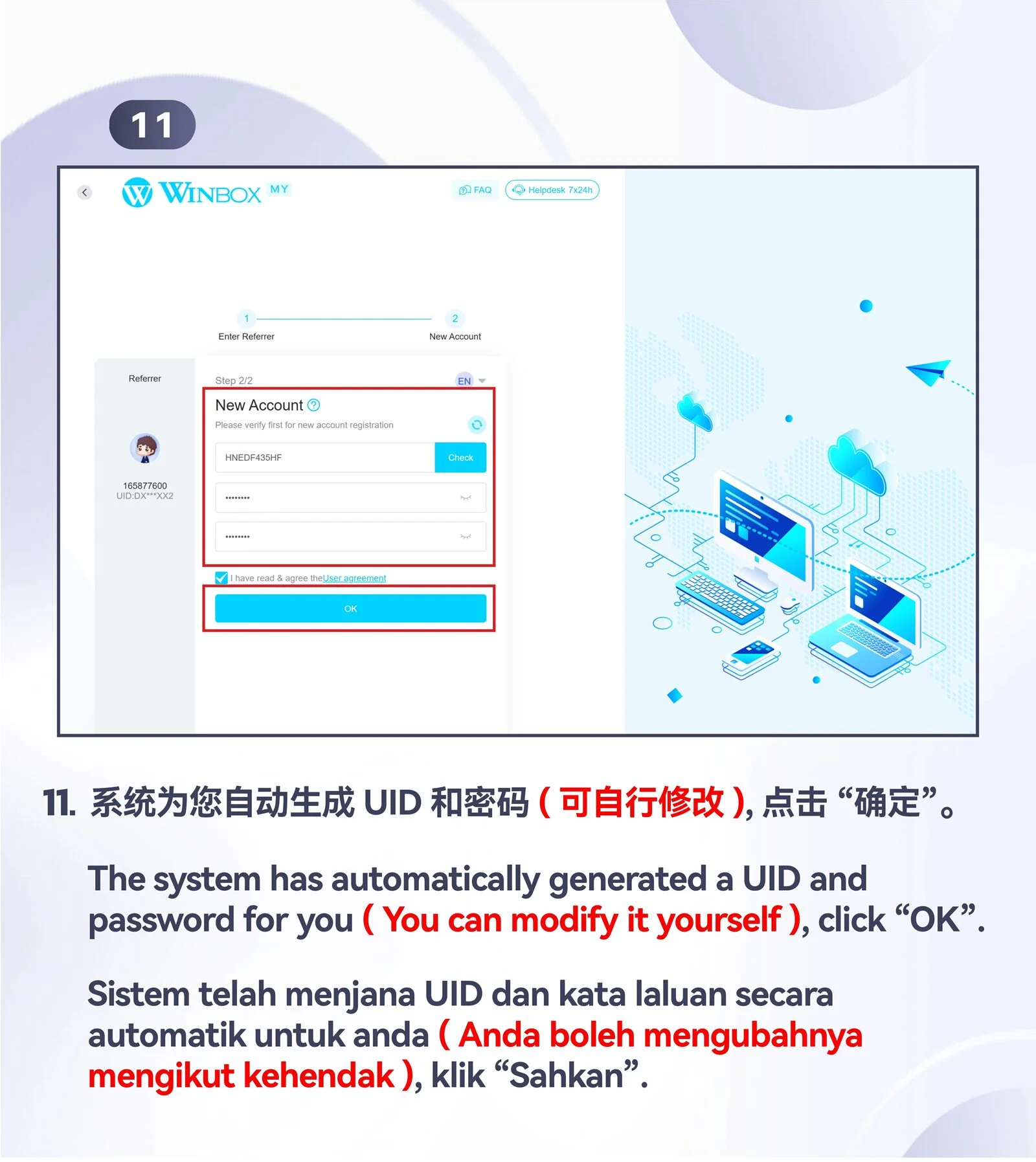
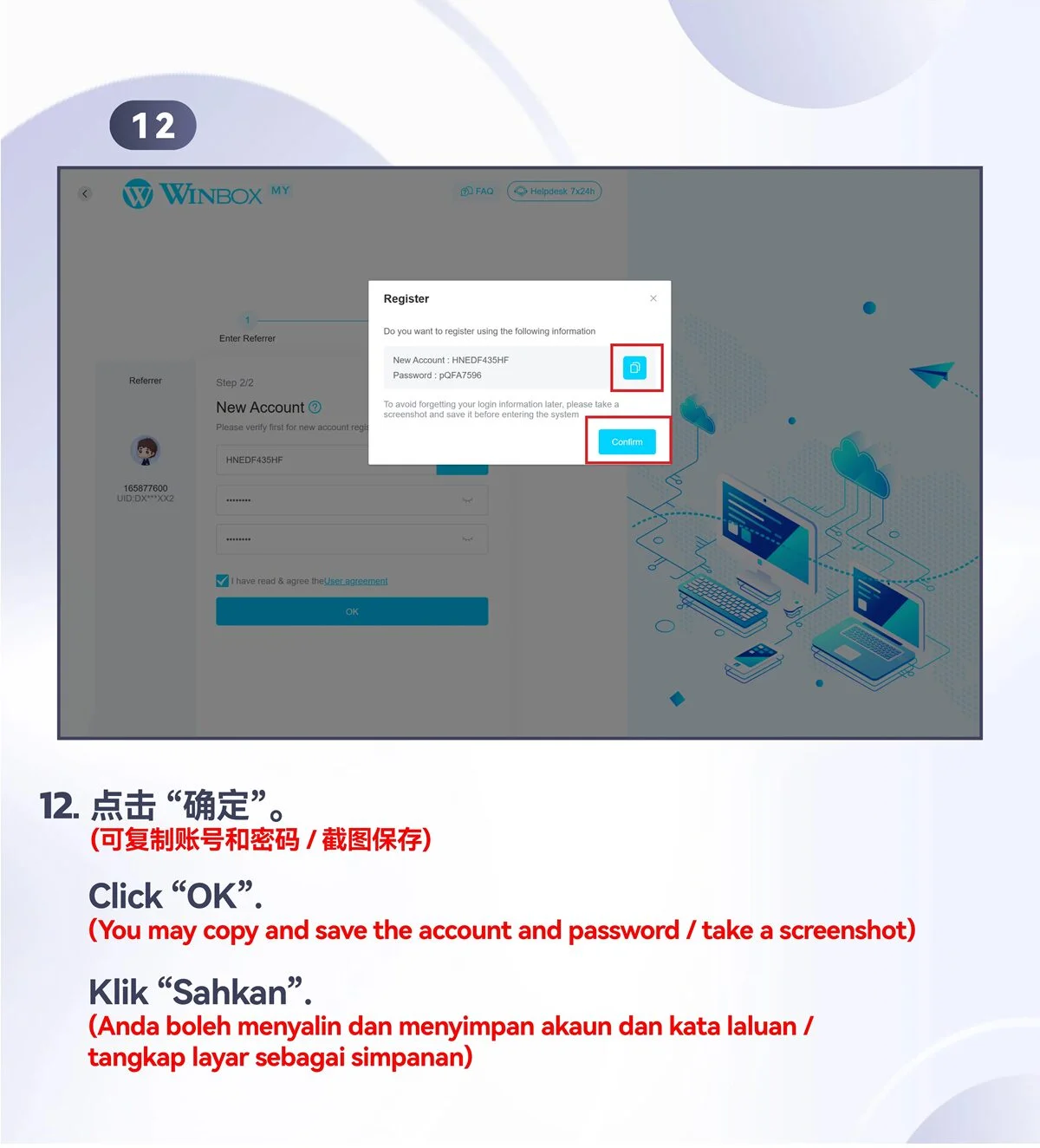
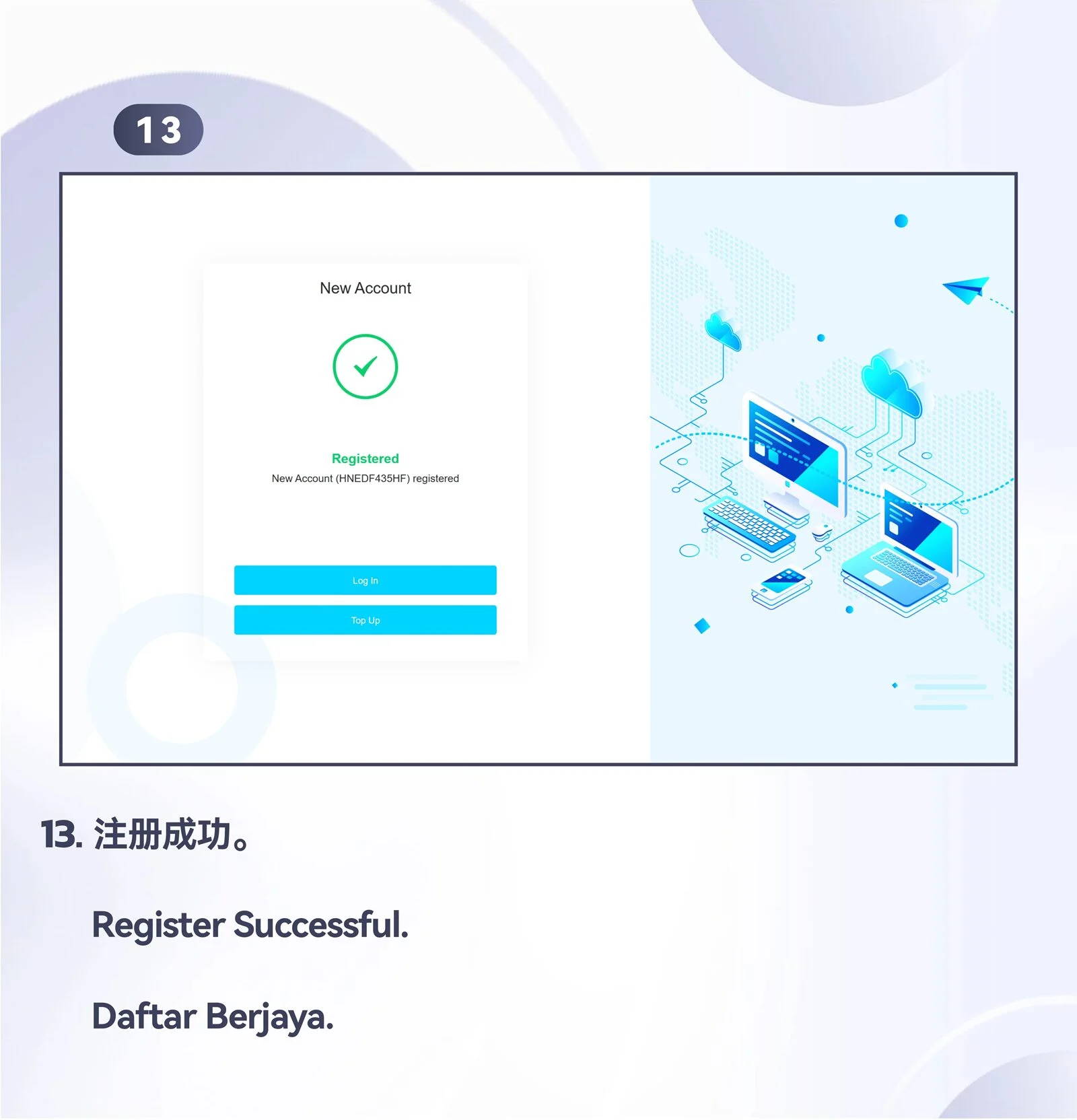
Register an account with Telegram
Follow the complete desktop registration tutorial, including its overview and thirteen steps.


PC · Desktop
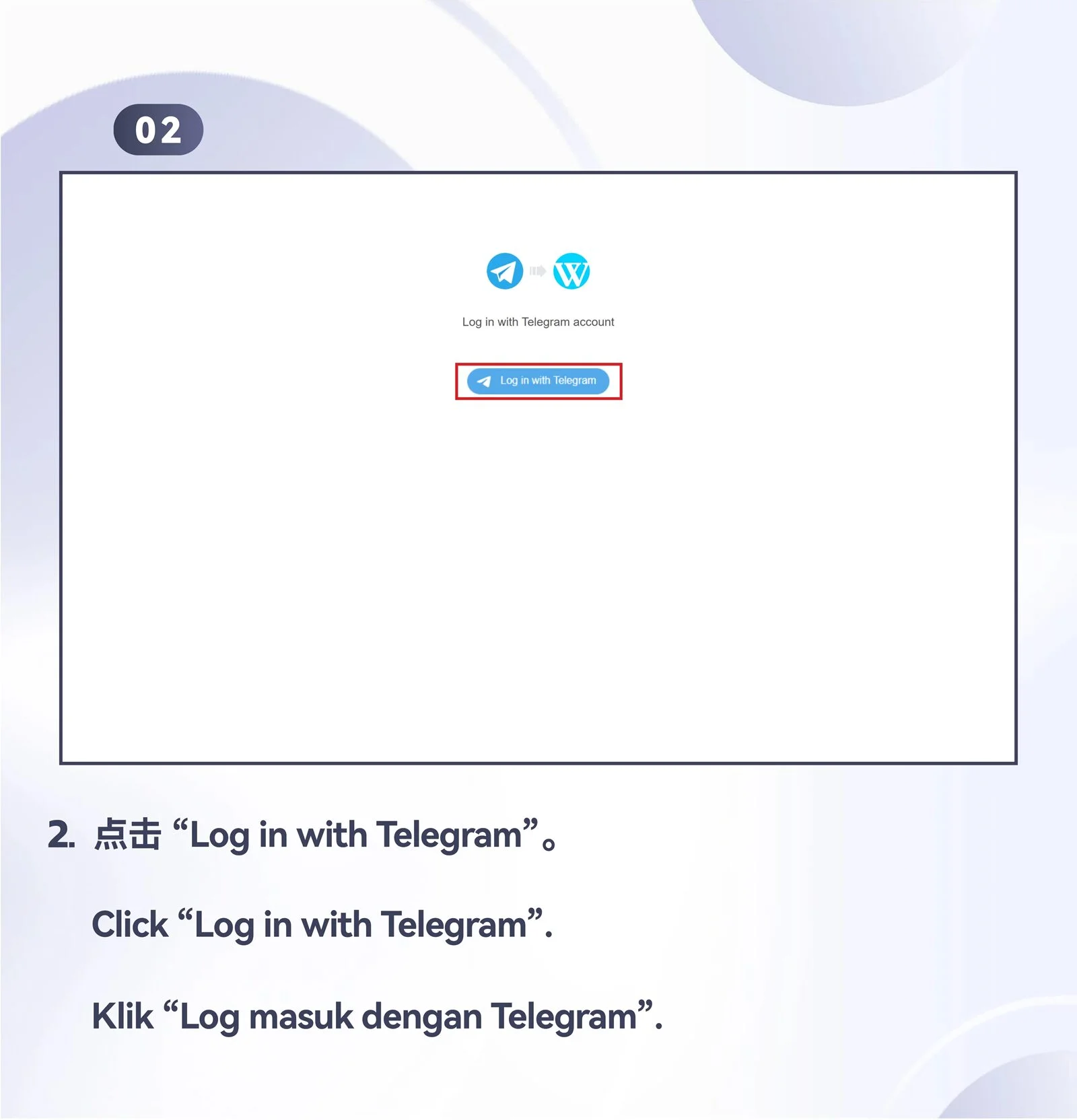
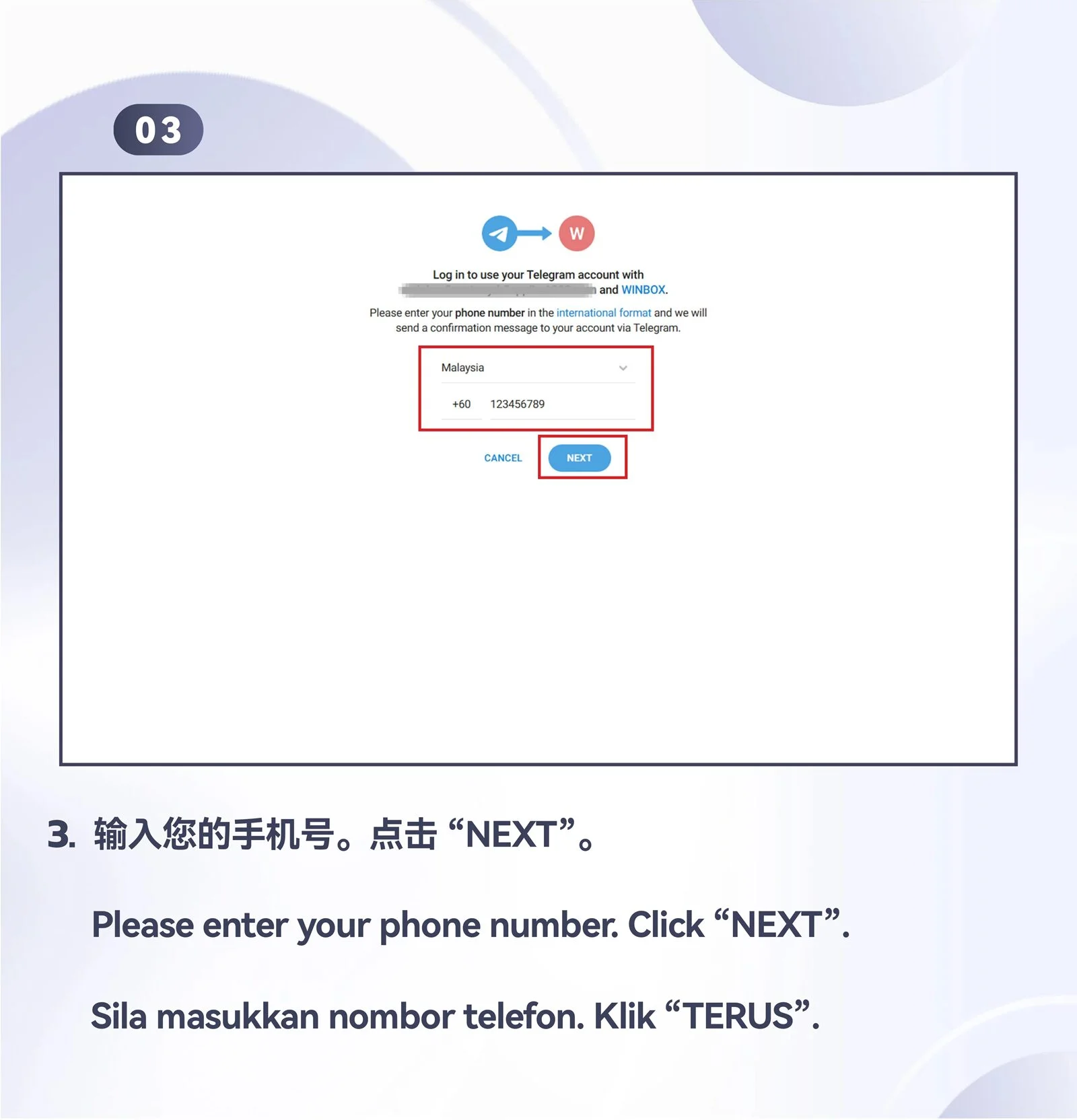
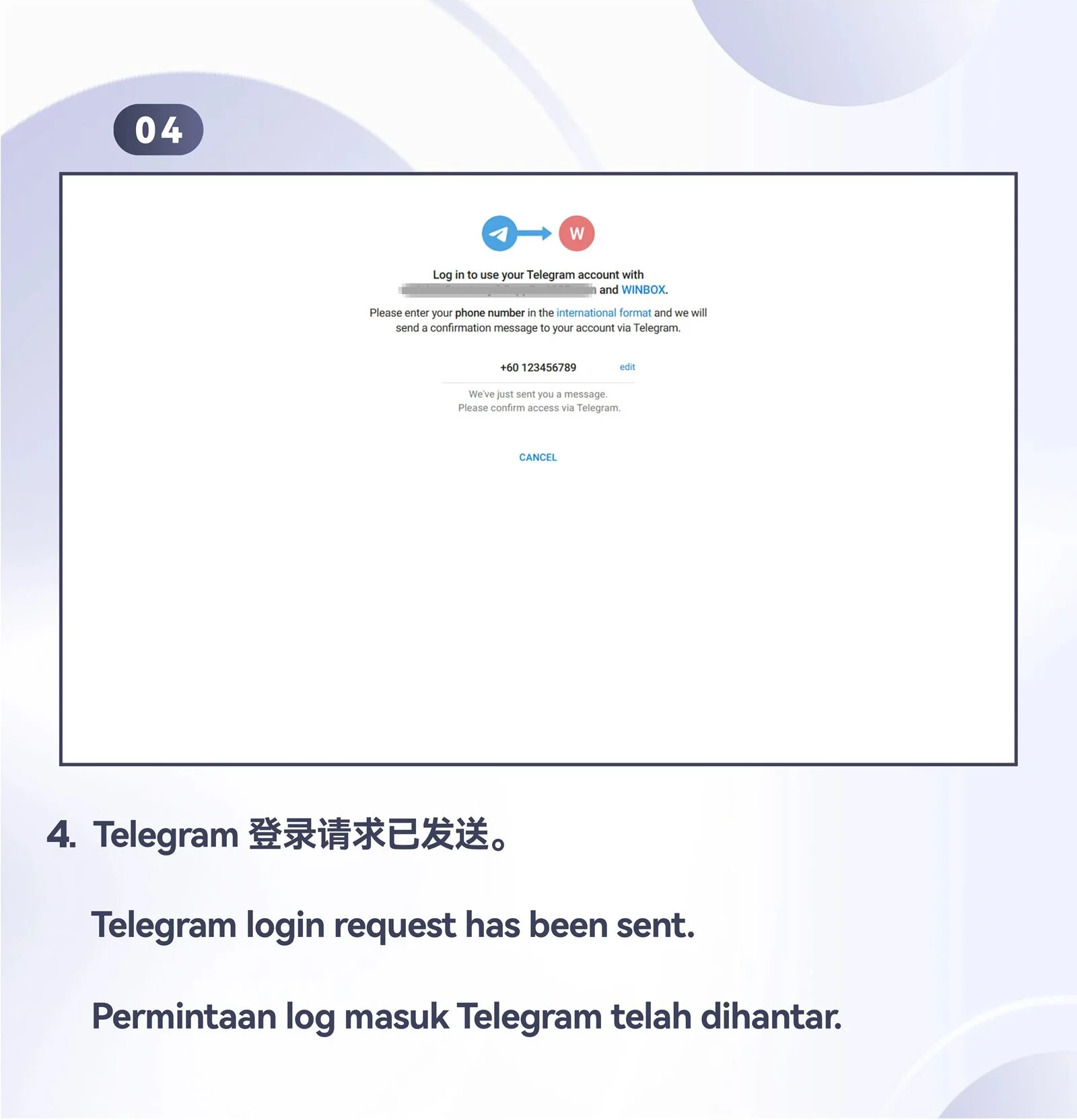
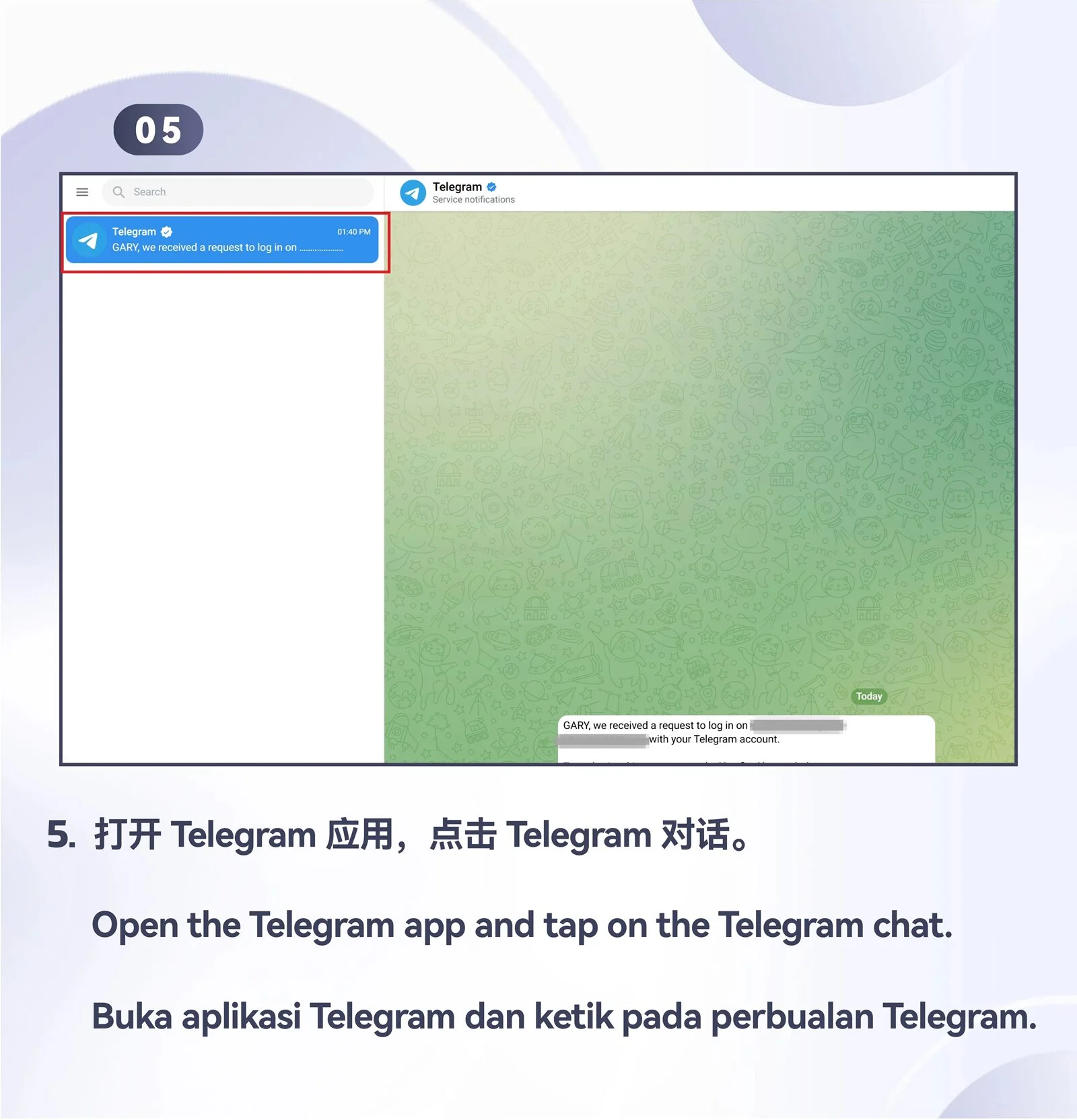
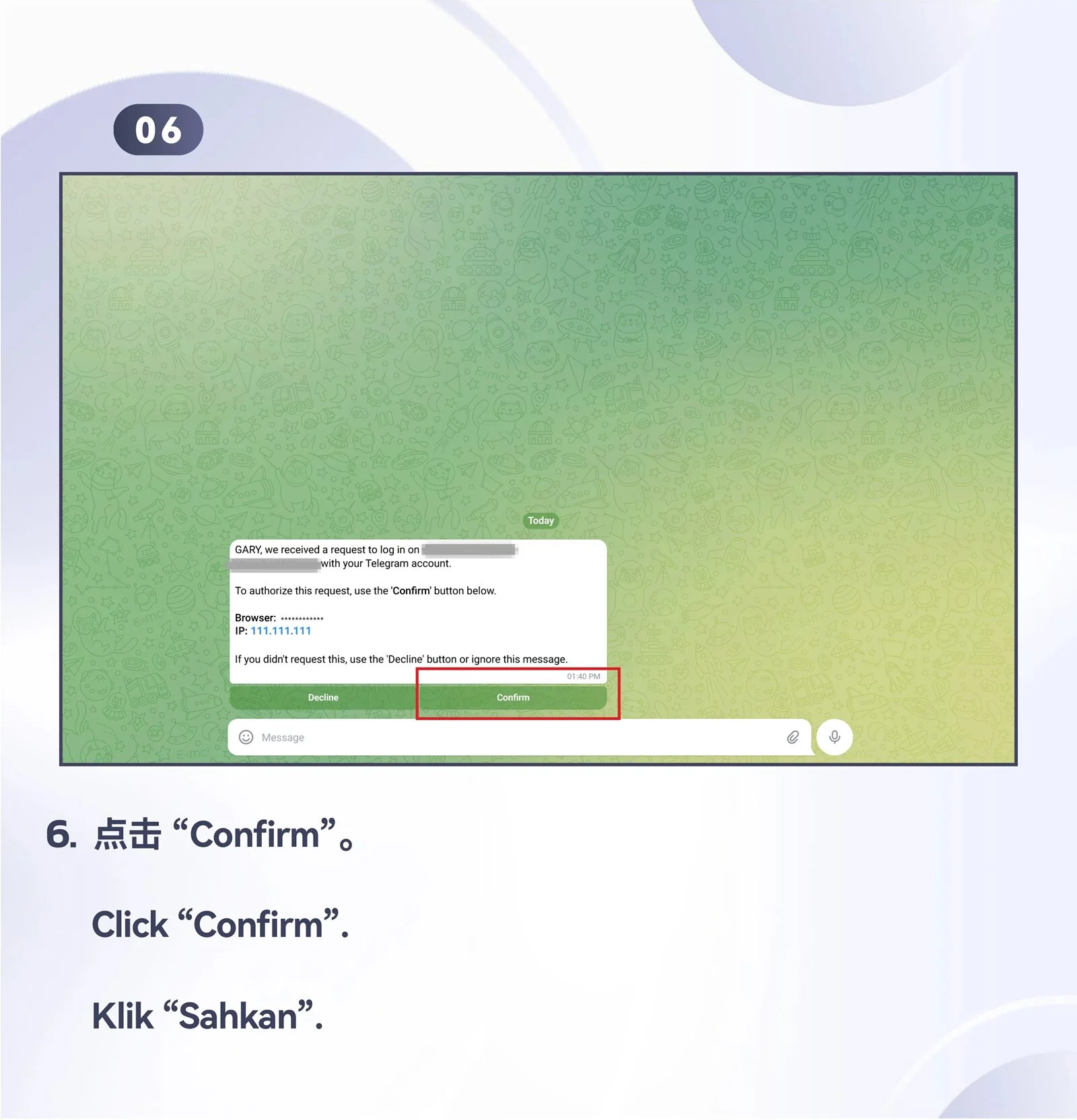
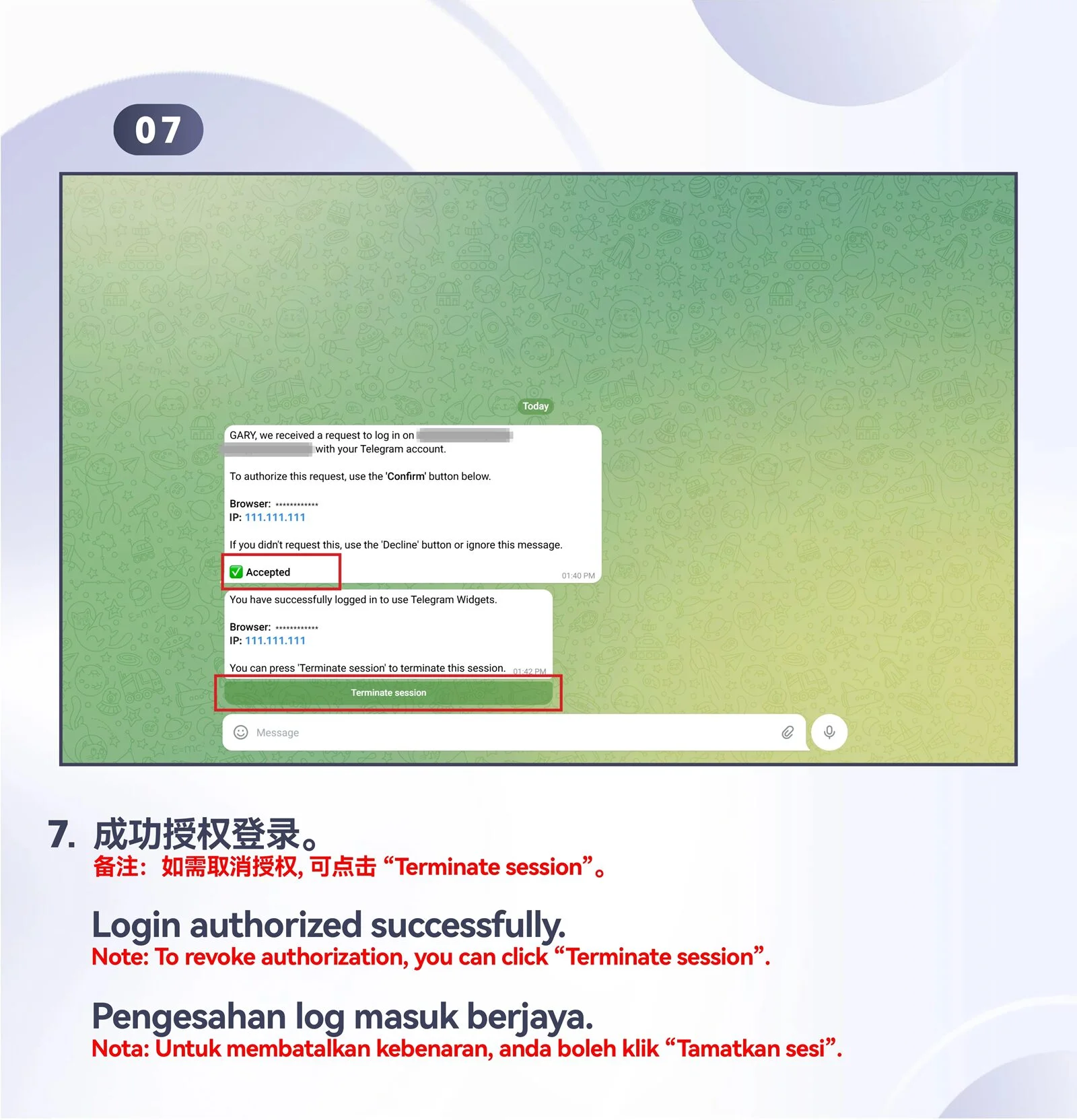
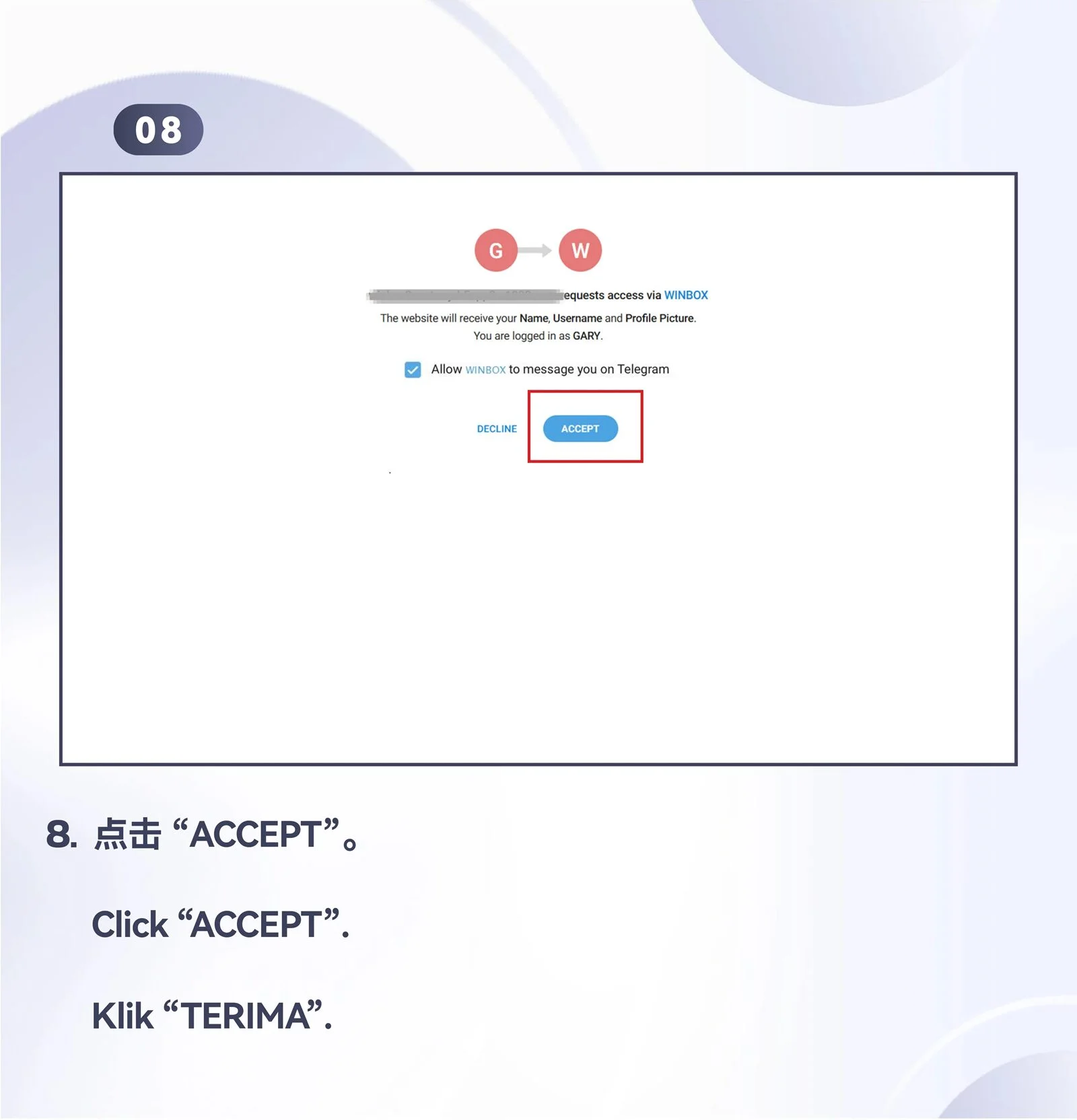
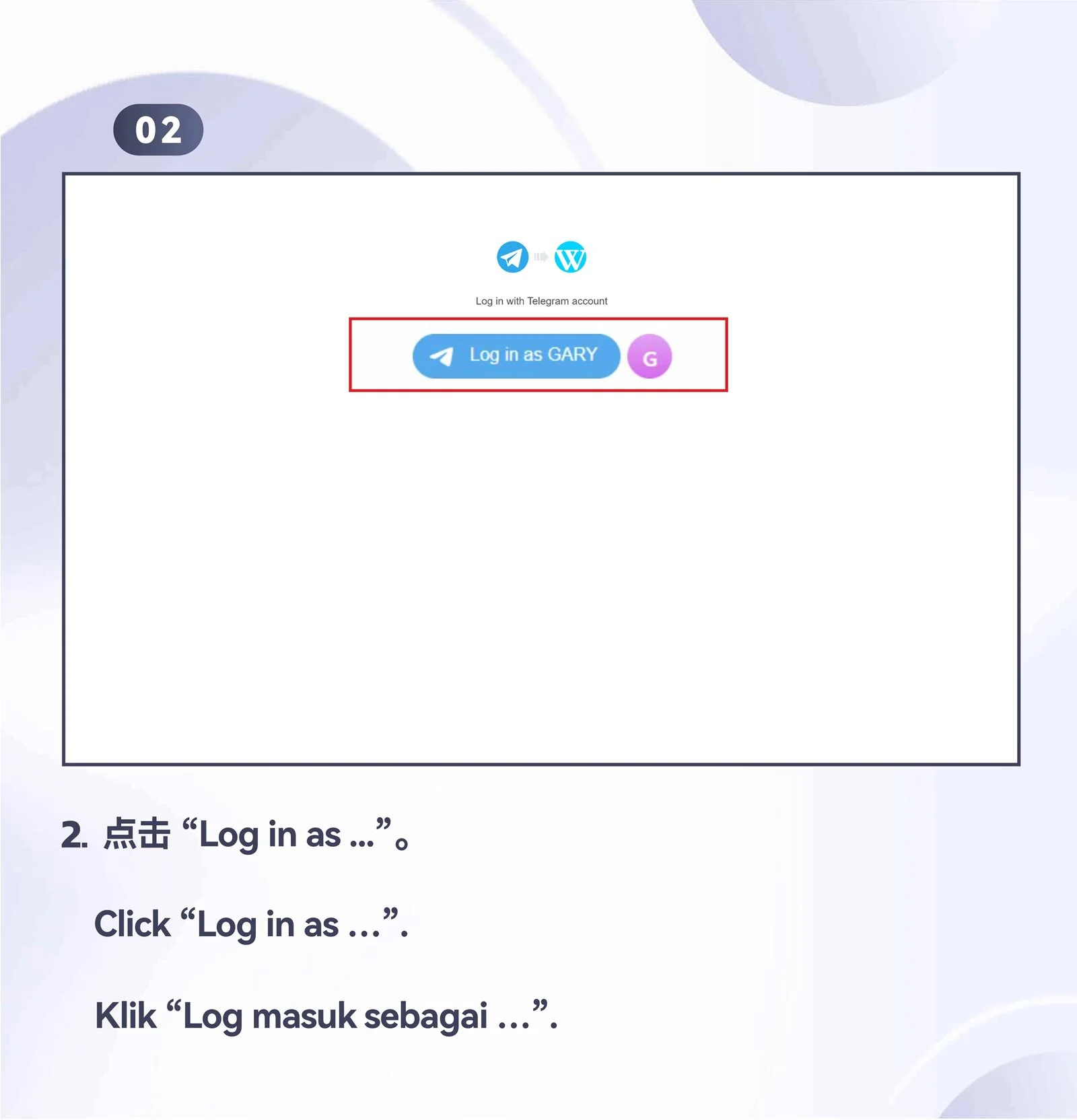
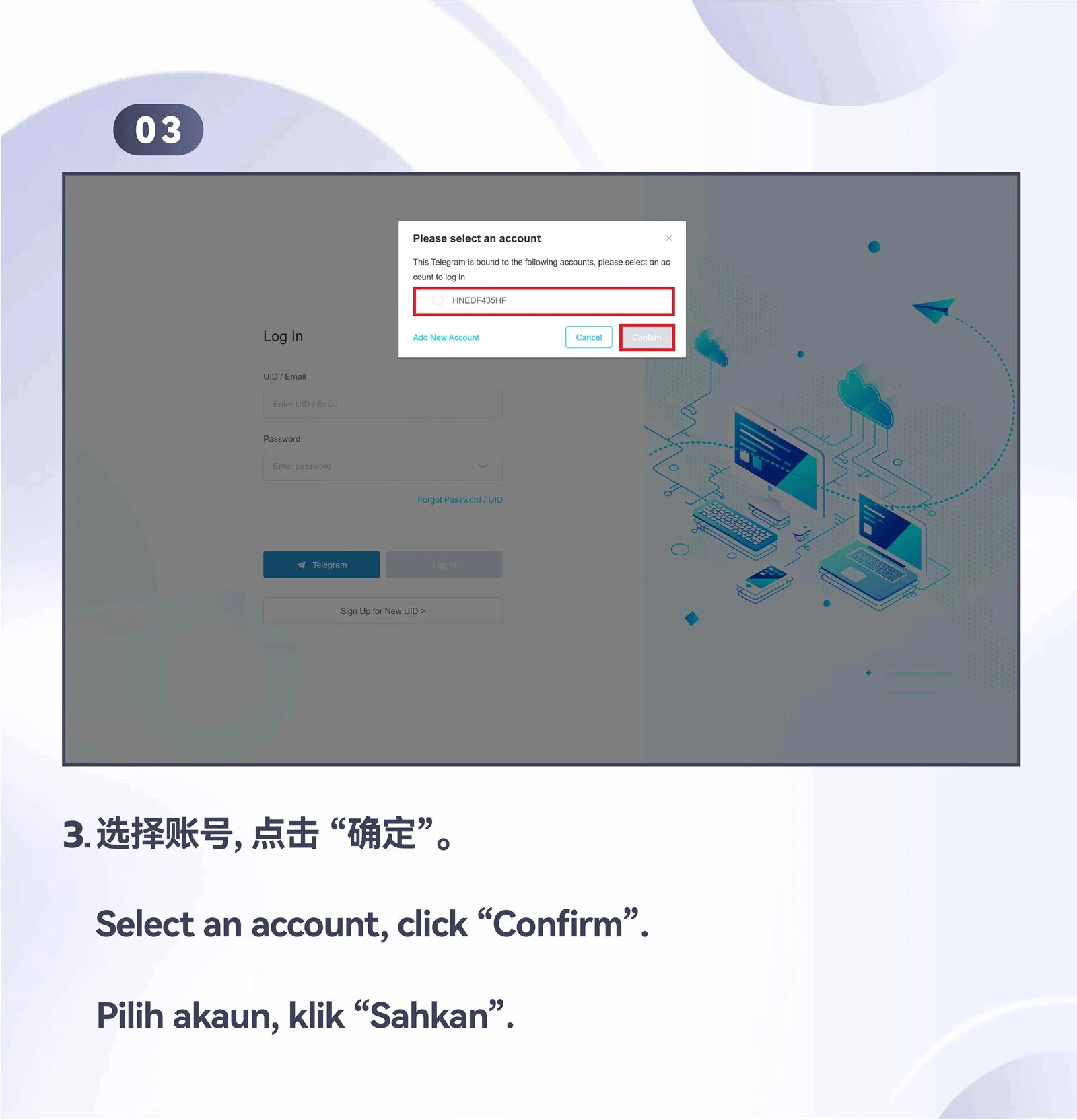
Log in with Telegram
Move through the desktop Telegram login overview and four numbered instructions.



PC · Desktop
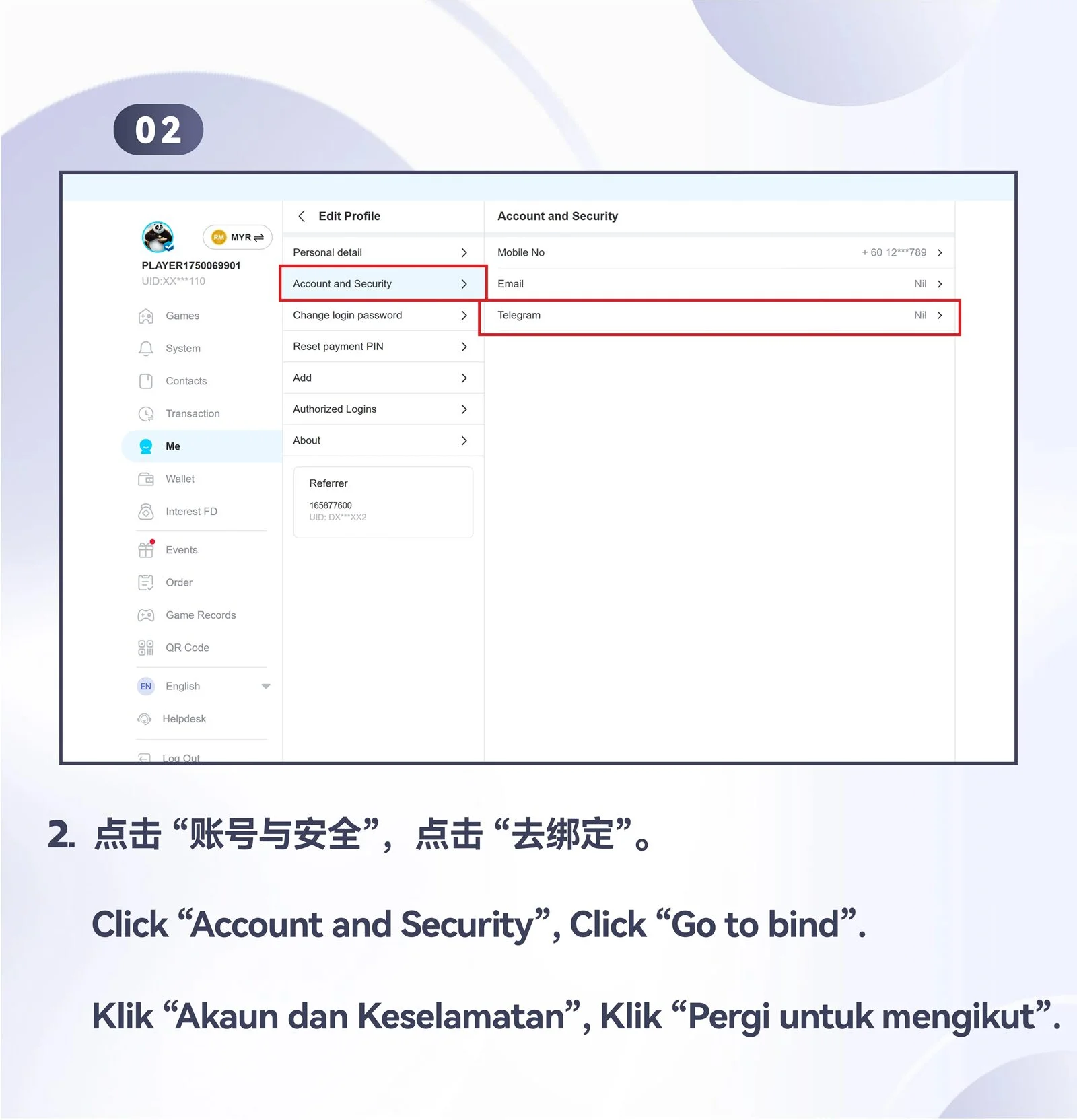
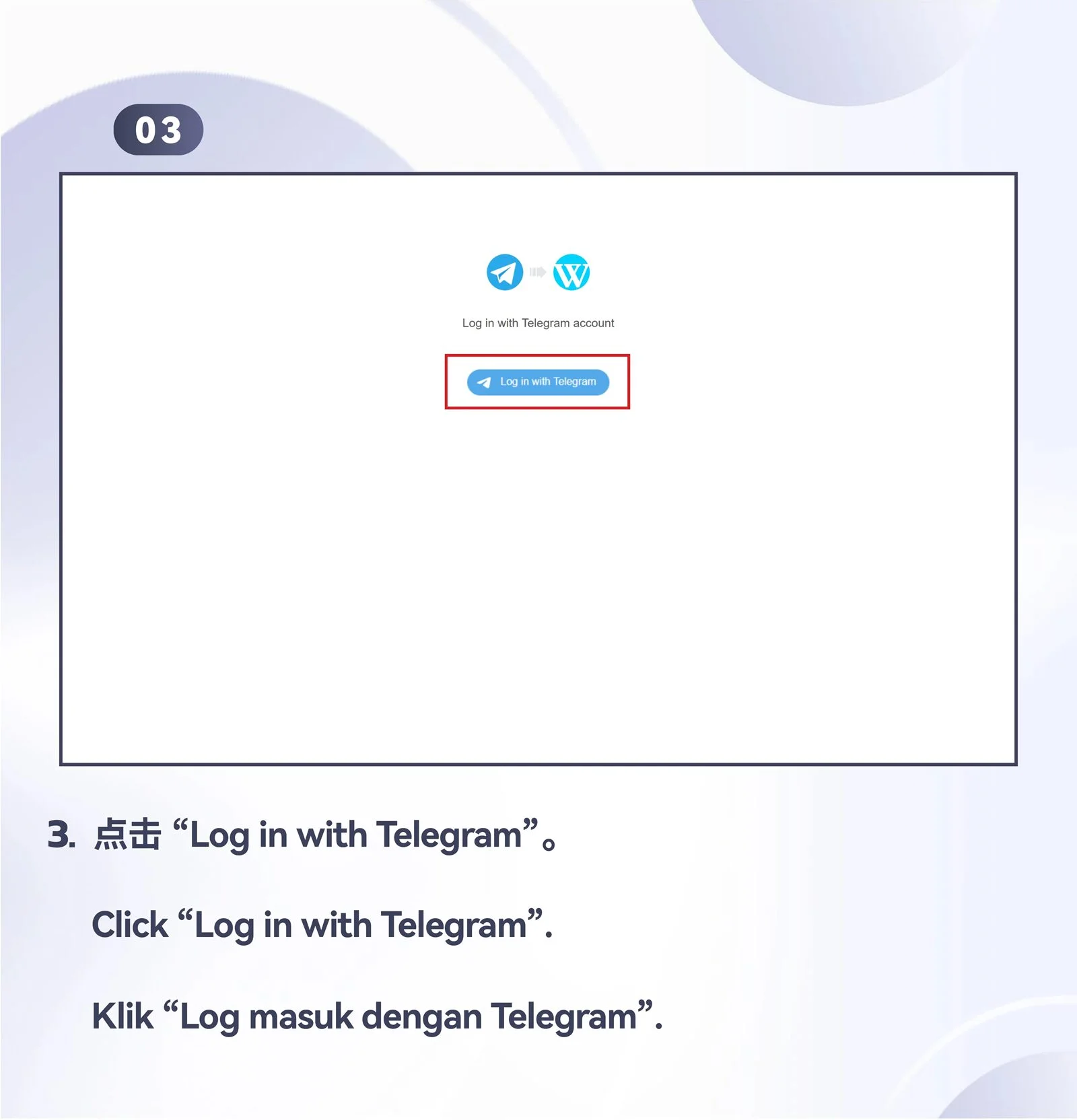
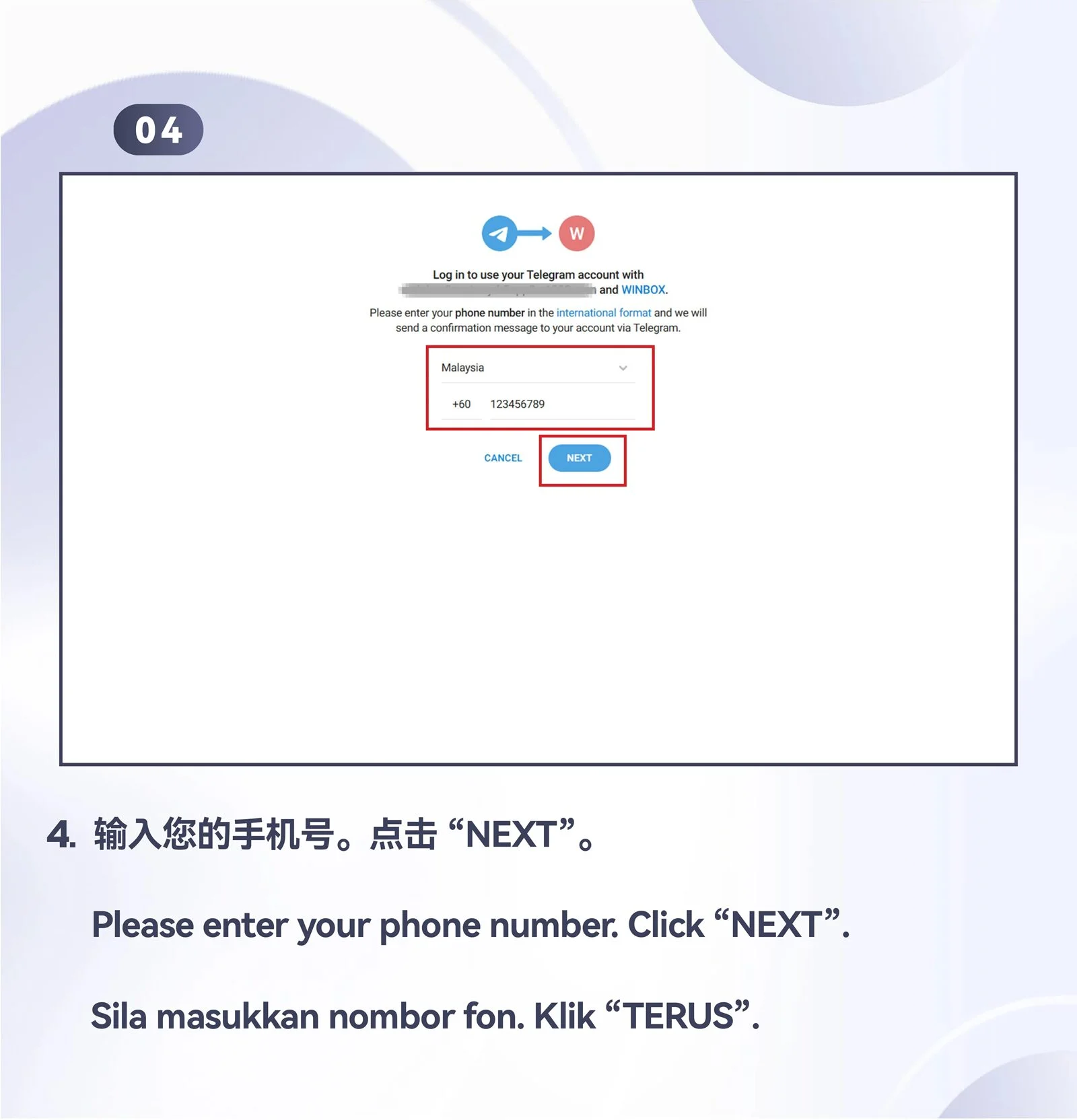
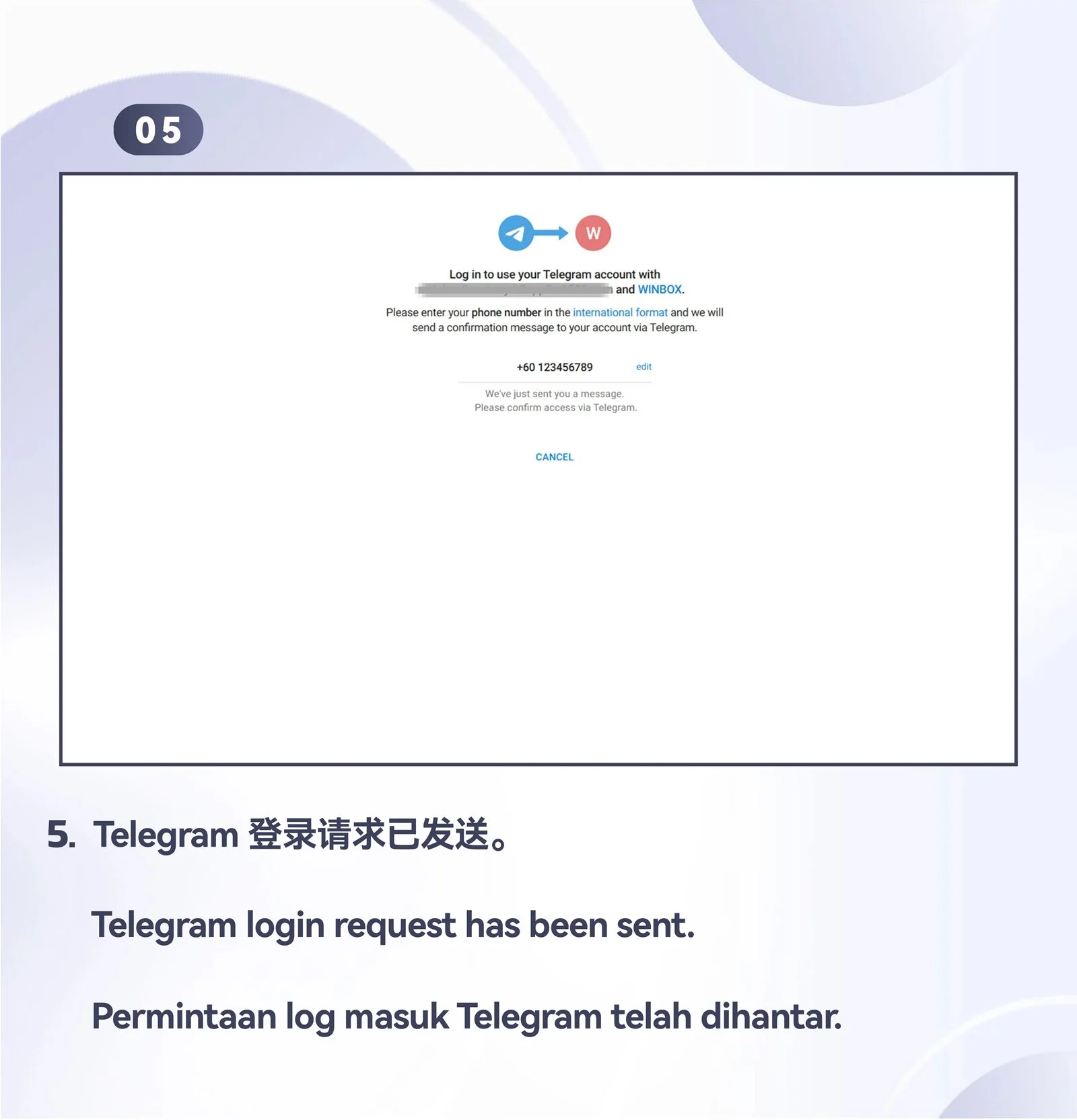
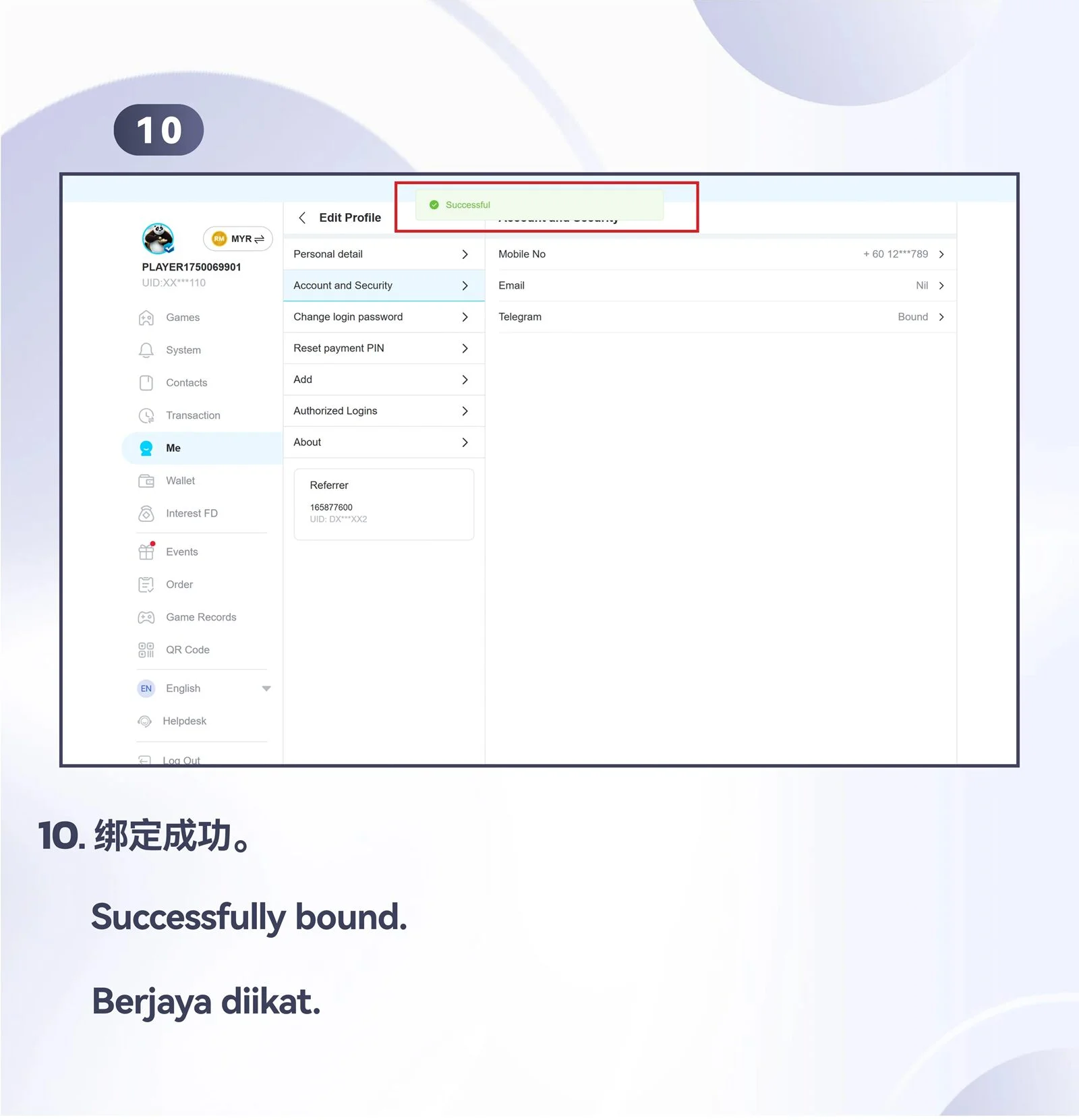
Bind Telegram to an existing account
Use the supplied desktop overview and ten screens to complete account binding.

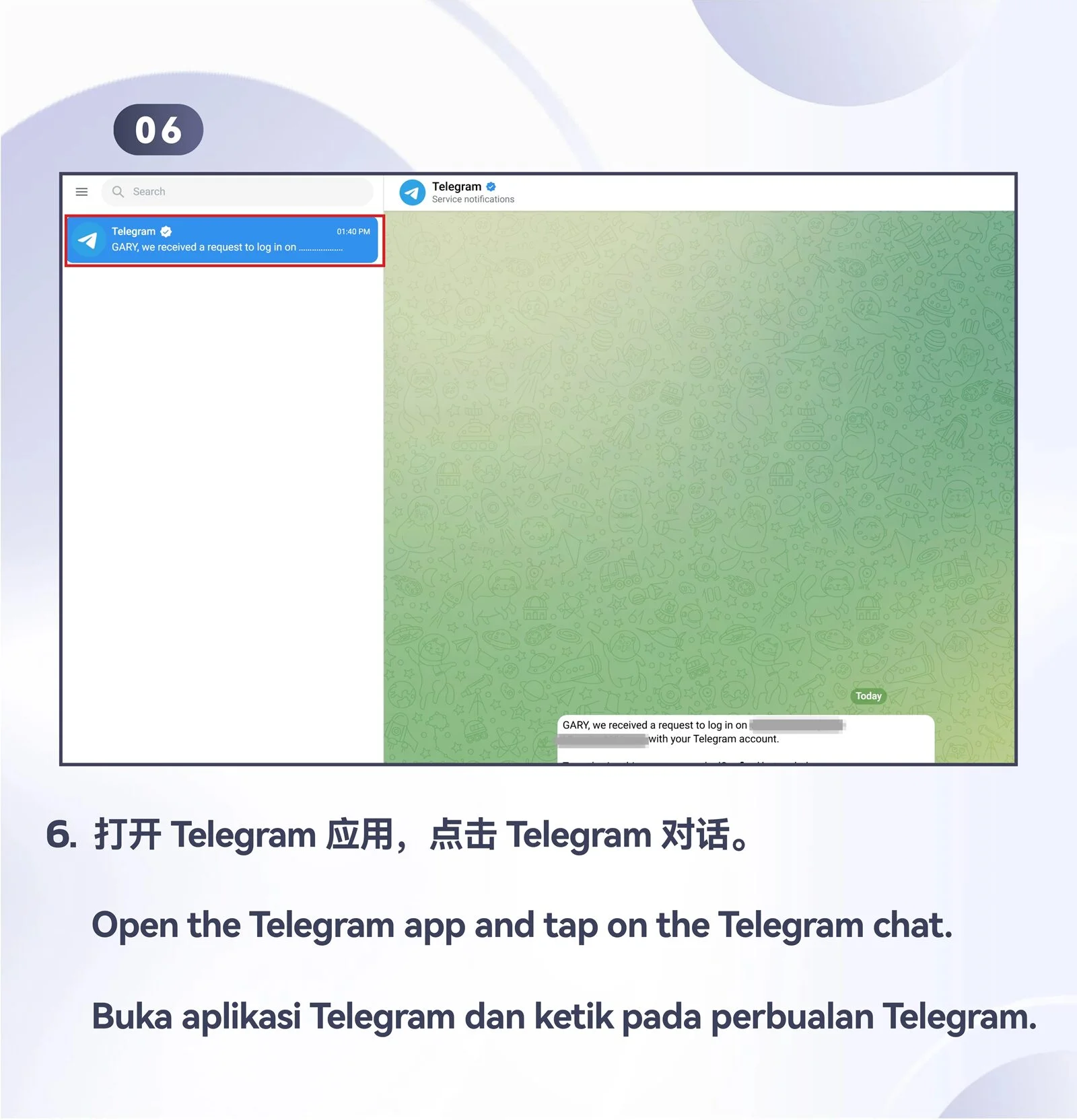
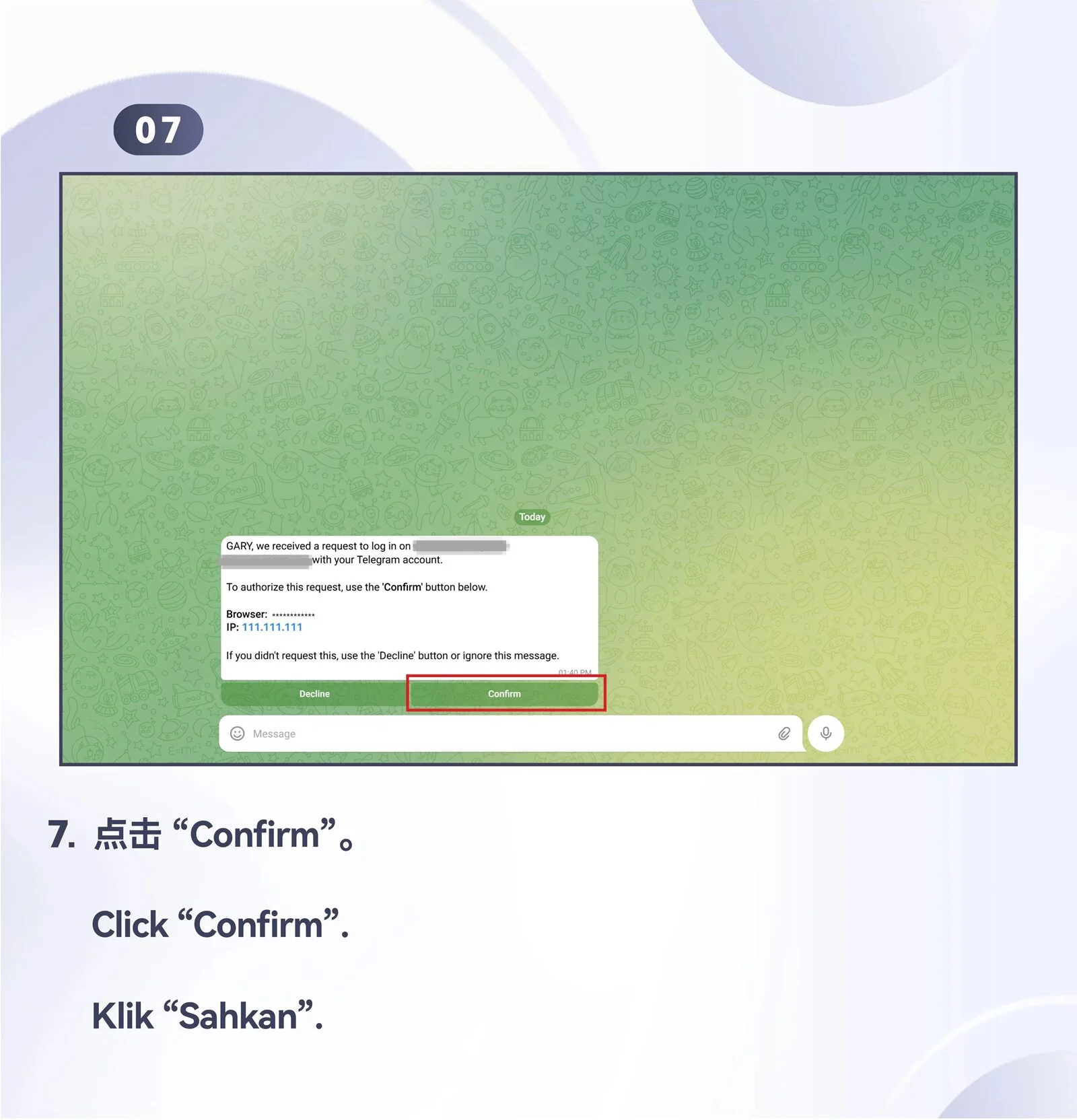
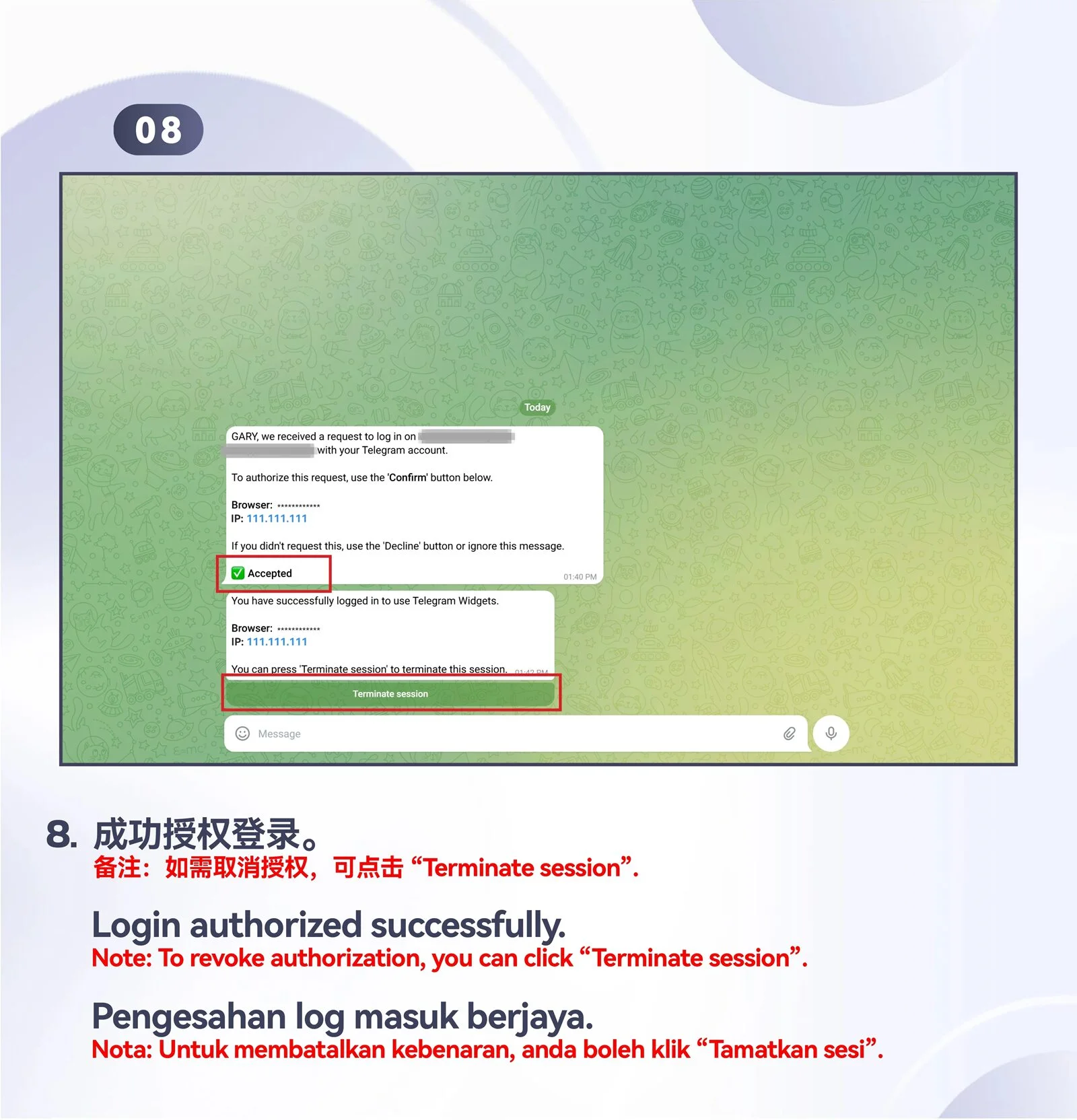
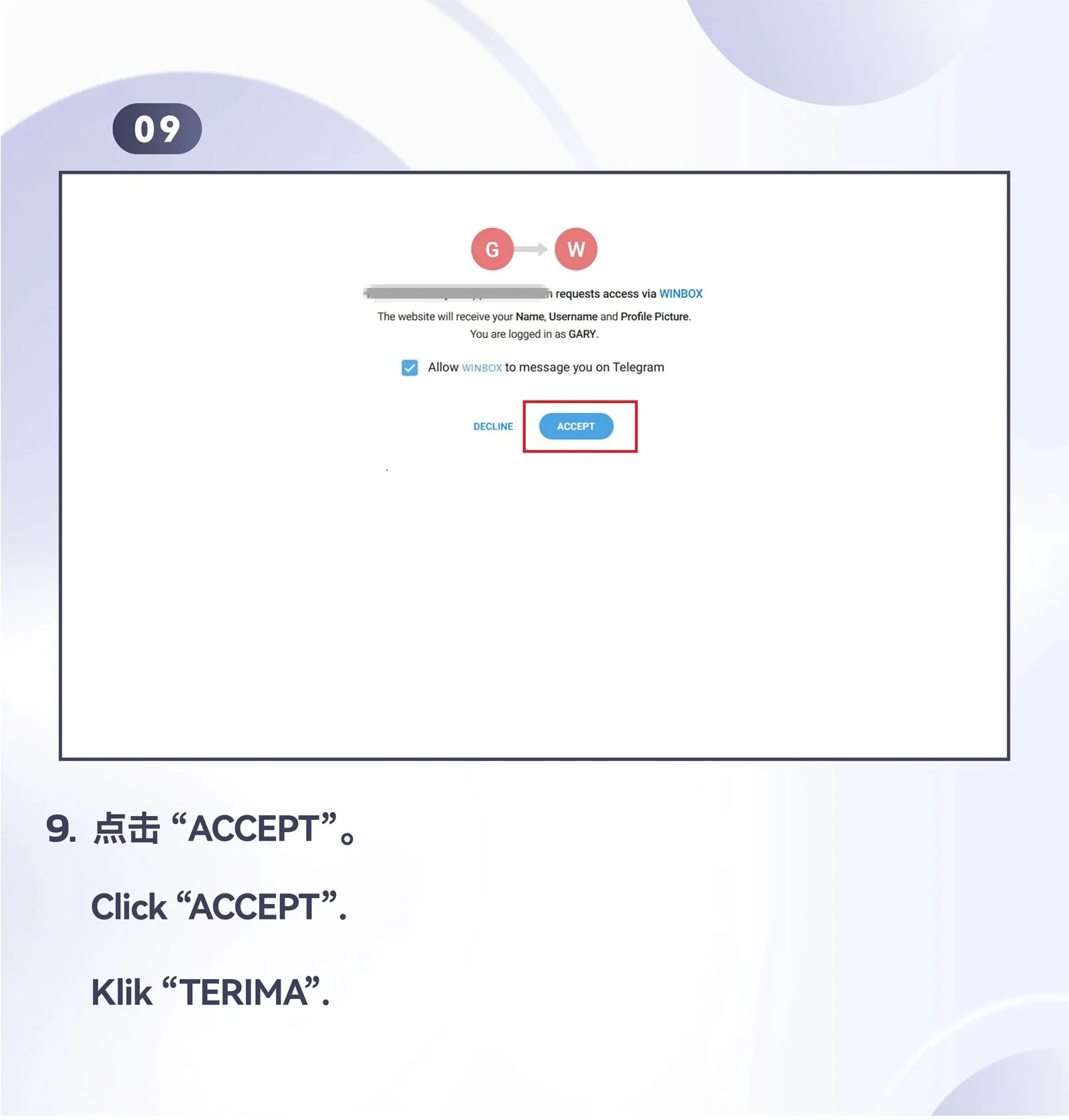
PC · Desktop
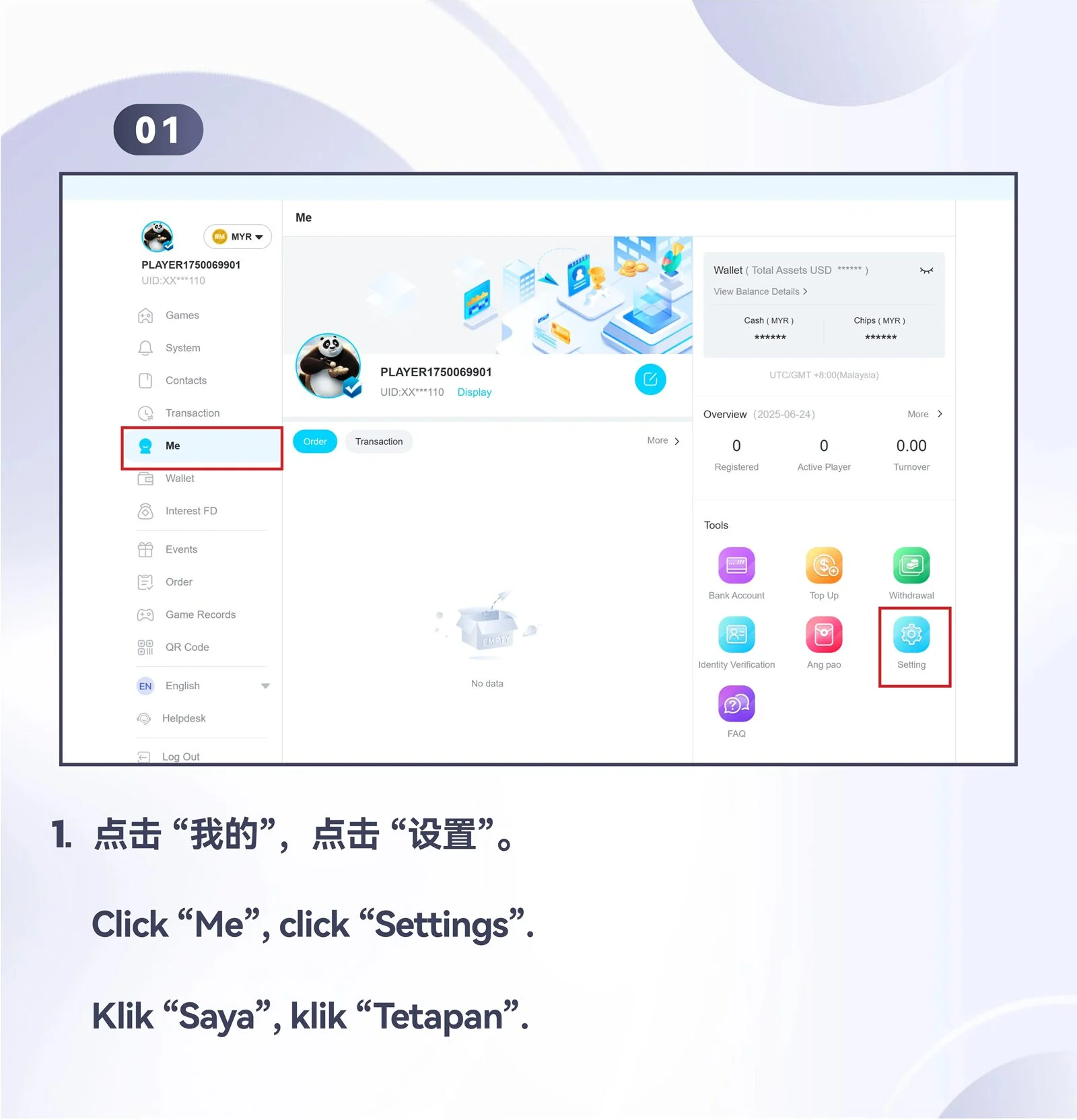
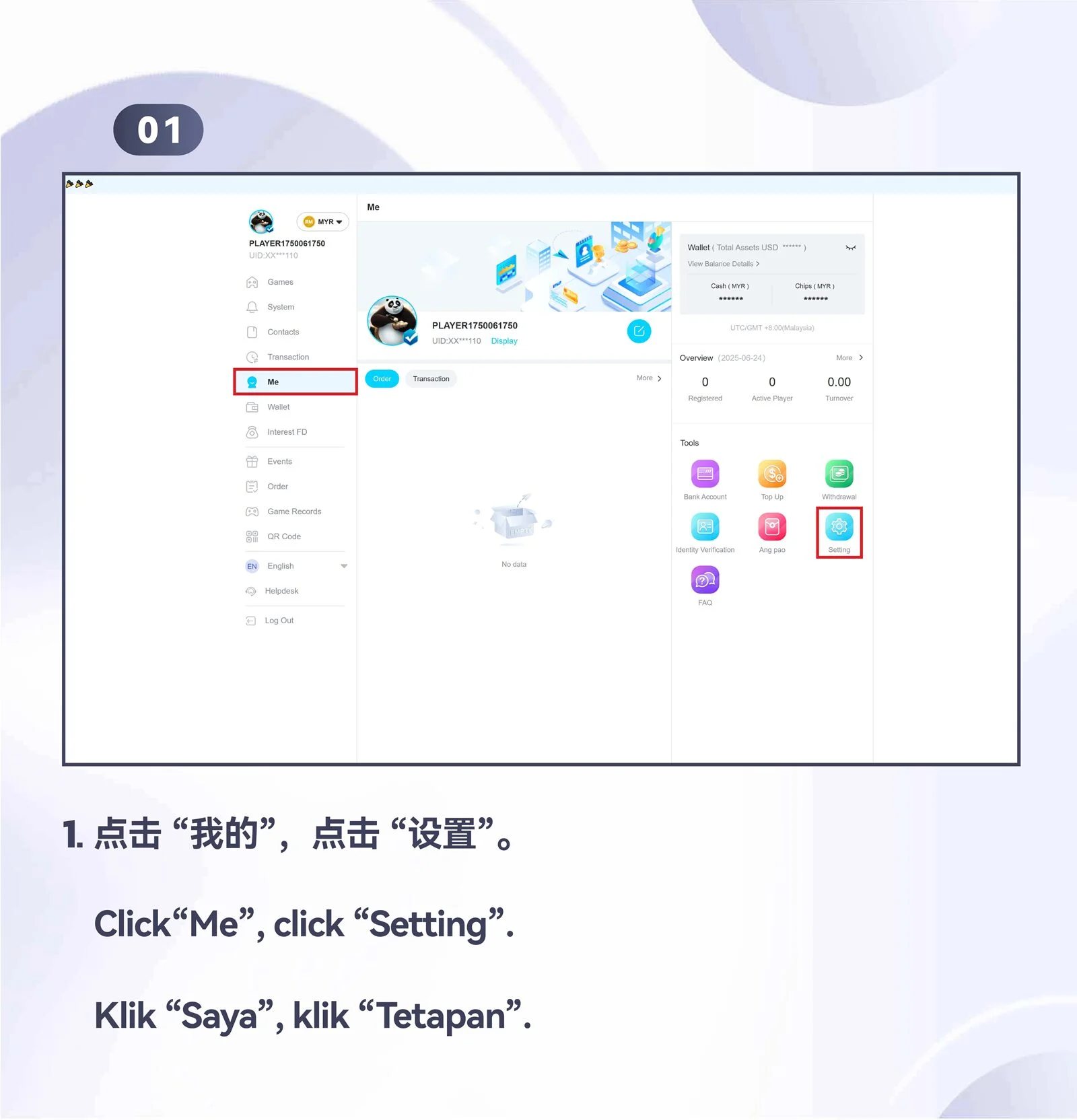
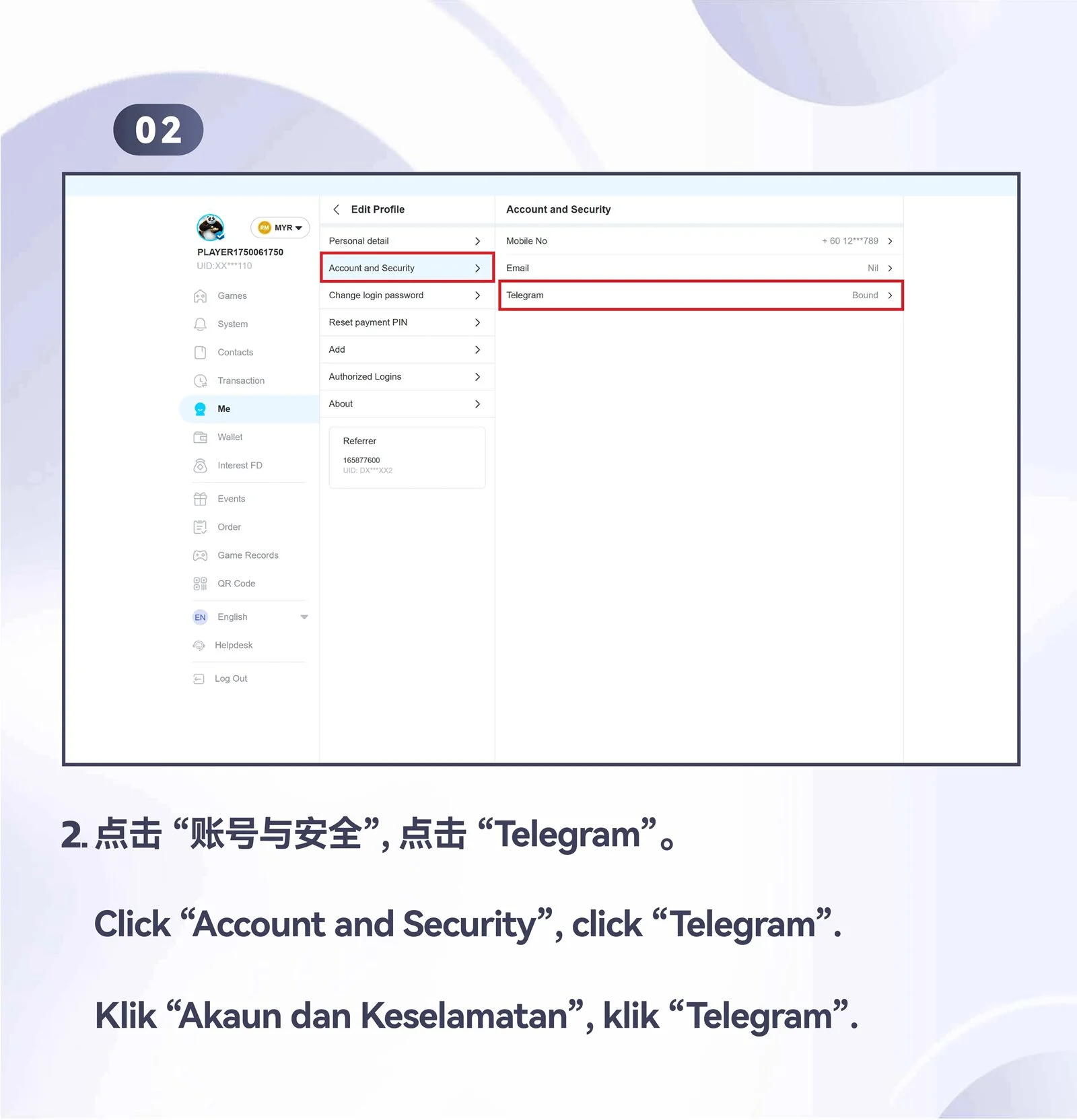
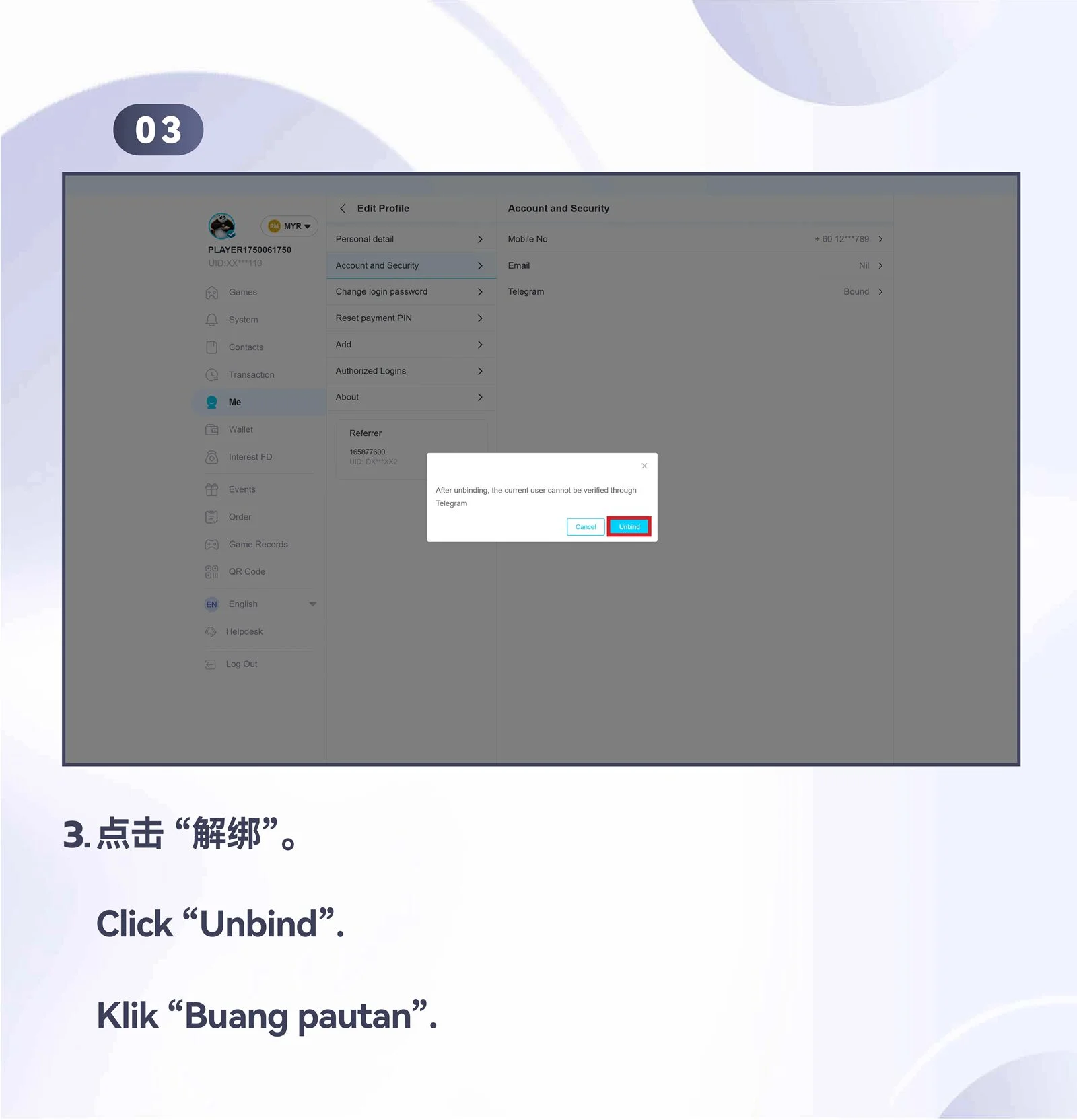
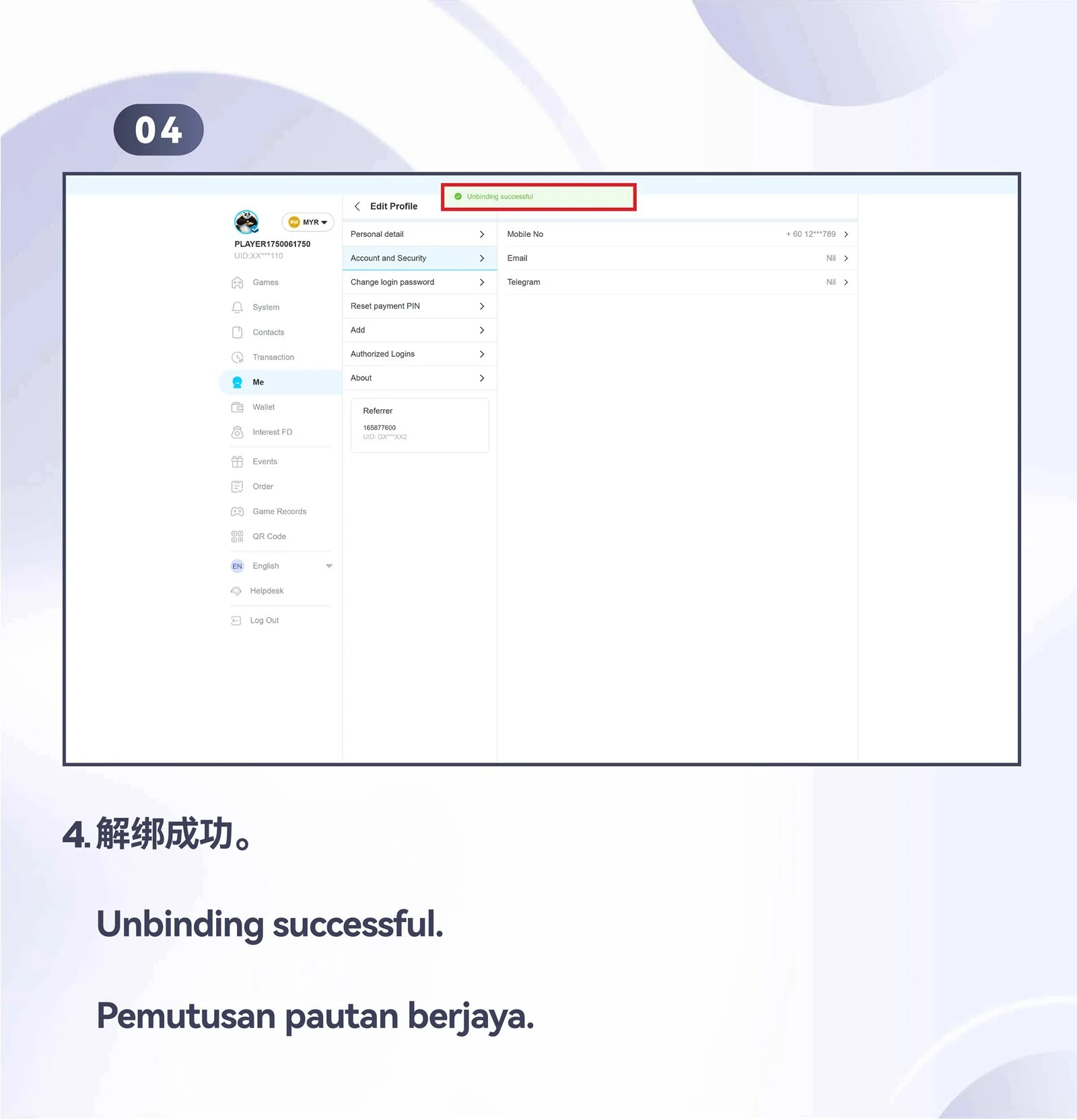
Unbind Telegram from your account
Follow the desktop Telegram unbinding overview and all four numbered steps.

TELEGRAM ACCOUNT GUIDE
Connect Telegram to WINBOX on mobile or desktop
The WINBOX Telegram guide is organised by task and device. Choose registration, login, binding or unbinding, then follow the corresponding image carousel from the first screenshot to the last.
Choose the correct tutorial
Mobile and desktop interfaces can look different. Start with the device and action that match your goal instead of switching between image sets.
Confirm the Telegram account
Check the Telegram username or account shown during authorisation. Approve the connection only when it belongs to the WINBOX account you intend to use.
Review binding status
Return to account settings after completion and confirm whether Telegram is connected or removed. Do not share login codes sent by Telegram.